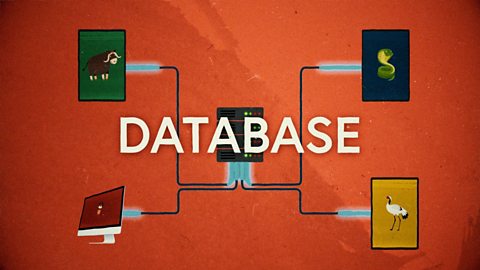
NARRATION:I'd love to book a holiday. I'd like to visit Wales and go walking. I think I'll use the internet to research my trip. I said the internet there, but actually I mean something called the world wide web. Hang on, I hear you cry, isn’t the world wide web the same as the internet?Well they are connected, but they’re not the same thing.
In the 1970s scientists developed the system of computer networks we call the internet to allow them to send messages and share their work. They tried making information pages and sharing them on the network but the pages were difficult to find and very slow to load. It wasn’t much fun. Books and papers were still easier and faster to use. Then, in 1989 a scientist called Sir Tim Berners-Lee changed everything. Tim and his team invented a language called HTML to write better pages, a set of rules called HTTP to make sharing the pages easier and the URL, an address for each page so it could be found easily. He called his system the world wide web and it grew into the huge collection of websites we know today. No wonder he became Sir Tim - what a genius!
So how is the world wide web different to the internet? Well, you could think of them both as part of a big library. The internet is the library building and all of its infrastructure, rooms and spaces full of bookshelves and cupboards and storage racks, and the corridors, lifts and stairs that connect them. The world wide web is the content of the library - the books, videos and magazines on the shelves. Each book is a website, each page is a web page.
The world wide web contains billions of pages of information with text, images, photos, videos, data. In order to find the information we’re looking for, we need the help of a computer program called a search engine. We can think of search engines as the librarians of the world wide web. In a real library the librarians create and manage a detailed list of everything kept in the library. This is called an index. Librarians spend so much time updating the index that they know what books are most popular and where to find them.
Search engines do a very similar job on the world wide web. They send out little programs called web crawlers that visit all the pages on the world wide web, making a huge index as they go. For each web page they record the web page address, this is one of Sir Tim’s inventions, it’s called the URL. They make a note of what the page is about and list the important key words. They also count links from other pages as this shows how popular that page is. These clever little web crawlers are always on the move, looking for new web pages to add to their index, and removing web pages that are no longer available.
Let’s search for information about the walking routes in Wales. I’ll use 'best, walks, Wales’ as my key search words. The search engine will use the work of those web crawlers and check the millions of entries on the index. It looks at my key search words and matches them up to the index notes about each webpage. The search engine then shows me a list of websites from its index that it thinks will be useful. The trouble is, the search engine is so good at its job it might find thousands of websites with information about Welsh walking routes. How does it decide which ones to put at the top of the list? It uses a set of rules called a search algorithm. And if you don't know what an algorithm is then I've made a handy video guide on the BBC Teach website.
The search engine uses the algorithm rules to check the thousands of websites it found in the index. There might be 200 rules to check before it decides on a page ranking, or what order to put the websites in. Some of the rules might include: Do the website pages include all the key search words? Do lots of other websites have links to this one? Is the website updated regularly? Is it quick to load? Pages with a high page rank score go nearer the top, and should be the most relevant and useful. Each search engine uses their own algorithm so you might get a different list with each search engine despite using the same search words.
It’s important to think carefully about your key search words. If I just use ‘best walks’ without adding ‘Wales’ then the search engine will look for different walks all over the world. If I spell ‘Wales’ wrong and put ‘whales’ with an 'h', then I might end up with pages of underwater videos of giant sea mammals! Those hard working algorithms need as much help as you can give them.
One last thing to remember. Companies will often pay to make sure their website goes to the top of the search list. These pages at the top of the list will usually have the letters AD, short for advert, next to them to show you that they bought their place at the top rather than by being chosen by the search engine algorithm as being useful.
So there we have it - popping down to the internet library to search the world wide web bookshelves, chatting to the search engine librarians and catching up with our old friend the algorithm. Thanks again Sir Tim and your team!
Video summary
This short film gives a brief history of the development of the internet and the invention of the world wide web by Sir Tim Berners-Lee, and explains the role of a search engine.
The film explains the way in which a search engine catalogues the world wide web, creating an index. The index is then used to find relevant websites after a keyword search query.
The film also covers the use of algorithms to sort the search results and find the most useful, and finishes with a reminder that some companies pay for their website content to be listed at the top of a search results page, like an advert.
This short film is from the BBC Teach series, Cracking Computing.
Please note: When discussing search technologies with pupils it is important to remember that image searches are not considered good practice for children as they can return images that are not appropriate, bypassing internet filters and other restrictions that are often text-based.
Teaching Notes
The technology behind search technology and the huge companies that dominate them is a source of many common misconceptions, and learning about how they work can help to correct these and give pupils a better understanding of a tool they will be using more and more. Activities to support this could include:
- Searching on a single website rather than the whole world wide web
- Comparing the results of searching with the same keywords in different websites/books
- Using a range of search engines tailored to children to give them a more appropriate set of results - e.g. KidRex or Kiddle
- Treasure hunts based around keyword searches to ‘collect’ pieces of specific information
- Using questions instead of keywords to find answers to questions
Pupils could be given note taking exercises based around search technologies but they should be carefully structured to avoid the simple copy and paste of results. Changing the mode or genre of the research outcome so that it is not the same as the materials being used can help with this. For example, use an explanation text to create an instruction manual, or an eyewitness account of an event.
Other subjects
Humanities: Search technologies will be an important tool for topic work and there are a lot of excellent online resources to support this. It is important that pupils are taught how to use online texts effectively, which will include learning how to search for relevant information, how to make notes and how to use them in a final piece of written work.
This short film is suitable for teaching:
- KS2 computing curriculum in England
- Technologies curriculum area at 2nd Level in Scotland
- KS2 digital competence framework in Wales
- KS2 using ICT cross-curricular skill in Northern Ireland
Algorithms. video
This short film for primary schools outlines how algorithms are sets of instructions to make something happen, before explaining further using a recipe analogy.
Computer networks. video
This short film explains computer networks. It looks at different types of computer network and the elements that make up a basic network including clients, servers, switches and hubs.

Creating with computing. video
This short film explores the many creative computing tools we have access to, with a focus on how they are used to create new creative content and media.
Debugging. video
This short film uses computer games to explain debugging, which is the process of finding and correcting errors in computer programs.

Decomposition. video
This short film explains how decomposition involves breaking one big problem down into smaller, more manageable problems that can be tackled step by step.
Input and output. video
This short film gives a brief history of input and output methods with examples, and brings us up to date with examples of familiar input and output devices that we use every day.

Logical reasoning. video
This short film outlines logical reasoning as ‘sensible thinking’ when following rules, and explains how a problem with a computer program can be solved using logical reasoning.
Repetition. video
This short film for primary schools explains how repetition within computing allows a command to be repeated to make a computer program more efficient.
Selection. video
This short film covers the use of selection in simple computer programs, and shows how this idea of yes/no questions can allow computers to respond to external conditions and select different paths.
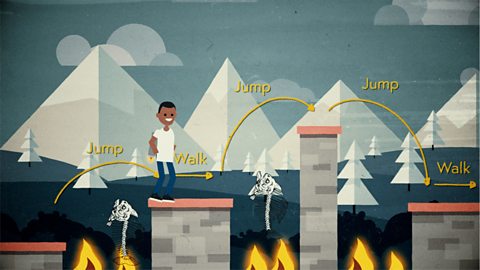
Sequencing. video
This short film covers the concept of sequencing, or making sure things are in the right order, and explores what might happen if things are done in the wrong order, or sequence.
Variables. video
This short film explores how computers use variables to store things that change, like names, numbers and scores.

Working with data. video
This short film explores how data is collected using digital devices in response to questions, and how it is organised into tables, records and fields on a computer system.