NARRATION:Did you know that data is just another word for information? It comes from a Latin word and actually means 'known facts'. Data is a word that often gets used to describe the information that we store and organise in computer systems and devices. It might be numbers, words, images and even sounds. Computers are really good with data, they are super-fast and super-accurate and never get tired or bored. You could say that working with data is a computer’s superpower.
Talking of superpowers, some people think that computers can make up their own data, or read people’s minds! The truth is, they don’t have any data of their own. They can only work with the data that we give them, or tell them to collect. Luckily, there are lots of ways to put data into a computer system using keyboards, touchscreens, game controllers and specially adapted input devices for people who need them. We can also program computers to collect data from the outside world using sensors.
Usually the reason we need to collect data is to answer a question. Lets go to the zoo… What sort of questions might the zoo manager need to ask to keep the zoo running smoothly? How many different species of animal are there in the zoo? Which is the most popular animal with visitors? How much food do we need to feed all the animals?
Computers are excellent at storing and organising data once they have it in their memory. We just need to decide what data we need, collect it and input it.
To answer these questions the zookeepers will need to collect three types of data: The name of the animal they look after. The number of animals they have. The number of daily visitors to see their animal.
If we didn't have a computer to help us all the zookeepers would have to run around the zoo and write down their data, create a table and then draw lots of different graphs. All that work would mean less time to feed the animals and nobody wants a hungry Lion!
If we use a computer system then life gets a lot easier. Computers don’t need a ruler, or squared paper to organise data. They can make a table and fill it with data in a couple of seconds with just a few taps on the keyboard or tablet. The zoo manager makes one big table with three columns, or fields, one for each data type. Each zookeeper will fill in their own row or record of the table. This type of table is called a database. This database is safely stored in the memory of the central zoo computer, and all the zookeepers can access it on their tablets.
OK you lot, get ready for data collection. Giraffes line up over there, monkeys stay in that tree, crocodiles, keep those big mouths shut. Penguins - stop splashing!
Each zookeeper checks their animals, collects the data and types it into the database from their electronic tablet. It is safely stored on the main computer’s memory drive. Because all the data is kept in one central database the zoo manager can see it all straight away on the main zoo computer.
Another data superpower that computers have is being able to organise and manipulate information really quickly and neatly. They can sort and arrange hundreds of pieces of data in the blink of an eye. One of our questions was to find out the most popular animal, so we need to sort the data from least to most visitors. A quick tap on the sorting arrow in the visitor field of our database takes care of that - wham!
Another way to arrange data is in a graph, which makes it easier to understand. A couple of taps on the keyboard and we have a bar chart. The computer has organised the data in the time it takes for a hungry penguin to swallow a fish!
Organising the data into a graph will help us to amalyse it. This means looking at our data carefully and using it to explain what is happening and answer our questions. We can now easily see that penguins are the most popular, and crocodiles the least popular, animals at the zoo. Sorry about that, crocs. Now then, don’t get snappy with me.
Even though computers are superheroes when it comes to data, we have to remember that people put the data into the computer, and people can make mistakes. It’s important to remember to check data for errors.
Now we have stored our zoo’s data in the central database, it makes it really easy for the zoo manager to use it to answer vital questions, like how many toothbrushes to buy for all those crocs!
Where else is data collected, organised and analysed? Well, the answer is everywhere!
Video summary
This short film explores how data is collected using digital devices in response to questions, and how it is organised into tables, records and fields on a computer system.
The film explores a real life scenario about using data to help run a zoo. It explores how data is collected using digital devices in response to questions, and how it is organised into tables, records and fields on a computer system where is can be shared with other users.
It then shows how this data can be analysed and manipulated to answer questions about the zoo animals.
The film ends by reminding us that mistakes can be made when entering data into a computer system so we always need to check for errors.
This short film is from the BBC Teach series, Cracking Computing.
Teaching Notes
Data or information is all around us at school and in the wider world, and there are many opportunities to collect and analyse it. It is useful to take notice of when this happens (e.g. during the school registration, when sorting out teams in PE, when borrowing books from the library), and use the correct terminology whenever possible (e.g. database, field, record, chart, graph, table, etc.
It is important that data collection activities start with a relevant question that the data will help to answer. For example:
- We have some money for new class books, what authors do we prefer?
- There are always apples left over in the fruit boxes after break, what fruit should we be asking the kitchen to provide to avoid waste?
Tools like spreadsheets are a useful way of creating simple electronic databases that can sort and organise collections of data and produce simple bar charts and line graphs. They may look intimidating but are actually quite straightforward to use and pupils will love the way they automate tasks and allow speedy sorting and filtering.
Other subjects
Science: Electronic data handling tools are useful to support the organisation and analysis of data collected during scientific investigations, such as measuring plant growth in different conditions (line graphs), or measuring the number of paper clips attracted by different types of magnet (bar chart), or measuring the nutritional composition of different foods (pie chart).
Maths: Using computers to support data handling can be part of maths lessons on data handling, once the basic concepts have been covered.
This short film is suitable for teaching:
- KS2 computing curriculum in England
- Technologies curriculum area at 2nd Level in Scotland
- KS2 digital competence framework in Wales
- KS2 using ICT cross-curricular skill in Northern Ireland
Algorithms. video
This short film for primary schools outlines how algorithms are sets of instructions to make something happen, before explaining further using a recipe analogy.
Computer networks. video
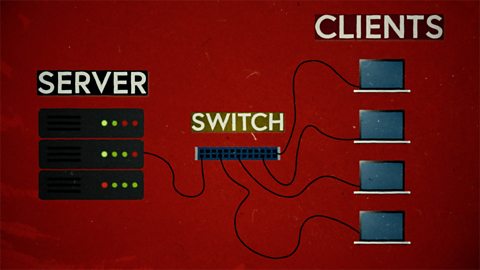
This short film explains computer networks. It looks at different types of computer network and the elements that make up a basic network including clients, servers, switches and hubs.
Creating with computing. video
This short film explores the many creative computing tools we have access to, with a focus on how they are used to create new creative content and media.
Debugging. video
This short film uses computer games to explain debugging, which is the process of finding and correcting errors in computer programs.
Decomposition. video
This short film explains how decomposition involves breaking one big problem down into smaller, more manageable problems that can be tackled step by step.
Input and output. video
This short film gives a brief history of input and output methods with examples, and brings us up to date with examples of familiar input and output devices that we use every day.
Logical reasoning. video
This short film outlines logical reasoning as ‘sensible thinking’ when following rules, and explains how a problem with a computer program can be solved using logical reasoning.
Repetition. video
This short film for primary schools explains how repetition within computing allows a command to be repeated to make a computer program more efficient.
Search technologies. video
This short film gives a brief history of the development of the internet and the invention of the world wide web by Sir Tim Berners-Lee, and explains the role of a search engine.

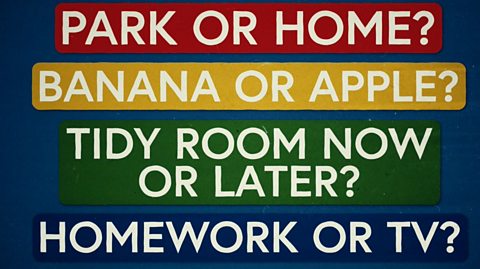
Selection. video
This short film covers the use of selection in simple computer programs, and shows how this idea of yes/no questions can allow computers to respond to external conditions and select different paths.
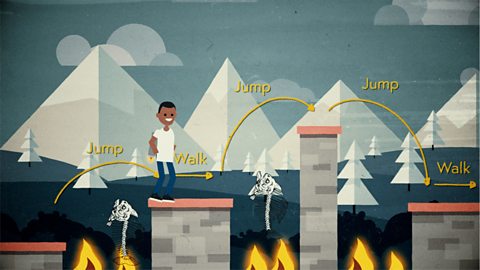
Sequencing. video
This short film covers the concept of sequencing, or making sure things are in the right order, and explores what might happen if things are done in the wrong order, or sequence.
Variables. video
This short film explores how computers use variables to store things that change, like names, numbers and scores.