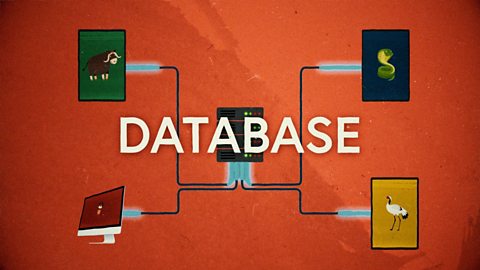
NARRATION:Have you ever wondered how we communicate with computers? Well, we use input and output devices. For example, we input through a keyboard and the output is what we see on a monitor. When we put information into a computer controlled device, we call it input. When a device puts information back out, we call it output. Obvious when you look at it like that, eh?
Computer processors can only really understand numbers or digits, so we have developed different ways of translating those numbers into things we understand and back again. This is called digitisation. These days it’s simple, we can just talk to many devices and they talk back to us. But it hasn’t always been that easy…
When computers were first invented, they were much more basic than they are today and could only understand information organised into a number of digital code called binary. This code had only two numbers - one and zero. Everything had to be translated into binary code before being put into the computer. The very first computers used holes punched into cardboard to represent the ones and zeros. Eventually computer programmers came up with new and more complicated languages to write programs, and used keyboards to enter data. The mouse came next, with a pointer on the screen so that the user could communicate with the computer by pointing and clicking on buttons and images.
Today, there are many clever ways to get information into a computer system. Computers can receive input directly from touch screens, microphones, game controllers, cameras and webcams, remote controllers, timer switches and electrical circuits. They can also receive input remotely, from sensors that can detect things like light, movement and temperature. Computers can understand many different types of input too, from typed words and numbers, to bar codes, light beams and patterns.
One of the great things about computers is that they can be adapted to help everyone use them. A person who finds it difficult to use an input device like a keyboard, touchscreen or mouse with their hands, can use a special pointing device with another part of their body, like their forehead, or their toes. A screen pointer can also be moved around using eye movements or by breathing in and out. Voice commands can be used by people who are visually impaired. How amazing is that?
So once we input our data into the computer system, and the computer processor does something clever depending on the program it is using, how do we get information back out of the system? Yes you guessed it, using output devices.
We have printers that can print many fonts, photos and graphics, and in thousands of colours. We even have 3D printers that can print real solid objects, like parts for a machine or even prosthetic hands. We have speakers and headphones that can play music, sound effects and voices. There are tiny watch screens and huge cinema screens.
Sometimes you input something and then you get a single output. It might be the words that you are typing on the keyboard, appearing on the laptop screen. It might be a printed document you downloaded coming out of a printer. It might be the song you chose with a voice command coming out of a speaker. It might be the video you picked with the mouse pointer, playing on the smart TV. Some devices can even be both input and output. For example, when you tap your tablet screen, input, and a pictures is displayed on the same screen, output.
Output devices can also be adapted in lots of clever ways so that everyone can use them. For example, printers can print documents in a language called Braille, with raised bumps that people with visual impairments can read with their fingers.
So there you have it, input and output, always the best of friends. Often they go hand in hand, one after the other, in little steps - input then output, then input then output. That’s exactly what you might have done to get here… You used a keyboard or a touchscreen to type in your search - input. You then saw all the search results displayed on the screen - output. Then you tapped or clicked on the link on the screen - input. You then saw the video window on your screen - output. You then used a mouse or finger to tap the play button on the screen… All together… input! Then finally, the video playing on the screen and the glorious sound of my voice coming out of the speakers or headphones - output! Simple as that!
Video summary
This short film gives a brief history of input and output methods with examples, and brings us up to date with examples of familiar input and output devices that we use every day.
The film discusses the ways in which input and output devices can be adapted to help people with disabilities or access requirements communicate with computer systems.
The film then looks at the way input and output methods often overlap, and goes through the sequence of input and output that brought the viewer to the film they are watching right now.
This short film is from the BBC Teach series, Cracking Computing.
Teaching Notes
A good way to start exploring this topic is to collect examples of familiar technology and list the different input and output methods and devices being used. Pupils can also explore ways that devices can be both input and output, like touch screens.
Creating annotated diagrams and adding labels to photos can be a useful way for pupils to share their understanding and consolidate their specialist vocabulary.
Flow diagrams can help pupils explore the relationship between input and output devices in a visual way, either with paper and pencil or using flowchart or mind mapping software, or the drawing tools in word processing or presentation applications like MS Word or Google Slides.
Other subjects
Maths: The idea of input and output can be explored using function machines in maths, where numbers are manipulated by a series of operations that live inside a function box. Numbers go in, are changed, and then come out as a new number.
Design & technology: The invention of machines and devices that support input and output are interesting types of technology to study, including the computer mouse, 3D printers, QR codes, etc.
This short film is suitable for teaching:
- KS2 computing curriculum in England
- Technologies curriculum area at 2nd Level in Scotland
- KS2 digital competence framework in Wales
- KS2 using ICT cross-curricular skill in Northern Ireland
Algorithms. video
This short film for primary schools outlines how algorithms are sets of instructions to make something happen, before explaining further using a recipe analogy.
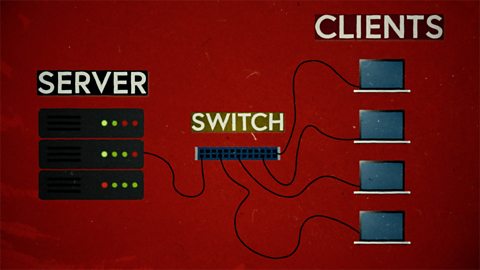
Computer networks. video
This short film explains computer networks. It looks at different types of computer network and the elements that make up a basic network including clients, servers, switches and hubs.
Creating with computing. video
This short film explores the many creative computing tools we have access to, with a focus on how they are used to create new creative content and media.
Debugging. video
This short film uses computer games to explain debugging, which is the process of finding and correcting errors in computer programs.

Decomposition. video
This short film explains how decomposition involves breaking one big problem down into smaller, more manageable problems that can be tackled step by step.
Logical reasoning. video
This short film outlines logical reasoning as ‘sensible thinking’ when following rules, and explains how a problem with a computer program can be solved using logical reasoning.
Repetition. video
This short film for primary schools explains how repetition within computing allows a command to be repeated to make a computer program more efficient.
Search technologies. video
This short film gives a brief history of the development of the internet and the invention of the world wide web by Sir Tim Berners-Lee, and explains the role of a search engine.

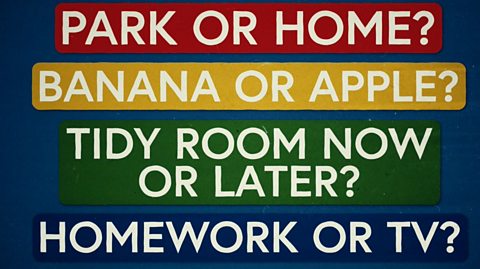
Selection. video
This short film covers the use of selection in simple computer programs, and shows how this idea of yes/no questions can allow computers to respond to external conditions and select different paths.
Sequencing. video
This short film covers the concept of sequencing, or making sure things are in the right order, and explores what might happen if things are done in the wrong order, or sequence.
Variables. video
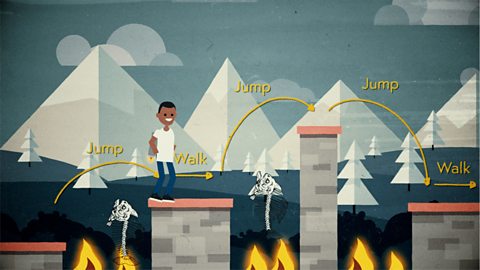
This short film explores how computers use variables to store things that change, like names, numbers and scores.
Working with data. video
This short film explores how data is collected using digital devices in response to questions, and how it is organised into tables, records and fields on a computer system.