NARRATION:Repetition is a word you've probably heard before. Repetition is a word you've probably heard before. Repetition is a word you've probably heard before… Haha, sorry.
It means, doing the same thing more than once. Let’s take my morning routine, I do pretty much the same thing every day. My alarm goes off, I wake up, throw back my covers, get out of bed, walk into the bathroom, brush my teeth and get a shower. I repeat this every morning. It’s why I smell so good. But what do we mean by repetition when it comes to computer programming?
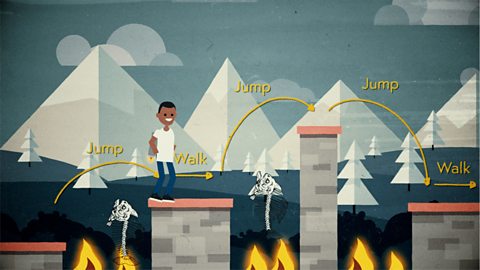
Computer programs are made up of lots of instructions. These instructions are written in a computer language, and there are usually fewer options than with a language like English. Let’s imagine a little robot on a game screen.
She needs to get to the other side of the screen. We want her to walk forward five steps but the program language only has the instruction walk forward one step. Our program could say: Walk forward one step, walk forward one step, walk forward one step, walk forward one step, walk forward one step, stop.
Phew. That was boring wasn’t it? Repeating the same thing five times… Imagine if we wanted her to walk forward 100 steps!
A much faster way of giving the same instruction would be to say, repeat five times, walk forward one step, stop. This takes up much less space, is quicker to write, plus there is less room for bugs, or errors, to creep into the code. We can say that this code is more efficient. Meaning, it’s tidier and better organised. I wish my wardrobe slash kitchen slash bedroom slash house slash life was!
We call these sections of repeated instruction loops, as they can go round and round. Sometimes loops are really simple, we just want the program to do something a fixed number of times, like our little robot walking forward five steps. We call this type of repitition a fixed loop.
Another example of a fixed loop is when your teacher prints out 30 copies of a worksheet for your lesson. You put the number of copies you want in the print menu on the computer and this number gets put into the print control program for the printer. The program would have a fixed loop to print the worksheet 30 times only. The program would look something like this: Repeat 30, print lesson worksheet document. Stop.
But things aren’t always so simple… We don’t always know exactly how many times we want to repeat an action, we might want to repeat it until something happens. Like shouting at your sister to come and sit down at the table for dinner over and over again until she actually turns off the TV and comes into the kitchen! You don’t know at the start how many times you will need to repeat the action, you just keep on doing it until you get the result you want.
Let’s say we want our little robot from earlier to walk across the screen, but we don’t know how big the screen is. Maybe it’s a laptop, or a TV, or a mobile phone… We could tell little robot to repeat the walk one step command until she got to the other side, then it wouldn’t matter what size it was. Clever huh?
Our program would look like this: Repeat, walk forward one step until edge of the screen reached. Stop. See how tidy and efficient it is?
The big question though, is how will the program know when little robot has reached the edge of the screen? And yes, it involves a big question. Each time the robot takes a step forward the program checks if she is at the screen edge by asking a question like in this flow chart. If the answer is no, then the program carries on around the loop and little robot takes another step. If the answer is yes, then the program stops and she stops walking.
This type of loop, where the program checks something by asking a question, is called a conditional loop. The program is checking on what is happening, the conditions, and deciding whether to continue around the repeat loop or stop.
It sounds simple enough, right? But imagine trying to write the program for an online game played by thousands of people with hundreds of characters and worlds. If you had to write each line of code without using the repeat command it would take you weeks, no months, or even years! So, using repetition and loops can be a great way to save ourselves time.
So that's repetition. If you don't get it, repeat this video until you do!
Video summary
This short film for primary schools explains how repetition within computing allows a command to be repeated to make a computer program more efficient.
The film introduces a simple program that moves an animated robot across a screen and uses flow diagrams to show how adding a repeat command makes the program more efficient.
The idea of repeat loops are introduced, with fixed loops explored using the example of a digital printer. The use of 'until' in a repeat loop is also explored.
The film finishes by explaining how introducing a question into a repeat loop, to form a conditional loop, makes complex programs more efficient.
This short film is from the BBC Teach series, Cracking Computing.
Teaching Notes
Real world analogies are a great way to start exploring repetition in programming as they emphasise the way that using repetition language makes a process more efficient.
Identifying real world examples of repeat loops, like a printer, are also a good way to focus pupils on the way we use technology every day and its impact on our lives.
Programming a physical system or simulation like a flashing warning light is also a good way to learn about repetition loops, how they are programmed and what the outcomes look like.
Another good way to introduce repetition is by using a simple programming language like Logo to draw shapes with repeated elements. For example, a square can be created by repeating the element: “forward 10 steps, right 90 degrees” four times.
Other subjects
Maths: Writing instructions for drawing regular shapes is a great way to start thinking about repetition. Once pupils are confident with writing the instructions in English, they could then move to writing them in a programming language like Logo or Scratch.
Art & design: The creation of repeated patterns using motifs and pattern elements is an important part of the decorative arts for things like wallpaper and textile design. Using a computer program to automate this repeat process is a good way to apply this concept to a real-world example.
This short film is suitable for teaching:
- KS2 computing curriculum in England
- Technologies curriculum area at 2nd Level in Scotland
- KS2 digital competence framework in Wales
- KS2 using ICT cross-curricular skill in Northern Ireland
Algorithms. video
This short film for primary schools outlines how algorithms are sets of instructions to make something happen, before explaining further using a recipe analogy.
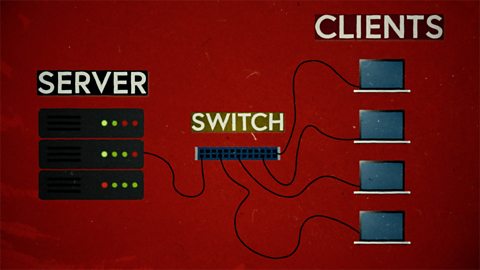
Computer networks. video
This short film explains computer networks. It looks at different types of computer network and the elements that make up a basic network including clients, servers, switches and hubs.
Creating with computing. video
This short film explores the many creative computing tools we have access to, with a focus on how they are used to create new creative content and media.

Debugging. video
This short film uses computer games to explain debugging, which is the process of finding and correcting errors in computer programs.
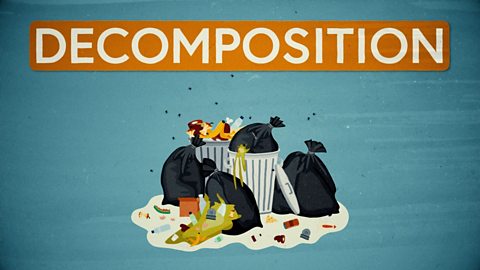
Decomposition. video
This short film explains how decomposition involves breaking one big problem down into smaller, more manageable problems that can be tackled step by step.
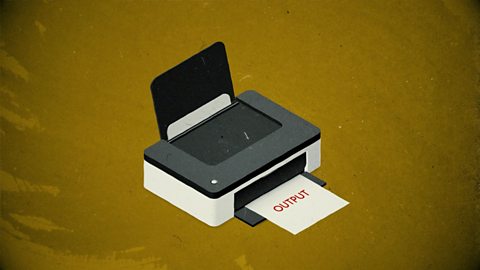
Input and output. video
This short film gives a brief history of input and output methods with examples, and brings us up to date with examples of familiar input and output devices that we use every day.
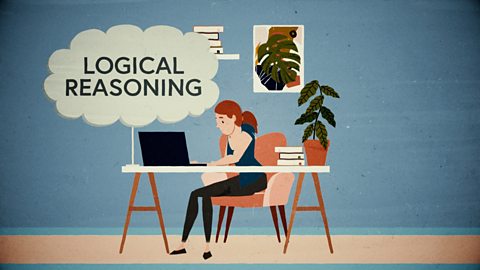
Logical reasoning. video
This short film outlines logical reasoning as ‘sensible thinking’ when following rules, and explains how a problem with a computer program can be solved using logical reasoning.
Search technologies. video
This short film gives a brief history of the development of the internet and the invention of the world wide web by Sir Tim Berners-Lee, and explains the role of a search engine.

Selection. video
This short film covers the use of selection in simple computer programs, and shows how this idea of yes/no questions can allow computers to respond to external conditions and select different paths.
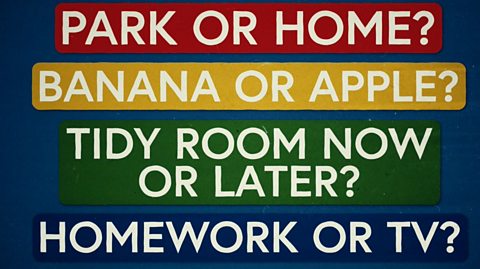
Sequencing. video
This short film covers the concept of sequencing, or making sure things are in the right order, and explores what might happen if things are done in the wrong order, or sequence.
Variables. video
This short film explores how computers use variables to store things that change, like names, numbers and scores.

Working with data. video
This short film explores how data is collected using digital devices in response to questions, and how it is organised into tables, records and fields on a computer system.