NARRATION:Throughout our daily lives we make choices, or selections. Should I go to the park, or stay at home? Should I have a banana, or an apple with my lunch? Should I tidy my room now, or leave it until tomorrow? Should I do my homework, or watch TV? And the answer to that last one should be, always do your homework, of course!
Well, computers are no different, they need to make choices, or selections, too. Computers rely on programs to tell them what to do. A computer program is a list of instructions written in a way that a computer can understand, so the choices need to be part of the program. We call this part of programming, 'selection’.
Using selection in a computer program can help the computer decide what to do next. Usually this is done using a question built into the program. The program will progress along different paths depending on the answer to the question.
Ok, let’s dial it back and use an example of something we might do on a daily basis. Let’s check the weather. The simplest type of question we can use in our program is a yes / no question. Let’s say we need to leave the house and we open the door and check outside. We ask the question, “is it raining?” and if the answer is yes we take an umbrella. If the answer is no then we leave it at home. This is an example of selection based on particular conditions, in this case, whether it is raining or not.
Using a flow chart to show selection can be helpful. The umbrella example would look like this. At the start, check to see if it is raining. If answer is yes then take an umbrella. If answer is no then leave it.
So, as you can probably tell, selections in a computer program are super important. Without selection, computers wouldn’t be able to choose different options. They would be stuck on one path, following the same sequence of instructions in their programs over and over again.
Selection is built into most of the computer programs that we use in our everyday lives. A good example is an automatic door. This uses a sensor that can detect movement nearby. But what should it do if it spots something moving?
Another way of adding selection into a program is to use if or else statements. In our automatic door example it would look like this in a flow chart: If the motion sensor is triggered by something moving nearby then open the door, or else keep it closed. Another example would be automatic safety lights. If the motion sensor is triggered then turn on the lights or else keep them switched off.
So we can see that computer systems, made up of devices and the computer programs that help them do their jobs both small and big, need selection. They need to be able to react to the conditions around them and make the best choices.
Code is the language that we use to write the programs that computers can understand. The bigger and more complex the job we want the computer system to do then the more levels of selection the program will need and the more code we will have to write to cover all the different possible choices and outcomes.
An example of a computer that needed a lot of code with selection is the Mars Rover. This unbelievable machine has a super computer inside that controls what the rover does all those millions of kilometers away on another planet. By writing programs with lots of selection built in we can make sure the rover only picks up the most interesting Martian rocks to examine with all its special tools and cameras. It won’t waste any precious time on boring stuff. Now how awesome is that?!
Just think, if you could build a computer like that using selection you could get it to tidy your room. Is someone going to come into my room later, yes or no? If yes and if clothes are on the floor then pick up or else don’t. Ha!
Video summary
This short film covers the use of selection in simple computer programs, and shows how this idea of yes/no questions can allow computers to respond to external conditions and select different paths.
The film also introduces the idea of more complicated choices or selections that use 'if', 'then' and 'else' responses to guide the path through the program.
It looks at more complex applications of selection, including the programs used to control the Mars Rover.
This short film is from the BBC Teach series, Cracking Computing.
Teaching Notes
The idea of making choices, or selection, can be introduced by playing games that include question and answer, like Guess Who.
Pupils could create flow charts to explore the selection processes in everyday activities that include choices - like doing homework, or choosing what to wear for school. The idea of if/else/then selection works well with more complicated real life situations that the pupils are already familiar with.
Software tools like Scratch can be used to create simple programs that respond to yes/no choices and selection. For example, a simple quiz game with different sounds for right or wrong answers.
Looking at everyday school technology, like automatic doors and lights, key fob security systems, etc. can lead to more complicated flow diagrams and programs that include response to input from sensors that will inform the choices made by the program.
Physical systems like electronic construction kits and floor robots can be used to connect selection in programs to real world outcomes.
Other subjects
Maths: Flow charts with selection could be introduced to help create and solve maths problems and puzzles. For example, finding a secret number by asking questions like, “Is it an even number?” or “Is it a multiple of 5?”
Design & technology: Using construction kits with programming can really focus learning on the outcome of selection in real world situations, like a model buggy that turns headlights on when the lights are turned off in the classroom.
This short film is suitable for teaching:
- KS2 computing curriculum in England
- Technologies curriculum area at 2nd Level in Scotland
- KS2 digital competence framework in Wales
- KS2 using ICT cross-curricular skill in Northern Ireland
Algorithms. video
This short film for primary schools outlines how algorithms are sets of instructions to make something happen, before explaining further using a recipe analogy.
Computer networks. video
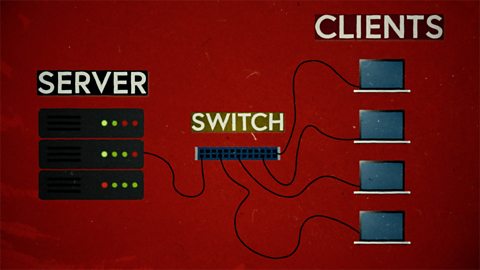
This short film explains computer networks. It looks at different types of computer network and the elements that make up a basic network including clients, servers, switches and hubs.
Creating with computing. video
This short film explores the many creative computing tools we have access to, with a focus on how they are used to create new creative content and media.
Debugging. video
This short film uses computer games to explain debugging, which is the process of finding and correcting errors in computer programs.

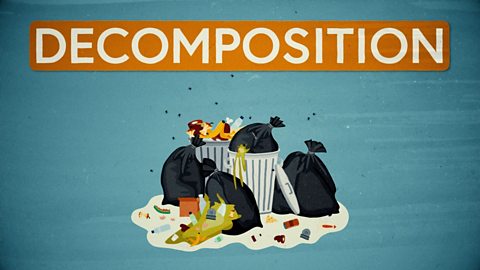
Decomposition. video
This short film explains how decomposition involves breaking one big problem down into smaller, more manageable problems that can be tackled step by step.
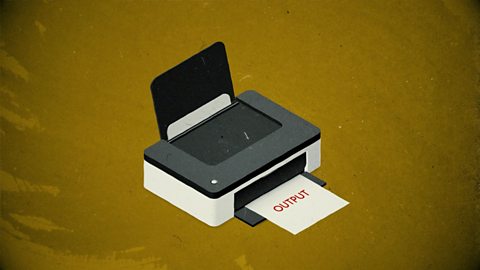
Input and output. video
This short film gives a brief history of input and output methods with examples, and brings us up to date with examples of familiar input and output devices that we use every day.
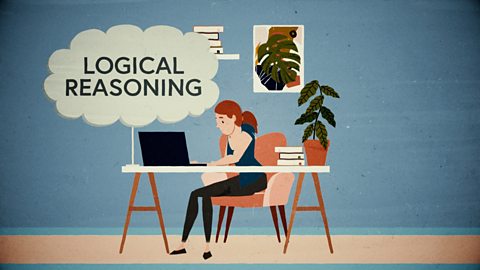
Logical reasoning. video
This short film outlines logical reasoning as ‘sensible thinking’ when following rules, and explains how a problem with a computer program can be solved using logical reasoning.
Repetition. video
This short film for primary schools explains how repetition within computing allows a command to be repeated to make a computer program more efficient.
Search technologies. video
This short film gives a brief history of the development of the internet and the invention of the world wide web by Sir Tim Berners-Lee, and explains the role of a search engine.

Sequencing. video
This short film covers the concept of sequencing, or making sure things are in the right order, and explores what might happen if things are done in the wrong order, or sequence.
Variables. video
This short film explores how computers use variables to store things that change, like names, numbers and scores.

Working with data. video
This short film explores how data is collected using digital devices in response to questions, and how it is organised into tables, records and fields on a computer system.