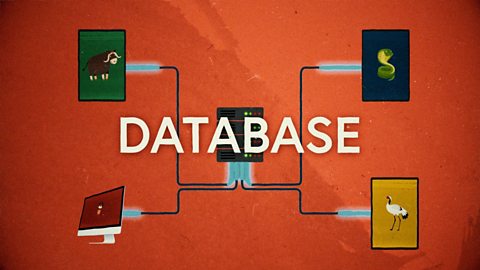
NARRATION:You know the kind of day where first it rains, then the sun comes out, then it gets freezing cold? The weather forecast would say that the day’s weather is going to be variable. It means changeable - likely to change or vary. We can also use the word variable in computer programming when we need to measure or count something that changes, like a score, or a name, or the answer to a question, or a number. Sounds complicated? Let’s have a closer look…
Imagine you are playing a quiz. Each time you get a question correct you get a point. Yay! The trouble is, it’s hard to remember how many points you have as the quiz goes on. One solution might be to have a box and each time you get a question right you put a counter in the box. At the end of the quiz you could see how many counters there were in the box to find out your score. A computer variable acts like one of those boxes - it can store the changing information so that the rest of the program can use it.
So what would this quiz look like on a computer? As well as all the questions and answers, our quiz program would need a way to keep track of the number of right answers for each player. This is where our friend the variable score box comes in. We can give it a name to make it easier to use - let’s go with 'score'. If we break down our game program into the steps of an algorithm they might look like this: When the game starts set the quiz score to zero. When the player gets an answer correct change the score by adding one. So pretty straight forward so far, hey.
Now we have the points total stored in our variable box, we can use it for other things. Let’s say we want the player to win the game when they score 10 points. We can add these instructions to our algorithm. When the total points in the score variable equals 10, play the winner sound.
Oh come on, you should have got that one!
Let’s personalise our game. It would be fun if our quiz said hi to each player personally. The trouble is the player name will change, or vary. Yes, you guessed it, it’s time for another variable. A variable box can store words as well as numbers, and it can also get information from outside as well as from inside the program. First the program will need to ask the player a question: “What’s your name?” Once the player types in their name the program will store the information in a variable box called 'answer'. The program will then send instructions to show on screen. “Hi there, answer, are you ready for your quiz?”
Whatever is stored in the answer variable will go into the greeting. That way the same instructions can be used for any player, whatever their name might be. Clever eh?
Out in the real world, things are changing all the time. Names, numbers, scores, dates, measurements - you name it and they will probably be changing before your very eyes. This means variables are an important part of nearly all the computer programs and systems that we use every day. A good example that you might be familiar with is the dinner register at school. This information changes every day. Each morning the class teacher will count the number of pupils who are having school dinner and how many are having packed lunch. The total is then sent down to the school office, and used to tell the kitchen how many dinners and packed lunches to make for that class on that date.
Lots of schools now have computerised register systems, and the programs that control them will use variables to store all the changing information each day. The class name, the date, number of school dinners, number of packed lunches.
I don’t know about you, but I don’t think variables aren't as complicated as they first sounded, and they are a really important part of writing useful computer programs. And of course, for making sure you don’t go hungry at lunchtime!
Video summary
This short film explores how computers use variables to store things that change, like names, numbers and scores.
The familiar example of a quiz is used to show how a changing score could be stored in as counters in a box, and this idea is then used to explain how a computer variable stores the changing value in a computer program ready for the program to use.
The film then looks at the program commands needed to keep score in the computer quiz, and how this variable can be used to trigger actions like showing a winner banner when a specific score is reached.
Finally, it looks at how variables can be used to ask questions like, ‘what is your name?’, and then use the answer stored as a variable to personalise the quiz.
This short film is from the BBC Teach series, Cracking Computing.
Teaching Notes
A good place to start with variables is to explore the idea of a variable box to keep a piece of changing information in, and using a real container to develop the concept. The variable will need a name such as score, date, name, temperature, etc.
Simple computer quizzes are another good way to introduce variables, as a changing score is easily understood.
Computer systems with sensors like central heating systems, or street lamps with light sensors are useful real-world examples where the use of a variable (temperature and light level) is measured and recorded by a sensor.
Flow diagrams can help pupils to understand the process and where the variable fits in. For example:
- Variable name is 'temperature' - get reading every 10 seconds from external thermometer
- When temperature is greater than 23 degrees, then switch off heating
- When temperature is less than 23 degrees, then switch on heating.
Other subjects
Science / Geography: Work on weather and weather stations can include using automated weather data systems that will collect a range of data and have a range of variables to explore.
This short film is suitable for teaching:
- KS2 computing curriculum in England
- Technologies curriculum area at 2nd Level in Scotland
- KS2 digital competence framework in Wales
- KS2 using ICT cross-curricular skill in Northern Ireland
Algorithms. video
This short film for primary schools outlines how algorithms are sets of instructions to make something happen, before explaining further using a recipe analogy.
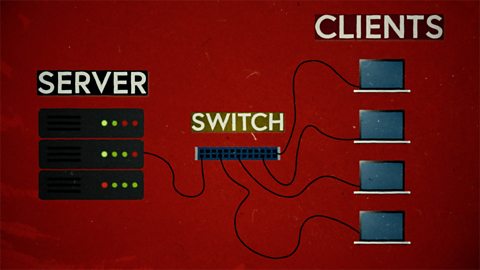
Computer networks. video
This short film explains computer networks. It looks at different types of computer network and the elements that make up a basic network including clients, servers, switches and hubs.
Creating with computing. video
This short film explores the many creative computing tools we have access to, with a focus on how they are used to create new creative content and media.

Debugging. video
This short film uses computer games to explain debugging, which is the process of finding and correcting errors in computer programs.
Decomposition. video
This short film explains how decomposition involves breaking one big problem down into smaller, more manageable problems that can be tackled step by step.

Input and output. video
This short film gives a brief history of input and output methods with examples, and brings us up to date with examples of familiar input and output devices that we use every day.
Logical reasoning. video
This short film outlines logical reasoning as ‘sensible thinking’ when following rules, and explains how a problem with a computer program can be solved using logical reasoning.
Repetition. video
This short film for primary schools explains how repetition within computing allows a command to be repeated to make a computer program more efficient.
Search technologies. video
This short film gives a brief history of the development of the internet and the invention of the world wide web by Sir Tim Berners-Lee, and explains the role of a search engine.

Selection. video
This short film covers the use of selection in simple computer programs, and shows how this idea of yes/no questions can allow computers to respond to external conditions and select different paths.
Sequencing. video
This short film covers the concept of sequencing, or making sure things are in the right order, and explores what might happen if things are done in the wrong order, or sequence.
Working with data. video
This short film explores how data is collected using digital devices in response to questions, and how it is organised into tables, records and fields on a computer system.