When writing your owncomputer program,you'll sometimes wantto include graphics.
I'm here with the pupilsfrom the Ilsleys Primary Schoolso we can create our owncomputer graphics.
You can create somethingknown as a bitmapand that's when you breakthe picture down into a gridof different coloured squares.
Hi, guys!
So we've given you a stack of cardsand also a grid, known as a bitmap,and that has a series of zerosand ones.Every time you see a zero,that represents white.When you see a one,that represents a black.So just turn over the cardswhen you see a oneand see what picture you get.
'We've got two different teams,'and each team is working througha different bitmap grid.'
Zero up there, white up there.'When there's a zero in the grid,they place the card white face up,'when there's a one,they place it black face up.'We're using only zeros and onesto represent the information'and we call this binary.'So a computer can representgraphics and pictures'as a grid of numbers.'Each number tells us the colourof one small square called a pixel,'and we build up the whole pictureusing a load of these pixels.'
All right, so, guys,how are you approaching this,how are you working as a team?
We're doing the corners firstand then seeing where they're going.
So you're the director, tellingeveryone what to do. Yeah.
And they place them.
Oh, that's cool.
Guys, wow, you seem to be doingreally well. What's your strategy?
Going row, row, row. Row, row, row.
Cool, so what do you thinkit could be?
I have no idea,it looks like antennae.
We don't know…
You've lost where you're at.
One, two, three, four, five,you're on the sixth level up.
Wow, you guys were super quick,that was awesome.
So what do you think it could be?
Alien. An alien?
Do you all think that?
Like a robot. A robot?
What about computers?
Think about games.
Space Invaders! Space Invaders,
I think that's right.
Wow, you guys have done it as well.
So what do you reckon this is?
A dog. A dog?
What makes you say that?
Because it's got the legsand it's got the ears,and it's kind of got the body shape.
OK, oh, yeah, and that over there'sa tail, I suppose. Yeah.
OK, no eyes, though.
But I've got to ask you,how come that leg down there,it seems by itself?
Is there a black missing?
So I reckon this oneactually should be a black,I think it was a number one.
Yeah…
Now, that looks a bit better,doesn't it? Yeah.
So, guys, these looktotally awesome.However, they do look rather blockyand that's because the squareswe're using are rather big.So I have some smaller squares,which are a quarter of the size -you can fit four of theseinto one of the squares you've gotat the momentmaking it a bit smoother, and that'ssomething we call higher resolution.'A higher resolution picturecontains more pixels,'so there's more informationand we can have more detail.'And there are other waysto improve the picture too.'Today, we're only using zeroand one for white and black,'but if we used more numbers,we could have different colours.
'When your computer stores a photo,'each pixel could be any oneof over 16,000,000 colours.'
That's better already, can you see?
It's actually less harsh,it curves a bit more,these edges are a lot smoother.
Yeah, that's working really well,cool.
This is pretty impressive.
Oh, you've even put the white bitsin the ears.
Yeah, I thought if we could haveeven smaller squares,coloured maybe pink inside,it would look even more effective.
Yeah, you could have the pink insidethe ears, that would be great.
So what do you think, do you likeit, do you think it looks better?A bit smoother?
It has a higher resolution.
So, guys, these look great.The smaller squares have improvedit already,and if we were to go even smallerwith the squares,we could make it much better,and if we were to add more numbers,not just the zeros and ones, wecould actually add some colour too.
Video summary
A primary school class use black and white squares to represent the pixels that make up images as bitmaps.
In an exercise to show how computer graphics are made, two teams are given pictures to make out of just black and white squares.
The instructions are in binary code; a 0 means a white square and a 1 a black square.
Their images lack detail when made up out of big squares, so Science presenter Minna Kane gives them smaller squares to use.
These mimic using more pixels, or a higher resolution. On a computer they could use up to 16 million colours to make up their images, not just black and white.
A practical demonstration of pixels, bitmaps, binary and resolution in computer graphics.
This clip is from the series Cracking the Code.
Teacher Notes
Children could create their own bitmap designs using either small pieces of black and white paper or on the computer using art software.
Once the basic design is finished, they could create the same image but use smaller squares to demonstrate how more pixels make a clearer image.
This clip will be relevant for teaching Computing at KS1 and KS2 in England and Northern Ireland, Design and Technology KS2 in Wales and Computing Science and ICT at Second Level in Scotland.
Computing KS1 / KS2: Programming a robot crocodile. video
A class builds a Lego crocodile and use Raspberry Pi computers and the Scratch programming language to make it snap its jaws!
Computing KS1 / KS2: Creating a simple automated driving simulator. video
A car sprite is programmed to move around a racing track using repetition and selection.
Computing KS1 / KS2: Creating computer generated visual effects. video
How visual effects in film and television use programs to control CGI behaviour.
Computing KS1 / KS2: Programming a computer game. video
Schoolchildren create their own simple games using on screen sprites.
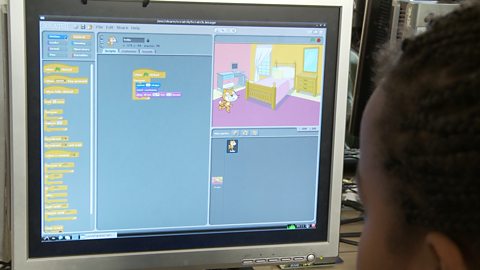
Computing KS1 / KS2: Programming a robotic toy car. video
A toy car is programmed to move between two locations on a town plan.
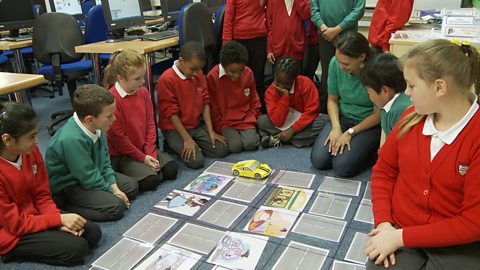
Computing KS1 / KS2: Programming robots to play football. video
How robots can be programmed to respond to what they see, by simplifying situations.
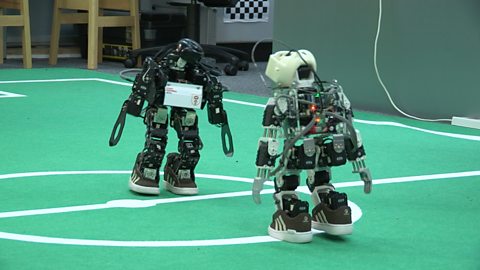
Computing KS1 / KS2: Simulating the experience of F1 racing. video
How realistic, computer-controlled racing simulators are used for training F1 drivers.
Computing KS1 / KS2: Programming a webcam. video
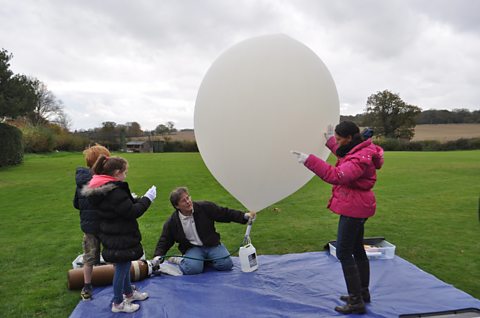
A small computer and a webcam are programmed to take high altitude weather photographs.