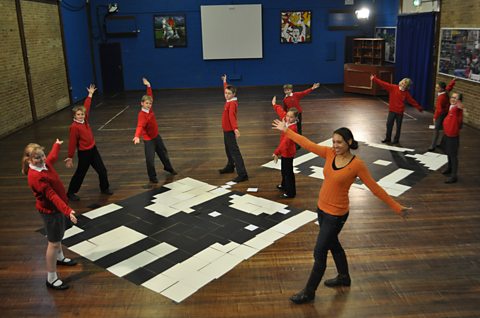
Have you ever wantedto own your own robot?
Robots are reallycool, but they're uselessif you can't tell themwhat you want them to doin a way that they'll understand.So I'm here atThe Digital School Housewith some pupilsfrom Marish Primary Schooland they're going to show mehow they program their own robots.
We've got a map of a town,full of buildings like hairdressers,florists and a gym.Our car is going to startnext to the sports shop at Aand then drive through the townto the baker's at B.
FD,RT90,FD.
First of all, we'vegot to plan our route,breaking it down into a sequenceof step-by-step instructions.
We can get around the whole townwith just three instructions -move forward, turn left 90 degreesand turn right 90 degrees, so thatour car follows the road throughthe town avoiding all buildings.
FD, FD, done.
Now, we're recreatingthe town on our computer,using different pictures torepresent the shops and buildings.We're making this like a townso the car can move around.We're trying to match these pictureswith those pictures over there.
OK, so all these objects representshops in the town, is that it?
Yeah.
So we go to gym, we press gym.
So you've just added gymto the objects of thingsthat now are on your map.
Yeah, so it will make it moreinteresting, cos thenthe robotic car can go to lots ofdifferent places, like everyday life.
Oh, cool.
Now we create a procedurecalled "Drive".A procedure is thelist of instructionsthat our car is going to follow. Itwill only do exactly what we tell itso we've got to make sure we've gotall the instructions rightotherwise the car will gothe wrong way.
So can you tell meabout the commands?
Well, I'm telling it to do forward,forward, right turn 90 degrees.So the FD means forward and thenthe RT90 means right turn 90,so that 90 is the degreesyou want your car to turn.These simple instructionsare the building blocks of our code,and with the rightsequence of instructionswe can make the robot travelany route we like.
So, where will your car end up,then?
Next to the bakery.
OK, fingers crossed, that'sif everything works out. Yeah.
An important part of programmingis to test the codethat we've written.
Some of the groups have decidedto test their procedureson the computer before they try itout with their actual robot.That's a good idea, becauseit's going to be much quickerto change it now rather than later.
Looks likethe car's crashing into the gym.You might need to checkthe code, guys!
Once we've tested it,we need to connect up our carand download the procedure, so ourcode can tell the robot what to do.
And now, the moment of truth.Have we got it right?
We've made it past the first bend.
Hang on!
It's all gone wrong on this corner.We should have turned right90 degrees,but we're going back the way wecame. How did that happen?!
And now we'vecrashed into the cake shop.
That's what happens whenyou don't test your code properly!
Looking good so far.
So close!
But they've gone forward again.
They've missed the turn.
Now they're not even on the map!
And, into the crash barrier.
When I was there,I was meant to do a RT90then move forward twiceand then do an LE90.
OK, so it was the rightand left you got wrong, basically.
Oh, that's such a shame, guys!
Do you think it's going to work?
Yeah!Do you guys think it'sgoing to work? Yes.
OK, let's go. Fingers crossed.
Tension's mounting!
Brilliant! We've made it!
That's great, guys! Next to thebaker, just how we wanted to be.
Cool! It looks like it's going to beeasyjust to writea set of instructions, doesn't it?But actually, it's quite hard.But you need those instructionsto be precise, so that your robotknows exactly where to go,that step-by-step process.
When you're programming, you oftenhave to find and fix mistakesuntil your code doesexactly what you want.We call mistakes "bugs",and getting rid of the bugsis all part of the fun.
Video summary
A primary school class codes a set of instructions to tell a robotic toy car to drive to a specific location on a town plan.
They will use just three instructions – FORWARD, TURN 90 DEGREES RIGHT, TURN 90 DEGREES LEFT – to get the car to its destination without hitting any shops.
They try it on the classroom floor first, then recreate the town plan on their computers using Logo.
They write the series of instructions to tell the car what to do.
They test their code, looking for problems that need to be debugged, before downloading it onto the toy car.
The code has several errors in it, and needs to be debugged again, but finally they succeed in getting the car to the correct destination.
This clip is from the series Cracking the Code.
Teacher Notes
This could be used as an introduction to designing and writing simple programs for robots.
Could also be used as an example of detecting and correcting errors in algorithms and programs.
This clip will be relevant for teaching Computing at KS1 and KS2 in England and Northern Ireland, Design and Technology KS2 in Wales and Computing Science and ICT at Second Level in Scotland.
Computing KS1 / KS2: Creating a simple automated driving simulator. video
A car sprite is programmed to move around a racing track using repetition and selection.
Computing KS1 / KS2: Creating computer generated visual effects. video
How visual effects in film and television use programs to control CGI behaviour.
Computing KS1 / KS2: Programming a computer game. video
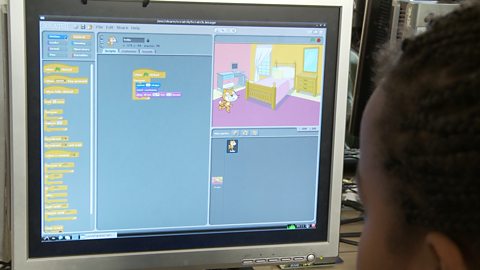
Schoolchildren create their own simple games using on screen sprites.
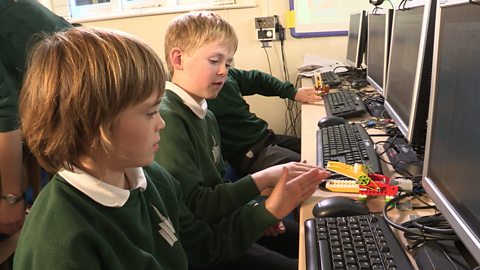
Computing KS1 / KS2: Programming a robot crocodile. video
A class builds a Lego crocodile and use Raspberry Pi computers and the Scratch programming language to make it snap its jaws!
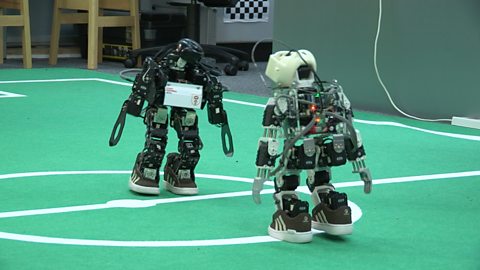
Computing KS1 / KS2: Programming robots to play football. video
How robots can be programmed to respond to what they see, by simplifying situations.
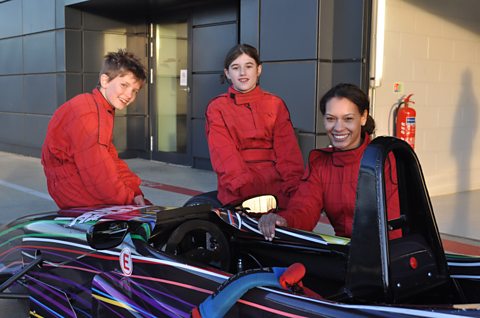
Computing KS1 / KS2: Simulating the experience of F1 racing. video
How realistic, computer-controlled racing simulators are used for training F1 drivers.
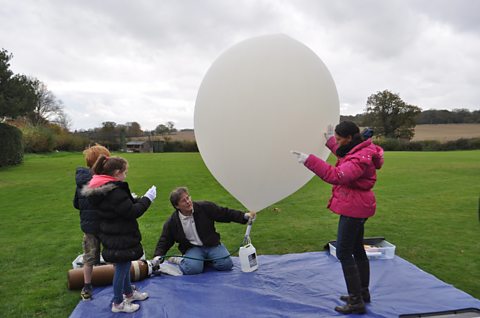
Computing KS1 / KS2: Programming a webcam. video
A small computer and a webcam are programmed to take high altitude weather photographs.
Computing KS1 / KS2: What are bitmap graphics? video
Schoolchildren create large bitmap images using black and white coloured squares.