Systems
Inputs, outputs and processes in systems used by designers
Inputs
A device used to input data or information into a computer, eg a keyboard, mouse, scanner or microphone. allow systems to understand changes in the environment around them. Examples include a A device that measures a physical quantity and converts it into a signal to be read and interpreted. such as a A type of resistor that is affected by changes in light levels. A cadmium sulphide layer causes a decrease in resistance in the light and increase in the dark. that senses light levels for street lamps to know when it is dark, or An electrical device whose resistance decreases as its temperature increases. that detect when it is too hot or cold in a room.
Purpose of input devices
- examples of real-world signals include light level, temperature and pressure
- examples of electronic signals include The potential difference across a cell, electrical supply or electrical component. It is measured in volts (V). and Moving electric charges, eg electrons moving through a metal wire.
Input devices are usually either switches or sensors.
Switches
Switches allow current to flow through them when the contacts inside are joined together. They are usually named after how they work. A A switch that 'makes' a circuit when pressed. allows current to flow (or a signal to be passed on for processing) when pressed - therefore ‘making’ the circuit. A A switch that 'breaks' a circuit when pressed. does the reverse and ‘breaks’ the circuit.
A push-to-break switch is used to activate a fridge light - when the door is closed the switch contact is open, breaking the current flow. When the fridge door is opened the switch contact is closed, allowing current to flow, completing the circuit and activating the light.
A tilt switch functions by detecting a change in position. When in the upright position, a contact is made and activates the switch - this is deactivated when turned upside down. They are used in portable heaters as a safety feature to prevent a fire - if the heater were to fall over, the tilt switch would be deactivated and the portable heater would switch off.
Time delay switches allow for activation for a set time interval and function in two ways:
- it is pressed and activated for set amount of time, eg hand dryers - when the button is pressed the dryer is switched on for a pre-set amount of time
- it can be programmed and be switched on and off at pre-set times, eg a heating control timer can be programmed to switch on and off as decided by the user
Other examples of switches include:
- reed (magnetic) switch
- toggle or rocker switch
- tilt switch
Image caption, Reed (magnetic) switch
1 of 3
Sensors
Sensors can be used to detect changes in light level, temperature and pressure. They are used in a wide range of products, from night-lights to security alarms and central heating systems.
Types of sensors
A light-dependent resistor (LDR) is a special type of resistor whose The opposition in an electrical component to the movement of electrical charge through it. Resistance is measured in ohms. changes with the light level. As the light gets brighter, its resistance decreases. It can therefore be used as a simple light sensor.
An Radiation which transfers heat energy. Part of the electromagnetic spectrum with a longer wavelength than light waves but a shorter wavelength than radio waves. (IR) sensor works on a light spectrum not visible to humans. There are three types of infrared sensors:
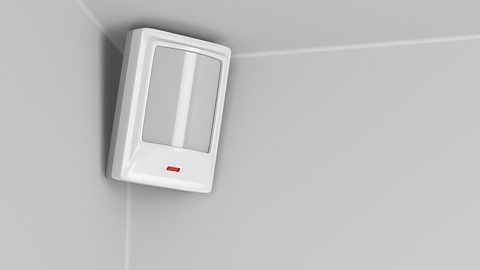
- Passive infrared sensors (PIR) only detect heat movement, which activates an alarm. They are used in security systems to detect the presence of an intruder. PIR sensors only measure infrared radiation and do not emit any infrared radiation.
- An infrared proximity sensor detects heat within a short range, which can be used to activate automatic taps such as those used in hospitals by doctors and nurses to wash their hands. The infrared proximity sensor emits an infrared beam - if the beam is interrupted, then the valve on the tap will open to allow water to flow.
- IR transmitters and receivers are used in remote controls to send signals - eg to switch a TV on, the corresponding button is pressed on the remote control and that sends a signal (IR transmitter) to the TV (IR receiver).
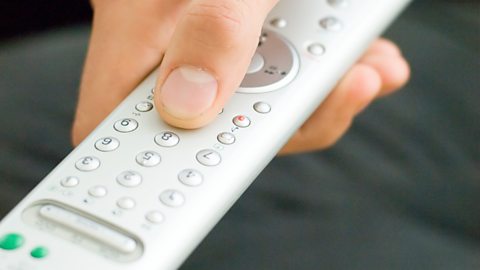
Image caption, IR transmitter used in a remote control
1 of 2
