Is your phone too hot to handle? Here's what could be causing it
Ever been scrolling through TikTok or watching a YouTube video and suddenly realised how hot your phone feels in your hand? Well, you’re not alone. Thankfully, there’s usually a simple explanation, but it’s always worth being extra careful if you do notice that your device is overheating.
Read on for some handy tips on what to do if you notice a sudden rise in temperature.
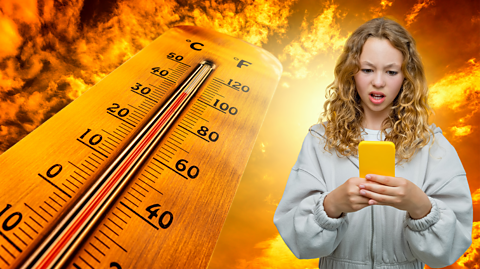
1. A bit of science
First things first… you’ll notice that all electronics generate some heat. To make something work using electricity there needs to be an electrical circuit; a circuit is a complete loop that electricity can move around.
Electricity moves from the power source (the battery or the mains electricity), around the circuit and back to the power source in a loop. As the electrical current flows through a circuit, components like wires have resistance. This resistance causes some of the electrical energy to be converted into heat, which is wasted energy that dissipates into the surroundings. It's why the air around your television might feel warmer than the rest of the room after it has been turned on for a while. The same thing happens with your phone.
But sometimes, you might notice it feeling warmer than usual, and there could be a number of other reasons that are contributing to it. Such as…
2. Exposure to a heat source

Perhaps the most obvious reason your phone or device might get hot is because it has been exposed to an external heat source – for example, the Sun.
If you’ve ever left your phone in direct sunlight on a particularly warm day, you might have noticed how hot it feels, and you may even have received a notification telling you that you can no longer use it until it cools down. It may even turn itself off automatically to protect its internal components.
Best thing to do? Take your phone inside, or, if you can’t do that, place it in the shade, inside a bag or somewhere else that is cool and wait for it to return to a normal temperature.
BUTdefinitely don't… put your phone in a fridge or freezer. Rapid temperature changes can be really bad for phones, and the ice can lead to water becoming trapped in it.
3. Are you watching YouTube or gaming?
Picture the scene, you’re on the BBC Bitesize YouTube channel (check us out here!) and, as the old saying goes, time flies when you’re having fun. Before you know it, you’ve been using your phone for a while and it starts to feel warm.
Video streaming apps like YouTube, BBC iPlayer and even social media channels that have a lot of video content, like TikTok, require considerable power from your phone, especially if you’re watching in HD (you’ll probably notice your battery goes down quicker too). Not to mention, watching videos means your phone’s display stays lit for a long period – and all this is generating, you guessed it, more heat.
The same is true when you’re playing games, especially if the games in question feature high quality graphics. It can also happen if your screen brightness is all the way up for any other reason too – even if you’re not watching a video or playing a game.
Again, the best thing you can do is to put your device down for a while. After all, if your phone is feeling frazzled, then that’s probably a sign you could do with a break too!
Take this quiz to find out if you're addicted to your phone - and find out what you can do to curb your usage.

4. Have you done a software update recently?
Apps that are operating on old software could be making your phone’s processor (think of it as the brain of your smartphone) to work harder, especially if it’s faced with software bugs and glitches. As it thinks harder, it therefore generates more heat while it does so.
The easy solution? Check if your phone or any apps need a software update – and close down the ones you aren’t using as many apps run in the background, all using plenty of energy (and draining your battery!) Hopefully this will help it use less juice in the future!
5. Have I been hacked?
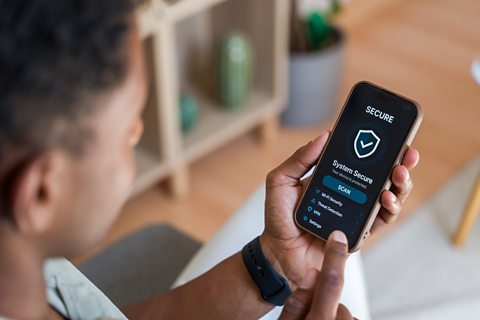
In rare cases, a hot phone might be a sign of malware. The word malware comes from combining the words malicious (meaning harmful) and software (meaning program) and can stop your device from running properly. Sometimes, it will delete all your information and programs. It might also try and steal your personal information and send it back to whoever created the malware.
Here are some top tips to protect your devices from a malware attack:
- Don't download any software or apps from the web, unless you have checked with an adult that it's safe.
- Never click on an email attachment, unless you know who it is from and what they are sending.
- If you get a strange or unusual message from a friend, let them know that they might be the victim of a malware attack.
- It's wise to cover your webcam when you are not using it.
There is a type of program called anti-virus software which can scan your device for malware and helps to remove any it finds. It's a good idea to use anti-virus software and run regular checks on your devices.
6. Check your charger
This one is very important, especially if you notice your phone is getting hot while it is on charge. If your phone gets hot every time you plug it in, it could be a sign something is wrong with your phone charger cable, or the port on your phone that you plug your charger into.
It could also be your phone’s battery – either it’s getting old or it could even be faulty. You can check your phone’s battery health in the settings on your phone, especially if you notice it goes down much more quickly than it used to.
In some cases, a faulty charging cable or battery can cause a fire, so make sure you tell a parent or guardian if you notice your phone getting hot. It’s always better to get it checked out and be on the safe side.
Always charge your phone on a cool, flat surface. If you place your phone on or under a cushion, or a duvet on your bed, it could be trapping the heat the phone is generating while it is charging, and this is a fire risk too.
Where can I learn more about electrical devices and smartphones?
Want to know more about how phones work?
