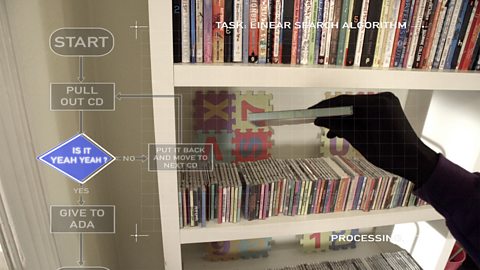
We all live with computers… but getting the most out of them… getting them to do what you need… can be kind of difficult.
But if you can understand how they process things, a computer can be the most useful housemate you’ll ever have.
Putting things in order might sound like something for a neat freak to do on their day off…
And you've probably got much better things to do…
That's where computers come in, boring tasks - no fuss. But… you have to tell them exactly what you want them to do!
Let’s say you want a computer to put all your photos in date order? To see your life story as you lived it? No problem – there are sets of instructions – or sorting algorithms – that can sort anything.
Some algorithms are more efficient than others, so the kind you choose depends on what you have to sort. Take the Bubble sort… it’s the simplest sorting algorithms. Good for small sorting jobs.
Take the first two photos and if they’re in the wrong date order, swap them. Put down the first one and pick up the next. If they’re in the wrong order then swap… Etc… Until the end of the pile. But we’re not done yet…After one pass they probably won’t be in order. So the computer has to do it again.
And again…
And again…
Ada:
Stop!
Voice over:
But how does a computer know when to stop?.. Simple! If it does a pass with no more changes then everything must be in order.
Ada:
Well done!
Voice over:
It doesn’t matter how messed up things start…
Ada:
There you go!
Voice over:
The bubble sort will put them back… in the end.
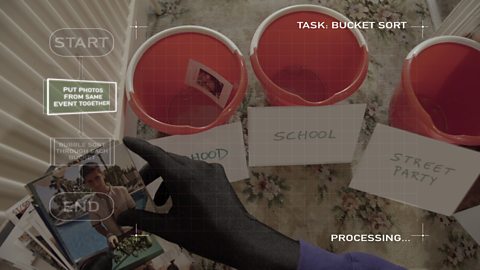
The trouble with Bubble Sorts is that they can take a while so if you want to go faster or have a lot to sort then there’s the Bucket sort.
First the computer separates the photos into groups, like the day they were taken on.
Some buckets might only have one photo. Others might get lots. Then for buckets with more than one photo, the computer bubble sorts through those… Once sorted, the separate buckets can also be combined in order of events to give one big ordered pile.
Bucket sorts are quicker, but more complicated to write.
Ada:
Well done!
If only there was an algorithm for sorting bad hair.
Voice over:
Sorting Algorithms – for putting things in order.
Video summary
A teenage programmer (Ada) is sorting through photos to put them into an album and this is proving to be a very long and laborious task.
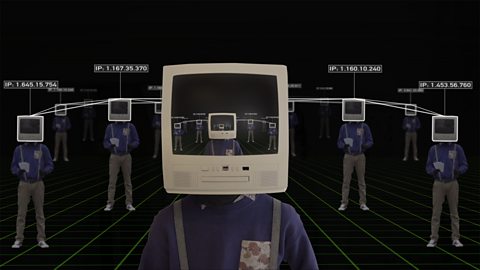
She then thinks of using a Sorting Algorithm and enlists the help of her friend CH (Computer Head).
They decide to apply the steps of the sorting algorithm to organise the photos and place them in order.
This clip is from the series How to Think Like a Computer.
Teacher Notes
This clip could be used to discuss the importance of ordering and what order the photos have been placed in – chronological order.
You could discuss the difference between a Sort and a Search and look at Binary Searches.
You could also discuss the contributions of women in IT such as Ada Lovelace, as the main character is called Ada.
This clip will be relevant for teaching Computer Science at KS3 and KS4 in England, Wales and Northern Ireland and National 4 and 5 in Scotland.
Sorting Algorithms. video
A teenage programmer enlists her computer friend to help her sort through photos and put them in a album.
Online Safety. video
A teenage programmer (Ada) learns the importance of of being safe online with her friend Computer Head.
Searching Algorithms. video
A teenage programmer tests how different types of algorithms can be used to speed up searching her massive music collection.