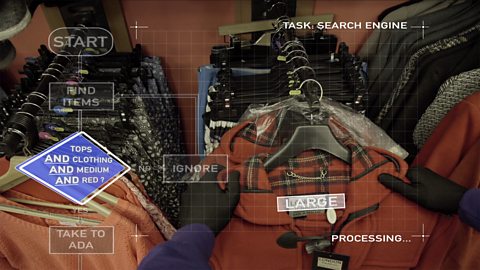
We all live with computers… but getting the most out of them… getting them to do what you need… can be kind of difficult.
But if you can understand how they process things, a computer can be the most useful housemate you’ll ever have.
The world can be a scary and dangerous place sometimes… [scary music]
Same goes for the internet. The web is an amazing resource but there are people out there who use it for all the wrong reasons. So you need to make sure you know how to stay in control!
When they’re working well, computers are reliable helpers - there to make life easier. But we also have to be careful. When we connect to the internet, we are connecting with millions of other computers… And the people who use them. So there are a few things to watch out for – like malware for instance.
Malware is malicious software that can infect your computer if you visit unsafe websites or open email attachments from senders you don’t know. Malware can steal personal information stored on your computer like your bank details or damage the data on the hard drive.
Ada:
“HEY!”
Voice over:
If your computer gets infected with malware, you need to use special anti-virus software to get rid of it. And it’s a good idea to install it anyway as it stops malware infecting your computer in the first place.
Ada:
Thank you.
Voice over:
Another danger you need to look out for is called Phishing. This is when you get an email pretending to be from someone you know, or from an organisation you trust.
Ada:
Delete.
Voice over:
Often they will offer you money or ask for your passwords. But the real purpose is to get you to send either your bank details or passwords so that they can steal your money!
You can often spot phishing emails because of spelling or grammar mistakes. When you get emails, use your common sense. If it seems too good to be true, it probably is.
Social media are great for sharing photos and having fun. But remember to be careful. Once you put your pictures up on the world wide web…
Ada:
Hey!
Voice over:
…It’s virtually impossible to get them back… So don’t put anything online unless you’re willing for the whole world to see it.
Ada:
No, don’t show them!
Voice over:
The web is a great place for people who are careful.
Ada:
No!
Voice over:
So keep an eye out for suspicious emails and websites and use an anti-virus software to protect your computer.
ONLINE SAFETY – Being smart, is being safe.
Video summary
The practicalities of how to stay safe online are explained through everyday activities.
A teenage girl Ada is sitting next to her friend CH (Computer Head), CH starts going through Ada’s purse and here we begin to learn about keywords such as Malware and Phishing.
We also learn about the dangers of placing images on social media and how quickly those images can spread beyond our control.
This clip is from the series How to Think Like a Computer.
Teacher Notes
You could use this clip to link to global events, such as Safer Internet Day.
Discuss what we can look for when using the web/internet to find out if we are safe online.
Recap the SMART Esafety rules.
You could also discuss the contributions of women in IT, such as Ada Lovelace, as the main character is called Ada.
This clip will be relevant for teaching Computer Science at KS3 and KS4 in England, Wales and Northern Ireland and National 4 and 5 in Scotland.
Algorithms. video
Why do computer programs use algorithms?
Checking your algorithm. video
A teenage programmer tests a set of instructions she has written to get her computer to mop the floor.
Search Engines. video
A teenage programmer explains to her computer friend how search engines can be used to filter through information more efficiently.