We all live with computers… but getting the most out of them… getting them to do what you need… can be kind of difficult.
But if you can understand how they process things, a computer can be the most useful housemate you’ll ever have.
In life, we often have to search for things, like someone's phone number or the one CD in Dad's music collection that is worth listening to. But if you got a lot of things, then searching can be… really… boring!
We all live with computers right, so how can they help?
Well they can't. Unless you teach them how. You need to give them a search algorithm.
There are lots of different kinds of search algorithms, but two of the most common are linear searches and binary searches.
So a Linear search is simple. It tells the computer to go through the data from beginning to end until it finds what you are looking for. And that’s it! Luckily, computers are much faster than you are at doing this, or there wouldn’t be much point.
The upside of this kind of search algorithm is that is easy to write, and you can use it on any kind of data even if it is in a messed-up random order. Like your Dad’s CDs.
The downside is it’s pretty slow by computer standards. And if you were searching a really big collection of data, it would take a long time.
Binary searches are much faster. But they only work if the data is sorted in order.
So let’s imagine what you’re searching through is all neatly in alphabetical order…
With a binary search algorithm, the computer goes half way along the collection, and then checks if it’s gone past the item you’re looking for. If not then it knows it’s not in the first half and so it can ignore those completely. Or vice versa… And then it does the same thing again.
It continues this process until there are just one or two CDs to choose from.
Binary search algorithms are harder to write and the data has to be sorted in order. But they’re much quicker than linear searches if you’ve got a lot to search through.
Job done.
Ada:
Yes! Yes!
Voice over:
Searching algorithms - instructions for finding items.
Video summary
The concept of a Searching Algorithm is explained through everyday activities/events.
The characters are a teenage girl (Ada) and her friend Computer Head (CH).
Ada interacts with CH and teaches him, and us, the concept of a Searching Algorithm.
Ada uses keywords in her explanation to CH and shows how if he had to search through a massive music collection for a particular album how an effective searching algorithm would help to make the task much quicker than checking through each album in turn.
This clip is from the series How to Think Like a Computer.
Teacher Notes
This clip could be used to extend student knowledge by discussing the meanings of words such as serial, sequential and linear.
You could also look at the advantages and disadvantages of a serial versus a binary search in greater detail.
It would also provide a good opportunity to recap the basic concept of an algorithm and efficiency, flow-charting and pseudo code.
You could also discuss the contributions of women in IT such as Ada Lovelace as the main character is called Ada.
This clip will be relevant for teaching Computer Science at KS3 in England, Wales and Northern Ireland and 3rd Level in Scotland.
Sorting Algorithms. video
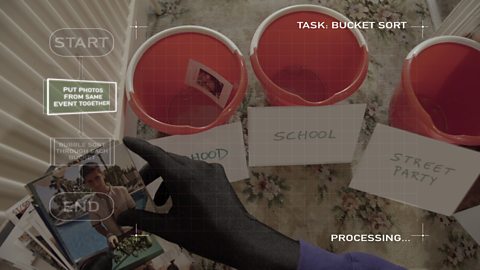
A teenage programmer enlists her computer friend to help her sort through photos and put them in a album.
Bias & Reliability. video
A teenage programmer (Ada) asks her computer friend an everyday question to test any bias from the search results offered.

What is abstraction? video
A teenage programmer finds out how to use abstraction in programming.