When you play a programme, BBC Sounds will automatically play the next episode when the current episode ends. We call this autoplay.
BBC Sounds website
When listening to an on demand programme or podcast on the BBC Sounds website, you can use the Play Queue icon to see what's coming up next:
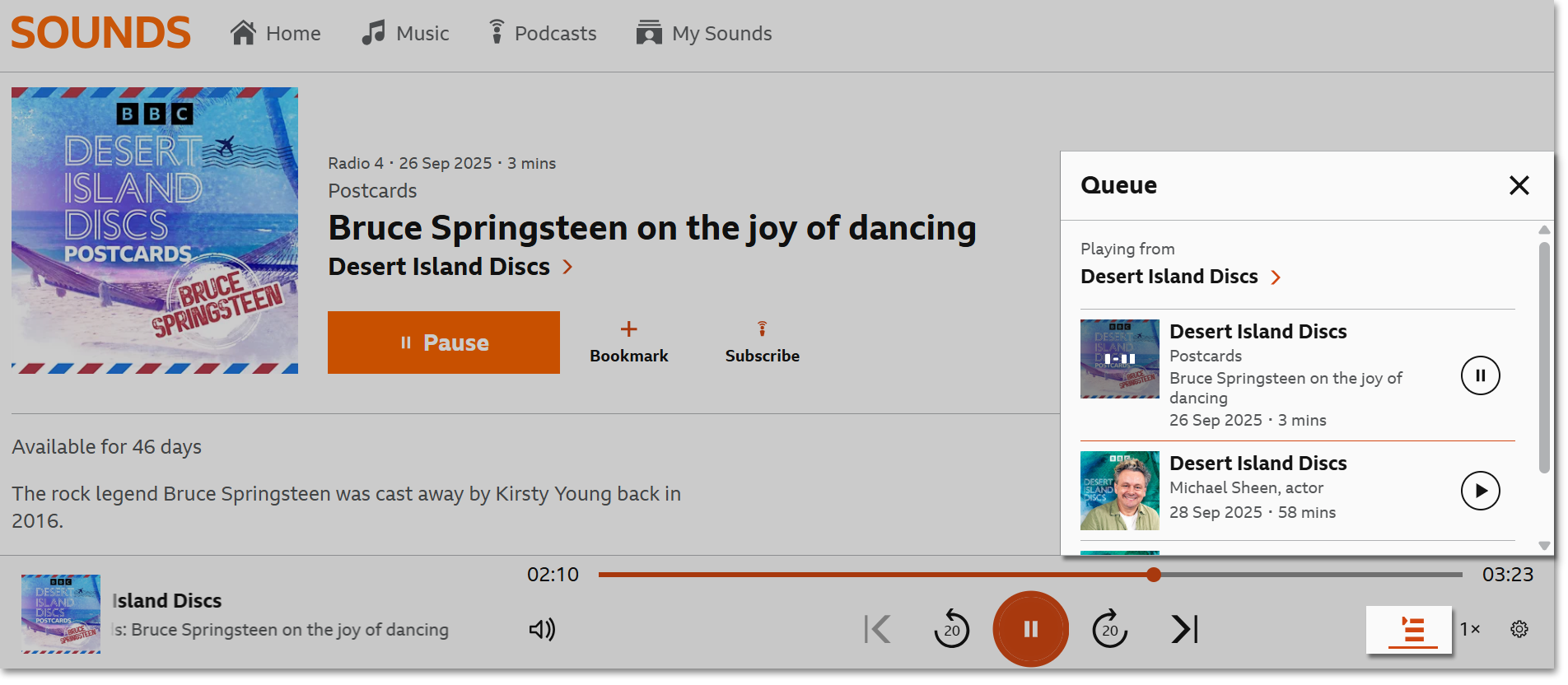
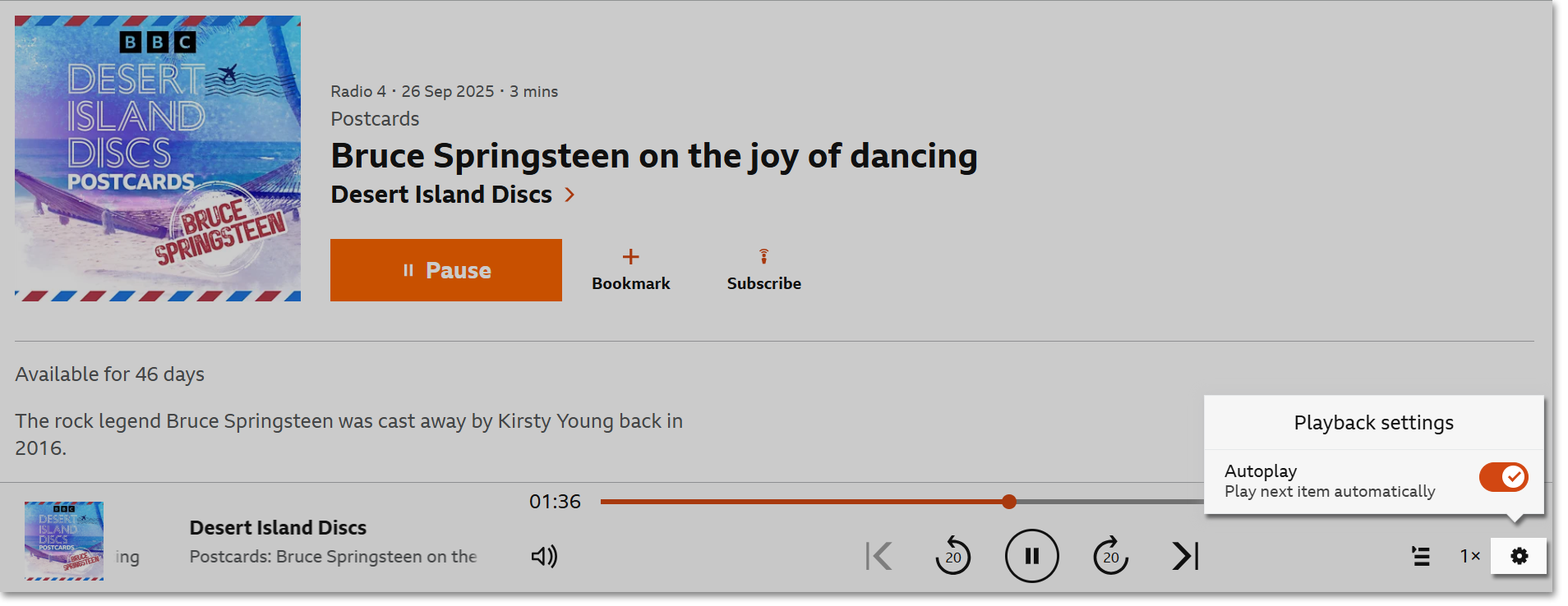
To turn off autoplay, click on the settings cog in the playback bar then switch off the autoplay toggle. The toggle will be grey when autoplay is switched off and orange when it's on.
BBC Sounds app on mobiles and tablets
Autoplay is switched on by default in the app. Just start playing an on-demand programme, then tap on the queue icon at the bottom right corner to see what will play automatically after that episode has ended. 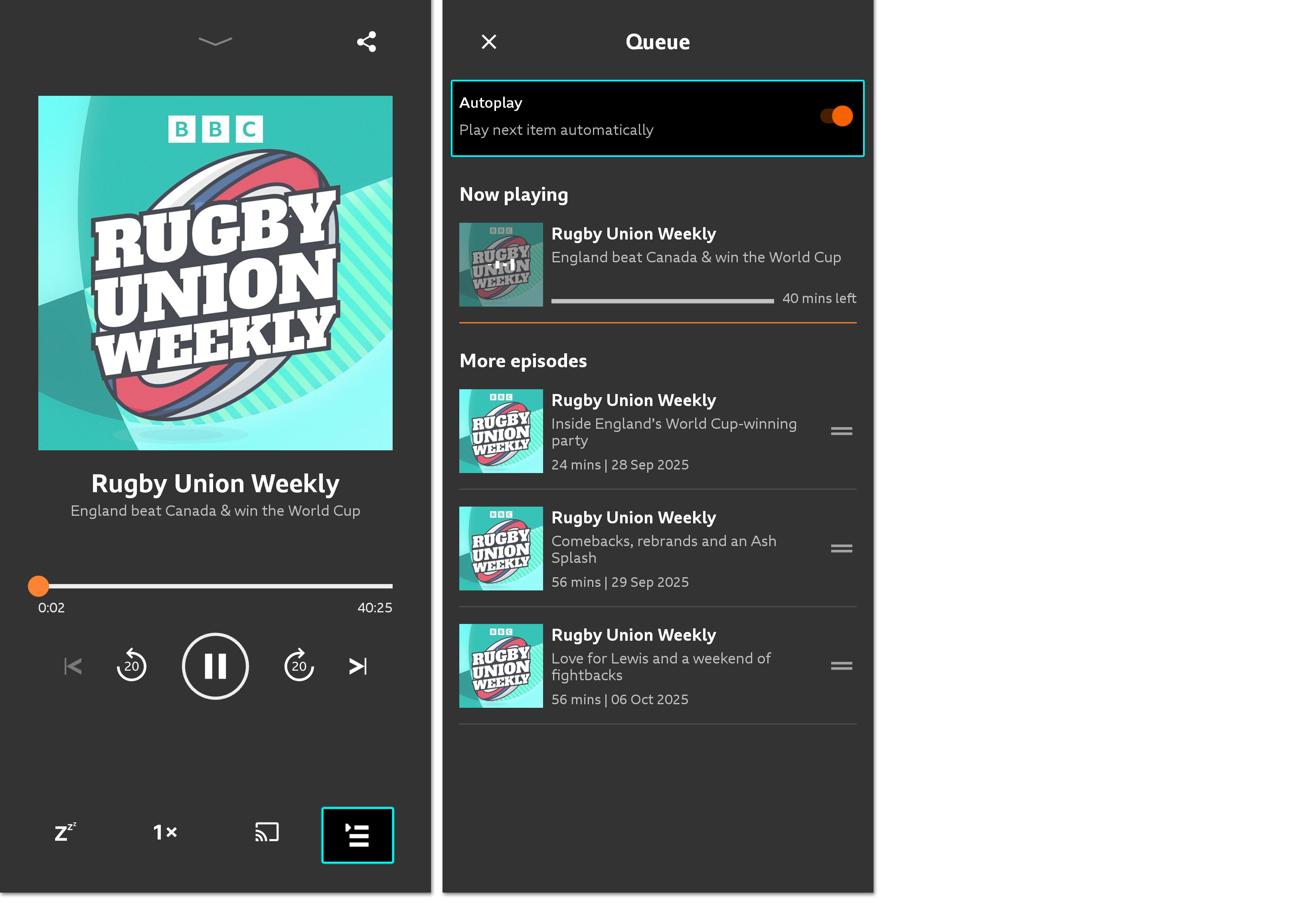
To turn off autoplay, tap the Autoplay switch on the top of the Play Queue, or go to 'Settings' (tap your initial on the top right of the home screen) then toggle off the autoplay option.
BBC Sounds skill on Alexa devices
If you're not listening to the latest episode in a series, we will automatically play the next episode once that episode has finished. You can stop the playback by saying "Alexa, stop."
BBC Sounds app on TVs
The next episode in a series will play automatically. At the moment, it isn't possible to switch off autoplay on the BBC Sounds app on TVs.
At the moment, autoplay on the BBC Sounds app will only play the 100 most recent episodes of a programme. If you're listening beyond the most recent 100 episodes, autoplay will not work as expected. We're aware of this and looking into it.
