Google it, by all means, but don’t stop there

Jonathan Stoneman
is a freelance journalism trainer and consultant, specialising in data journalism
When it comes to web search, journalists have never had a bigger toolbox at their disposal. You just need to know what is out there and how to get the best out of it.
And if you’ve never progressed beyond the nursery slopes even as far as Google Advanced Search, this year’s NICAR (National Institute for Computer Aided Reporting) conference in Louisville, Kentucky was a good place to be.
Every year hundreds of journalists, most of them American, head for NICAR - an off-shoot of Investigative Reporters and Editors (IRE.org). The conference is a mixture of ‘panels’ - people reporting on things they have done - and ‘classes’ showing people what they could do with certain sites or code. A lot of the content ranges from the nerdy to the seriously geeky, and there’s a lot of great learning to be had - some of it available to non-members on the IRE website.
This year, among other things, I attended two sessions given by NICAR director Mark Horvit and its training director Jaimi Dowdell. Mark’s excellent presentation was on ‘the web as reporting tool’ (mirrored closer to home by the College of Journalism’s own course material), while Jaimi covered more specifically ‘searching for data’.
If you only use Google you are missing a lot of results, said Mark - even if you use it well. You need to use more than one search engine and compare what you’re getting. Try, for instance, Yippy.com, Yahoo, Bing, Browsys and DuckDuckGo.
Mark re-emphasised the need to use the Advanced Search boxes in Google - which a surprising number of people in the room said they hadn’t tried. (The form-style Advanced Search page is a good start, but even that leaves out a lot of really helpful ‘advanced operators’ which are easy to learn. These include ‘site:’ - limiting you to a given domain or site, as broad as UK or as narrow as news.bbc.co.uk. Another is ‘filetype:’ - limiting you to specific formats such as doc, pdf, ppt or xls.)
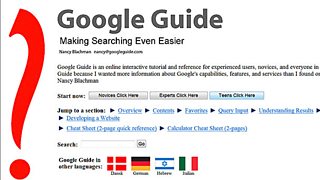
Since I happened upon Googleguide.com a month ago, I’ve been using other great operators such as ‘inurl:’. This allows you to specify words such as ‘data’, ‘open’, ‘download’ and ‘news’ which could occur anywhere in the url, but only the url.


Then there are geolocation sites which help journalists who are looking for social media users as potential sources in specific locations and events. Accuracy is improving all the time. I may replace my standby sites Trendsmap.com and Twitterfall.com with Geofeedia and IWitness.
Mark said IWitness had been used very successfully by journalists on the day of the Newtown massacre to find, well, eye-witnesses. The first ones were on air within about 15 minutes of tweeting what they had seen or heard.
I hadn’t heard of Mappeo.net, which shows where people are posting videos right now and was apparently very helpful to US journalists tracking ‘the Arab Spring’. I am not yet convinced - looking at London now I can only see older stuff.
If you’re looking for old tweets and don’t like Topsy for some reason, there are other Twitter archive search engines available: SnapBird.org, Allmytweets and Foller.me.
And, finally, if you want to check the authenticity of photos, there is a huge amount of metadata hidden in them. I think many of us use TinEye.com or its Firefox add-on to find copies of certain photos on the web. Now there’s a free Firefox add-on which brings up the EXIF metadata hidden in all digital photos - showing date, location, type of camera etc, which will help you assess photos you find or receive from the audience.
