Graph was impressive - this new Facebook search feels incomplete

Paul Myers
is a BBC internet research specialist

When Facebook launched its Graph search engine, I glibly described it as “the most privacy-invasive thing since the invention of the window”.
A little harsh? Actually it was a reflection of my amazement at its new-found efficacy. I was impressed.
Facebook previously only allowed us to filter our people searches by employment, schooling and town. With the launch of Graph we could suddenly search by religion, political views and sexuality.
We could find hidden links between people by exploring their mutual friends. We could find images tagged with someone’s name, photos they’ve liked and the comments posted. We could search by profession, places visited, and, perhaps most revealingly of all, we could search for pages on which they’ve clicked ‘like’.
All of these factors (and more) could be combined and articulated into sophisticated searches that scanned Facebook’s 1.35 billion member database and its enormous roster of communities - providing people, facts and connections to support our investigation.
Fantastic. Until December 2014 when this amazing search engine was junked in favour of a keyword search focusing primarily on stuff our friends have been posting.
Keyword searching is a good thing, don’t get me wrong. The ability to search posts was the one thing missing from the old Graph search. But in effect the new search doesn’t seem to work nearly as well as a Google search of Facebook (see below).
It certainly doesn’t offer the range of tools and filters that Google brings to the table. The new Facebook search still allows you to find people and photos, but the results seem incomplete compared to the old Graph search.
There have been gradual improvements, but I still find the new search disjointed, unintuitive and inconsistent.
For example, if my friend searches for ‘photos commented on by Mark Zuckerberg’, she gets great results in the photos tab (pictured top). If I perform exactly the same search from my account, I get no results at all. Another friend still gets the old Graph search, and unless you’ve changed your Facebook interface language settings to US English you may still be on the search before Graph!
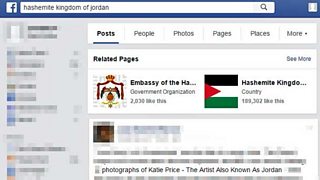
Teething problems aside, how does the new search work? Well, firstly it’s important to realise that, unlike Google, Facebook skews the results according to your friendships and the pages you like. Every search engine has its own algorithm for assessing the ‘top 10’ results, but when I am doing research for a programme about the Hashemite Kingdom of Jordan I don’t really want my friends’ pictures of Katie Price coming up in the search results.
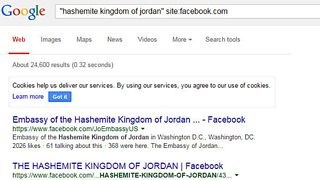
For this reason researchers may prefer to search Facebook via Google, as discussed. This is easily done. Just add site:facebook.com to the keyword in the Google search box.
When we conduct a search in Facebook the site divides the results into different clickable tabs:
Posts - the tab that automatically comes up when we do a search. Our search term is treated as a keyword. Facebook looks for it in posts made by our friends and in the pages we like.
People - if we are exploring a demographic - for example, vegetarians in Leicester - or searching by name, town, job etc. As with the other tabs, Facebook will put those closer to us at the top of the list.
Photos - finds photos shared by our friends, and also photos shared with the general membership of Facebook. You can search for photos taken in specified places or tagged with the names of people you are investigating. You can find photos uploaded by them or their friends, and even find comments they have made on other people’s photos.
Pages - if you are exploring a subject area and want to find related pages, this is the tab you want. Facebook pages are great places to find discussions, news, photos, links and enthusiasts of all kinds, be it a cause, pastime or passion. You can use this tab to explore communities and individuals too.

The Facebook search will also give you tabs that let you find information related to places, groups, apps and events, but even with this wealth of tools you may still hanker for the flexibility and range provided by the old Graph search.
Mercifully, Facebook has left this option active and it occasionally presents links to Graph searches in the Posts tab. The more adventurous researcher might want to look at modifying the web address of Graph searches to get a little bit more out of Facebook than is currently offered.
Perhaps when the new search settles down and the creases are ironed out this won’t be necessary. Let’s hope.
Searching social media? Don’t miss what’s hiding in plain sight
More investigative blogs from Paul Myers
How neat is Facebook’s Graph Search? A few first impressions
Searching for people online: Advanced techniques
Searching for company data: Advanced techniques
Investigative journalism skills
Google it, by all means, but don’t stop there
The Pope, the dictator, the fake photo: It pays to fact-check social media
