How to unsubscribe from a podcast or programme will depend on the software or feed reader that you are using.
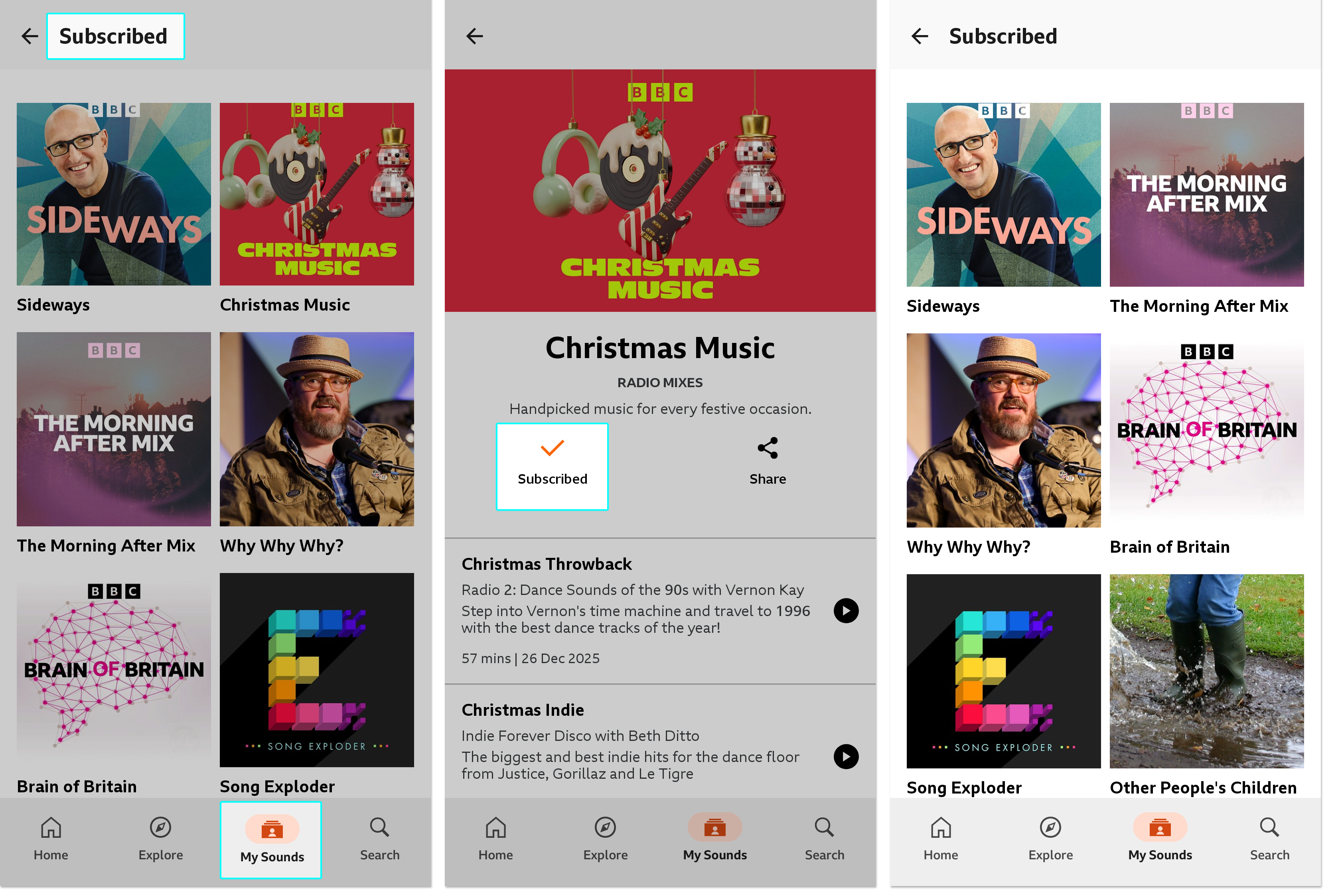
Using the app on a mobile or tablet?
- Go to the Subscribed section (My Sounds > Subscribed)
- Select the podcast or programme you'd like to unsubscribe from
- Tap the 'Subscribed' button. This will unsubscribe the programme and you'll then see the option to subscribe to it again if you'd like.
- When you go back to your Subscribed menu, you may still see the programme you've just unsubscribed from. Pull down to refresh and the list will update.
Using the website on a computer, phone or tablet?
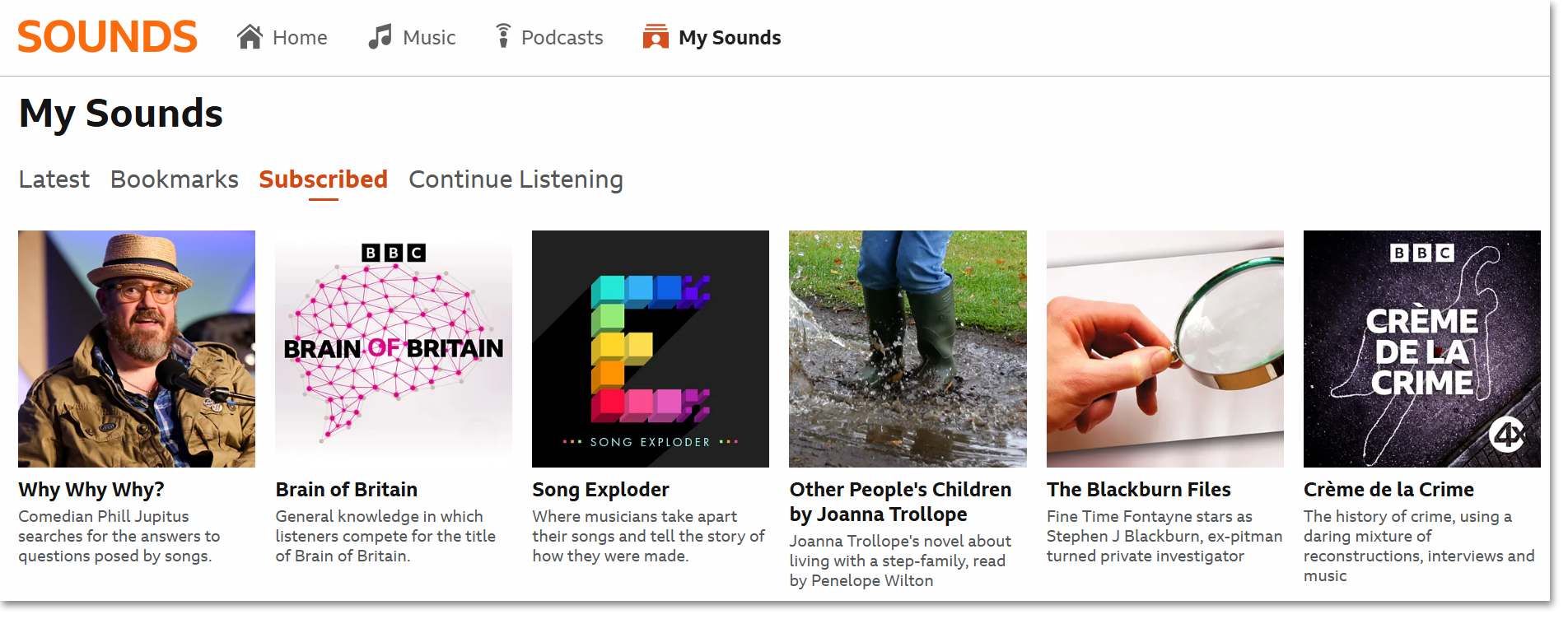
- Go to the My Sounds section
- Head to the Subscribed tab
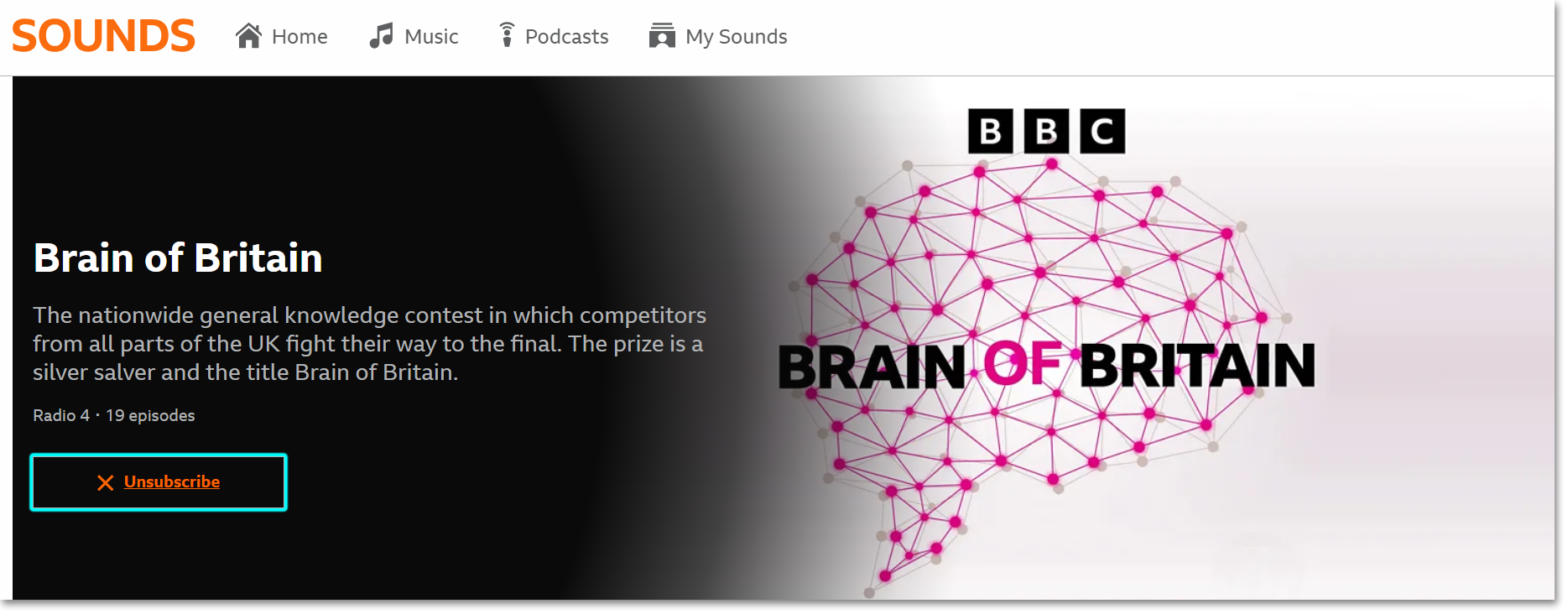
- Click on the podcast or programme you’d like to unsubscribe from
- Hover over the Subscribed button; it will change to Unsubscribe when you hover over it
Using the app on a TV?
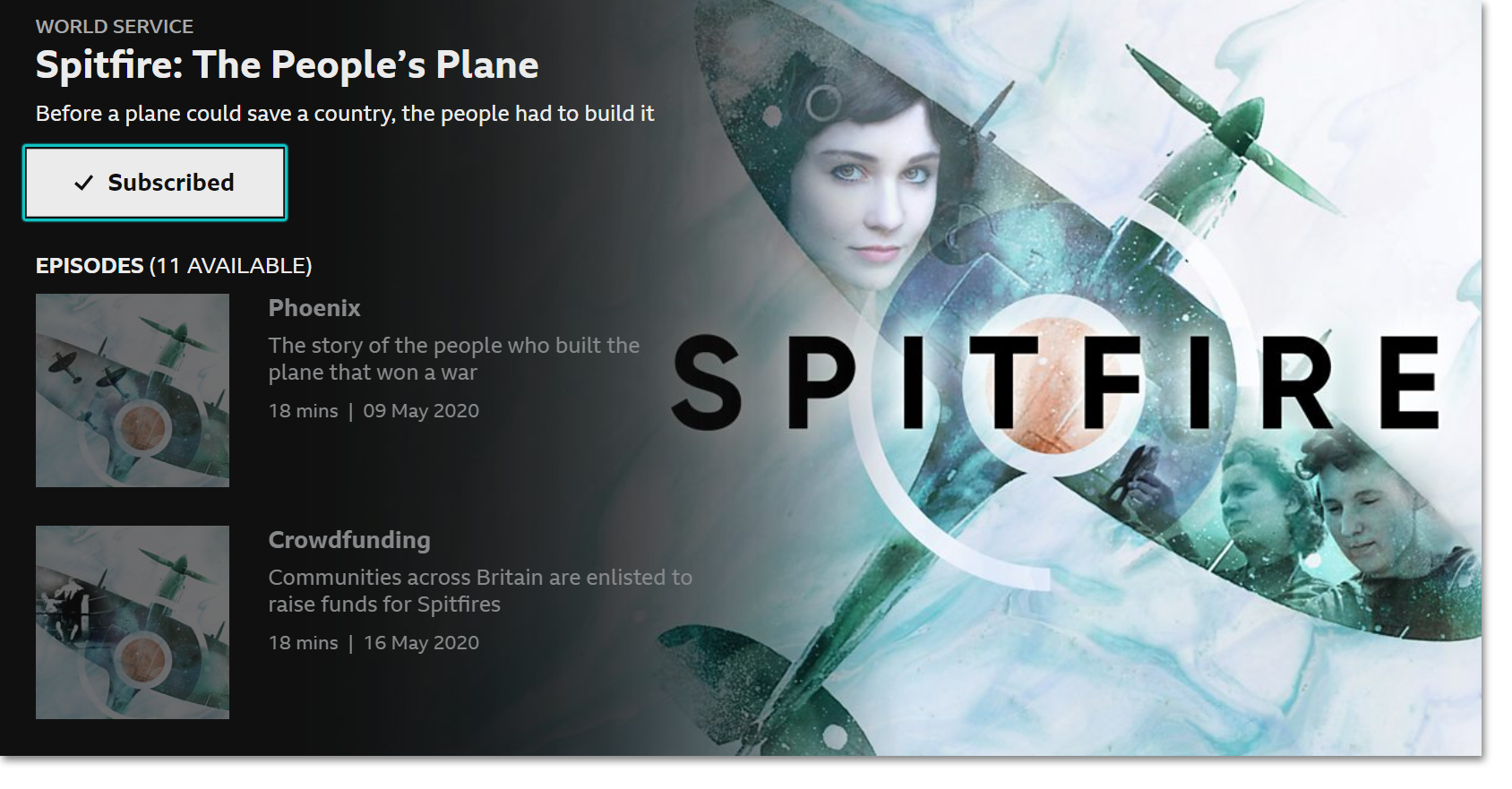
- Go to the My Sounds section (in the menu on the left)
- Scroll down the the Subscribed row
- Click into the podcast or programme you’d like to unsubscribe from
- Click the Subscribed button; this will unsubscribe you and you'll then see the option to subscribe to it again if you'd like.
Using different podcast software? Here are some general guidelines:
- Select the undesired podcast (feed) in the software or feed reader that you are using.
- Next, look for commands or buttons with 'unsubscribe', 'delete', 'remove', 'remove selected feed' or similar sounding text and carry out the action.
- Sometimes simply selecting the feed and hitting the delete key may do the trick.
Note that unsubscribing from a podcast will not necessarily delete previously downloaded episodes and deleting the actual files may require further action on your part.
