
Audio described programmes are available on BBC iPlayer.
Live
Audio description is available on live channels streams on the BBC iPlayer website. Click or tap on the speech bubble icon to access the AD toggle to switch it on.
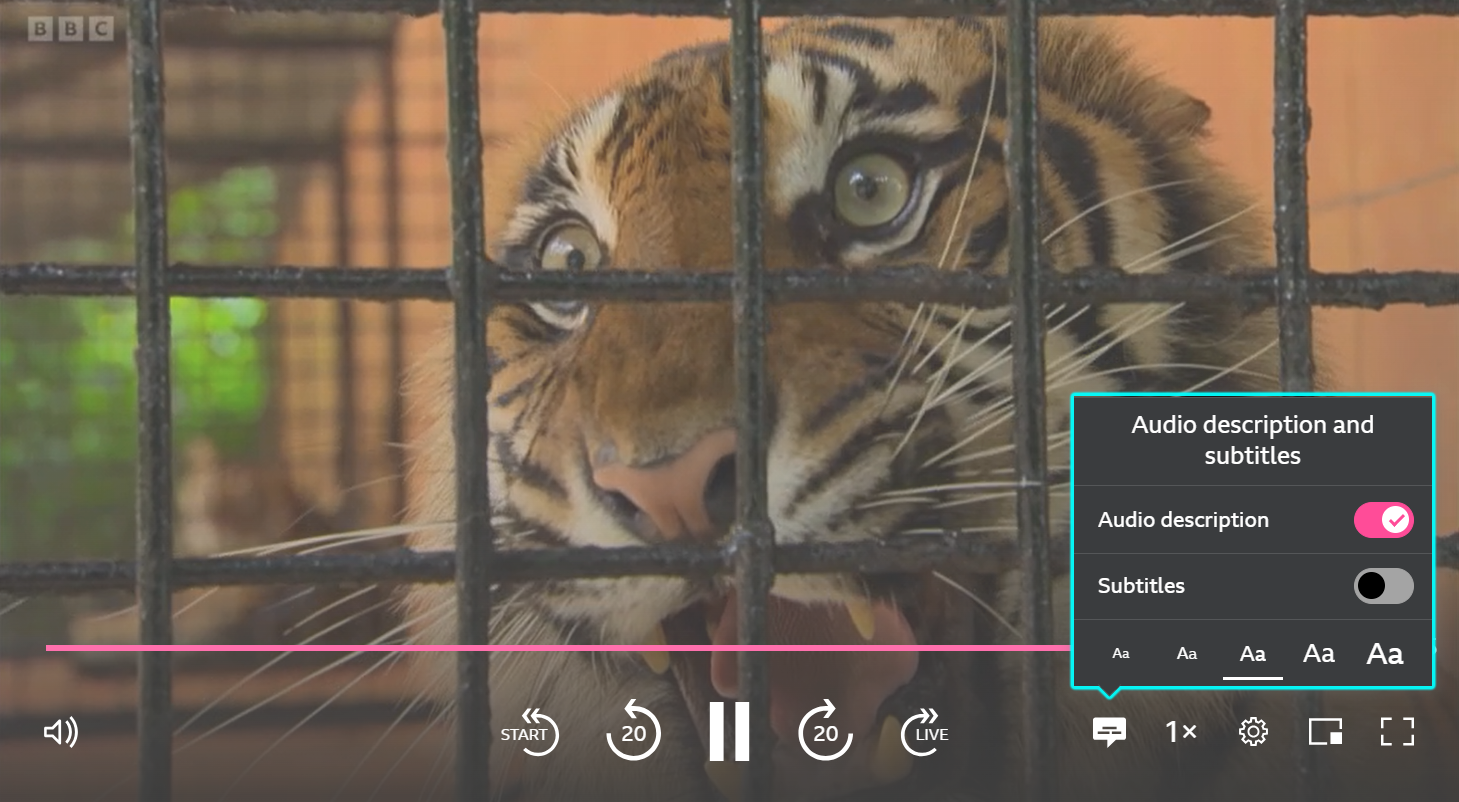
We are working on introducing this feature on our mobile app in the near future.
On demand
To find on demand programmes with AD, head to the Audio Described category. You can find categories on the homepage of the iPlayer website, in the Explore tab on the mobile app, or in the left-hand menu on the TV app.
On the TV app, the speech bubble on the playback page shows the option to switch to the AD version of the programme, if available. You can also choose to play the audio described version of a programme automatically on the TV app. Click here to find out more.
On the mobile/tablet app, the speech bubble on the playback page shows the accessibility options so you can switch to the AD version of the programme, if available.
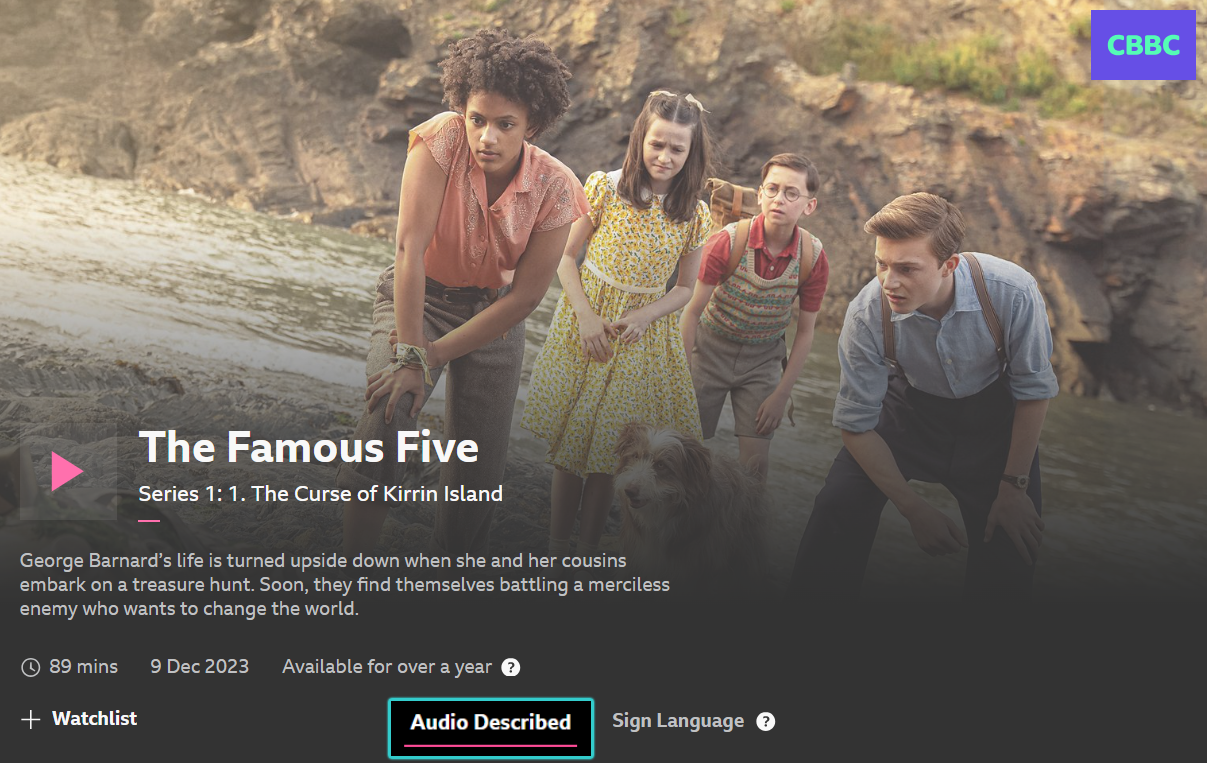
On the website, the audio description option can be found underneath the programme description. You'll see a white banner at the top of the screen when you've selected to watch a programme with audio description.

To switch off Audio Description, you can either click 'Turn off Audio Description' on the white banner, or click on Audio Described underneath the playback screen.
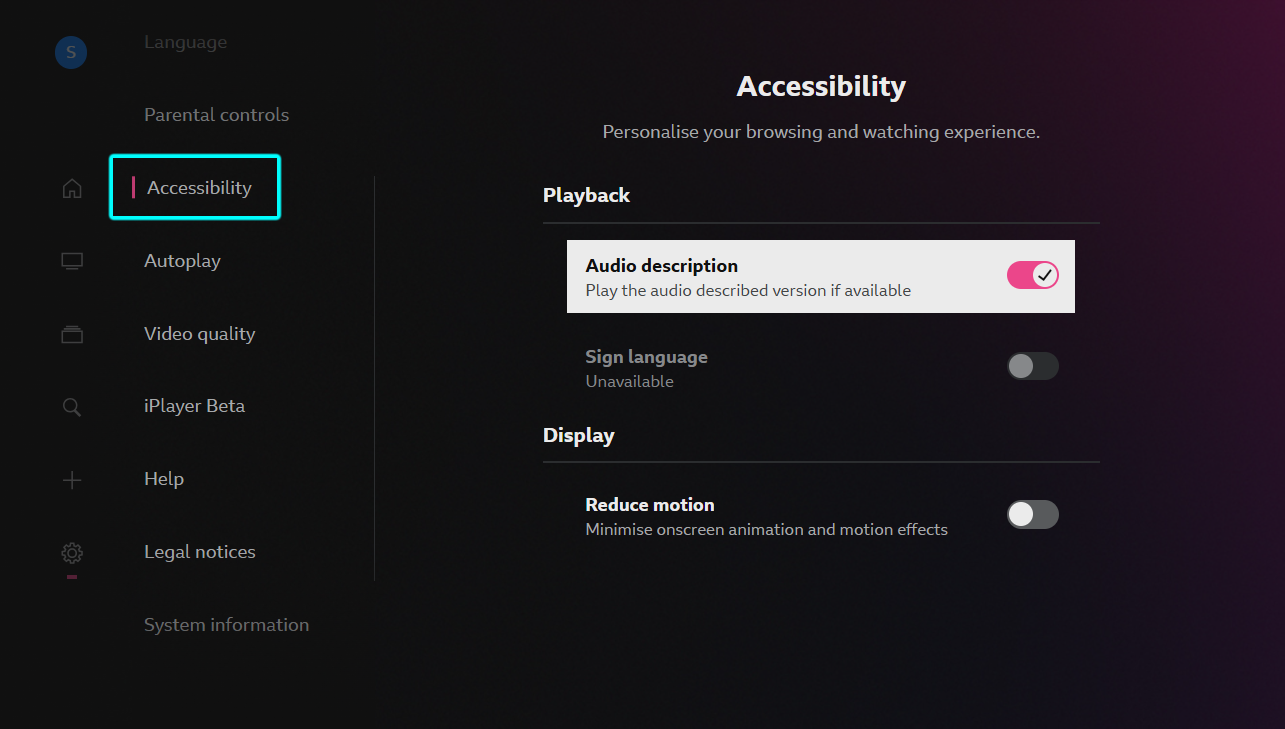
To ask for the audio described version of a programme to play automatically on the iPlayer TV app, head to the app Settings (cog icon with on the left-hand menu) > Accessibility and make sure the 'Audio description' toggle is switched on. When a programme is selected, if there's an AD version available, that's the one that will play.
Unable to switch off Audio Description? If you can't find the original version of the episode, it's because that version of the programme has expired. The audio described version of a programme is often broadcast a few days after the standard version, so there will be a period where it's the only version available. For more information, have a look here: Can I remove audio description?
Unable to find the AD versions of Silent Witness on the iPlayer TV app? Check the following page for more info: Why can't I find audio described versions of Silent Witness on iPlayer on my TV?
