What is the Freelance Payment Portal?
Important information on the new BBC Freelance Payment Portal and what's changed.
Go to the Freelance Payment PortalImportant Update: Weekly Payroll
As part of a broader piece of work to improve the experience for our PAYE freelancers, we are changing the frequency for when they are paid.
From Friday 10th October, any PAYE freelancers will be paid via a weekly payroll.
Find out more about the Weekly Payroll Transition.
Important Update on December & January Payment Schedule for Freelancers
Freelancers on our weekly payroll will continue to receive payments every Friday throughout December and January, including Friday, 2 January. However, please note that we cannot process payroll on Friday, 26 December (Boxing Day).
To ensure you receive payment during Christmas week, the payroll date has been moved forward to Wednesday, 24 December.
Here’s how the schedule will work:
- The previous payroll will run as normal on Friday, 19 December.
- The cut-off for accepting bookings for the 24 Dec payroll has been moved forward to Wednesday, 17 December.
- The 24 December payroll will cover a shorter period and include payments for work completed between 15 and 17 December only.
- Any work completed between 18 and 21 December will be paid on Friday, 2 January.
- Work completed between 22 and 28 December will also be paid on Friday, 2 January.
Please accept your bookings earlier to avoid any delays with payments.
The Freelance Payment Portal (FPP) is the online system that freelancers and agents use to view and accept their bookings for the BBC.
If you are a freelancer or an agent this is where you will manage your BBC bookings and claim payments.
If you use assistive technology such as screen readers or speech to text software, please contact us for help with the FPP.




Using the Freelance Payment Portal
There are a number of mandatory steps to complete, prior to claiming your payment.
- Register for BBC Connect to access the portal.
- Your right to work check has been carried out by your BBC Contact.
- You have completed the demographic information tile on the portal.
- Bank details have been entered.
We have a selection of bitesize support videos on this page to help you with how to register, log in, and use the new Freelance Payment Portal. Each video guides you through specific features, making the system easy to use.
How to register for BBC Connect
Logging on after previously registering
Updating personal information
Accepting your first booking
Getting additional help
Important Information for PAYE Freelancers
If you are a PAYE Freelancer, payments will be claimed automatically and paid in the following month’s payroll, as long as the above steps have been completed.
- Payroll cut off is 3rd of each month to be paid on the 15th of that month.
- Your payment lines will be greyed out and not selectable. Instead they will be claimed automatically on the date your BBC Contact has scheduled for the payment to be released. Once claimed, it will appear on the claimed history tile.
Please see the example below:
A booking accepted on the 3rd November, with a payment date of 3rd November, will be automatically claimed overnight to be included in November payroll, and will appear on the claim history tile on the 4th November. If a booking is accepted after a payment date, that payment will be claimed overnight to be paid in the following payroll.
PAYE Payslips
PAYE workers who have tax and national insurance deducted by the BBC will have access to a monthly payslip.
You may also find useful
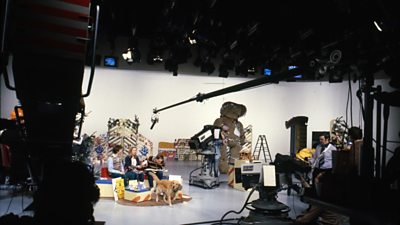
Contracting
Important information on policy, employment status, and why you're contracted the way that you are.
Training
Everything that you will need to know about the BBC's training requirements and how to complete them.
Talent Cloud
Talent Cloud: The BBC's Freelance database and opportunities hub.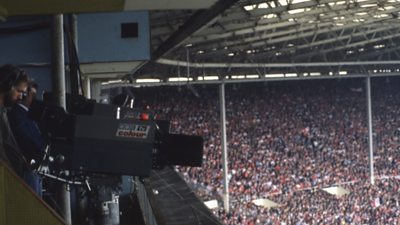
Contact Us
Get in touch with our specialist team with any queries or issues you may have.
