What KS2 curriculum is covered in this Live Lesson?
- National Curriculum, England - KS2 Health Education and Computing
- National Curriculum, Northern Ireland - KS2 Thinking Skills & Personal Capabilities
- Curriculum for Excellence, Scotland - 1st and 2nd Level Health & Wellbeing and Technologies
- Curriculum for Wales - Progression steps 2 and 3 Relationships Education and Science & Technology
Learning objectives:
- Use technology safely, respectfully and responsibly and recognise unacceptable behaviour.
- Use digital technologies to search, access and retrieve information and understand that not all of the information will be credible.
- Explore and experiment with digital technologies and use them to enhance learning.
- Identify and assess risks.
- Explain the importance of accurate and reliable data.
- Know when and where to seek help.
What happens in the Live Lesson?
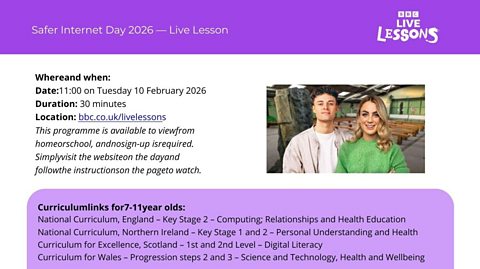
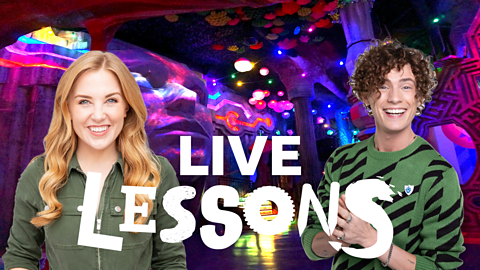
A Safer Internet Day 2026 AI technology themed Live Lesson.
Hosted by Georgie Barrat and Joe Tasker, we'll explore the careful decisions behind responsible AI design, from selecting reliable, accurate, and unbiased training data to writing system prompts that prevent ‘bad’ AI behaviour.
During the Live Lesson, we work together to program an actual AI chatbot which can simulate a conversation with a critically endangered Hooded Vulture.
The Live Lesson is available to watch now on this page and on BBC iPlayer.
Teaching Guide. document
For downloading/printing
What is Safer Internet Day?
Safer Internet Day is the UK’s biggest celebration of online safety, covering online issue or themes relevant to young people.
The theme for Safer Internet Day 2026 was ‘Smart tech, safe choices – Exploring the safe and responsible use of AI’.
Safer Internet Day is co-ordinated in the UK by the UK Safer Internet Centre.
The Live Lesson was created in partnership with Childnet who are part of the UK Safer Internet Centre.
Mission Packs
Download the Mission Pack in preparation for the Live Lesson. There are 3 versions available. Choose the option which best suits your needs.
Pupils are still able to participate without access to the Mission Packs. All instructions will be on screen. We recommend that pupils have a notebook and pen or pencil to hand.
Mission Pack: digital. document
Designed to be opened and edited using a tablet. Pupils will be able to type in text boxes and use the pen tool to draw.
Mission Pack: printable booklet. document
To be printed double-sided on 2 sheets of A4 paper. Fold in half to create A5 booklet. Pages are numbered and should run from 1 to 8 when one sheet is placed inside the other. Designed to support black-and-white printing.
Mission Pack: printable A4 sheets. document
This is the best option if you do not have the option to print double sided. Designed to support black-and-white printing.
Extra resources
Recap the key points from the lesson
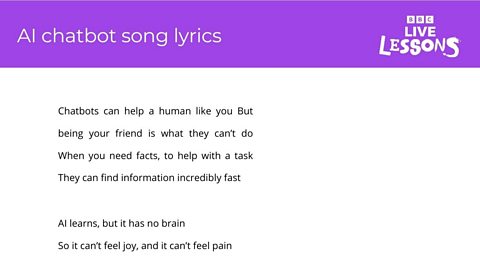
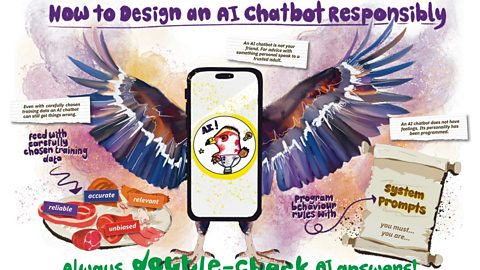
Keep the learning going after the lesson with a downloadable poster that sums up the key learning and a catchy song your class can revisit for extra inspiration.
Press play to listen to the AI chatbot song
AI chatbot song lyrics. document
Download the lyrics to the AI chatbot song
Safer Internet Day Live Lesson poster. image
Click here to download Venessa's poster
Minecraft Education

Within the Live Lesson, children will see excerpts from the AI Adventurers, an animated video series from Minecraft Education introducing the basics of how AI works and how to use AI tools responsibly. This series was produced by Minecraft Education and Microsoft in collaboration with BBC Bitesize.
There are more Minecraft Education videos and resources on Bitesize for Teachers here. Each video invites children on a journey alongside Chicken and Agent to explore the world of AI, and each is accompanied by curriculum links and teaching notes.
Minecraft Education’s AI Foundations program offers a set of learning materials and immersive games for building AI literacy, designed to empower students, educators, and families with a fundamental understanding of how AI works and how to use AI tools responsibly.
How to get involved:
This programme was live and accompanied by a live website commentary feed for schools.
We added as many messages as we could to this live commentary page on the day of the Live Lesson.
Please do not send any more emails about this lesson, as they will not be included.
Plase note this live commentary feed has now closed. document
Click here or tap here to see if your school has had a shout-out.

Where next?
Primary online safety. collection
Resources mapped to the Education for a Connected World framework set out by the UK Council for Internet Safety.

Watch again: Safer Internet Day 2025 – Live Lesson. video
Help us spot the scams in this interactive Safer Internet Day 2025 Live Lesson.
Safer Internet Day Resources. collection
A collection of classroom resources for both primary and secondary schools, to support teaching around online safety.