Why teach touch typing?

Touch typing is a useful skill for children to learn. It is the skill of being able to type without looking down at the keyboard.
Some children, when they first begin to type will use the ‘hunt and peck’ method. According to education technology consultant Marion Reilly, "Asking children to avoid pecking at individual keys and instead encouraging them to use two hands, holding them over the home keys will double the typing speed!"
By learning how to type on a keyboard, children can reinforce their writing skills such as good spelling, punctuation and grammar. With a lot of practice, this can also help develop a child's motor skills and confidence when typing.
Top tips for teaching good typing habits
- Finger placement: Finding specific keys whilst not looking down at your hands can be challenging. To help, encourage children to place their left index finger on the 'F' and right index finger on the 'J'. These keys will sometimes have small bumps on them so that they can be found easily.
- Hand positioning: The home row is the centre row of keys on a keyboard. These keys are used as the central position for hands when typing. By keeping this hand position when typing, through practice, children will be able to find the right keys without looking at their hands.
- Find a comfortable working position: Try to maintain a good typing posture. Ask students to sit up straight with their back against the chair and feet flat on the ground.
- Practise touch typing little and often Typing for a long period of time can make children tired. Dr Emily Williams explains that "It’s best to learn ‘little and often’ rather than all at once. This is because sleep helps you to build your muscle memory!"
- Cover hands: It can be tempting for children to look at their hands as they type. The best way to make sure that you don't look at their hands is to cover them up.
Touch typing game - Dance Mat Typing
One fun and interactive way to help children to learn how to touch type is through typing games and typing exercises.
Encourage students to put their skills to the test with this BBC Bitesize touch typing game.
Dance Mat Typing is a game split into four levels of play, each with three stages.
In this game, children will practise:
- typing letters in rows
- typing keys on the home row
- typing capital letters, apostrophes, slashes and full stops
Each game level will build on previous lessons and introduce new letters as they progress, giving them plenty of touch typing practice.
Dance Mat Typing. game
Learn how to touch type with Dance Mat Typing.
More from BBC Teach…
Cracking Computing. collection
Narrated by comedian and actor Doc Brown this series of short films aimed at 7-11 year-olds explores some of the key topics and terminology for pupils studying primary computing.
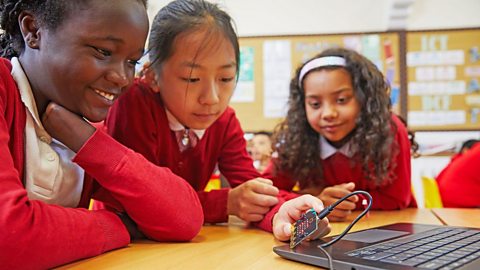
micro:bit - the next gen. collection
Register for your free set of 30 micro:bits and explore teacher training and classroom resources to get started.
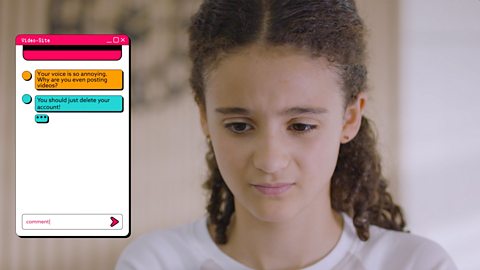
Online safety - teaching resources. collection
A collection of articles and videos that can be used to teach online safety lessons for ages 7-11 (Key Stage 2 in England, Wales and Northern Ireland and 1st and 2nd Level in Scotland).