Yes, you can! You can line up your favourite programmes to listen to in your preferred order.
Where is the play queue?
When you're listening to any on-demand programme, you'll find the play queue by tapping the 'Queue' icon on the bottom right of the playback screen.
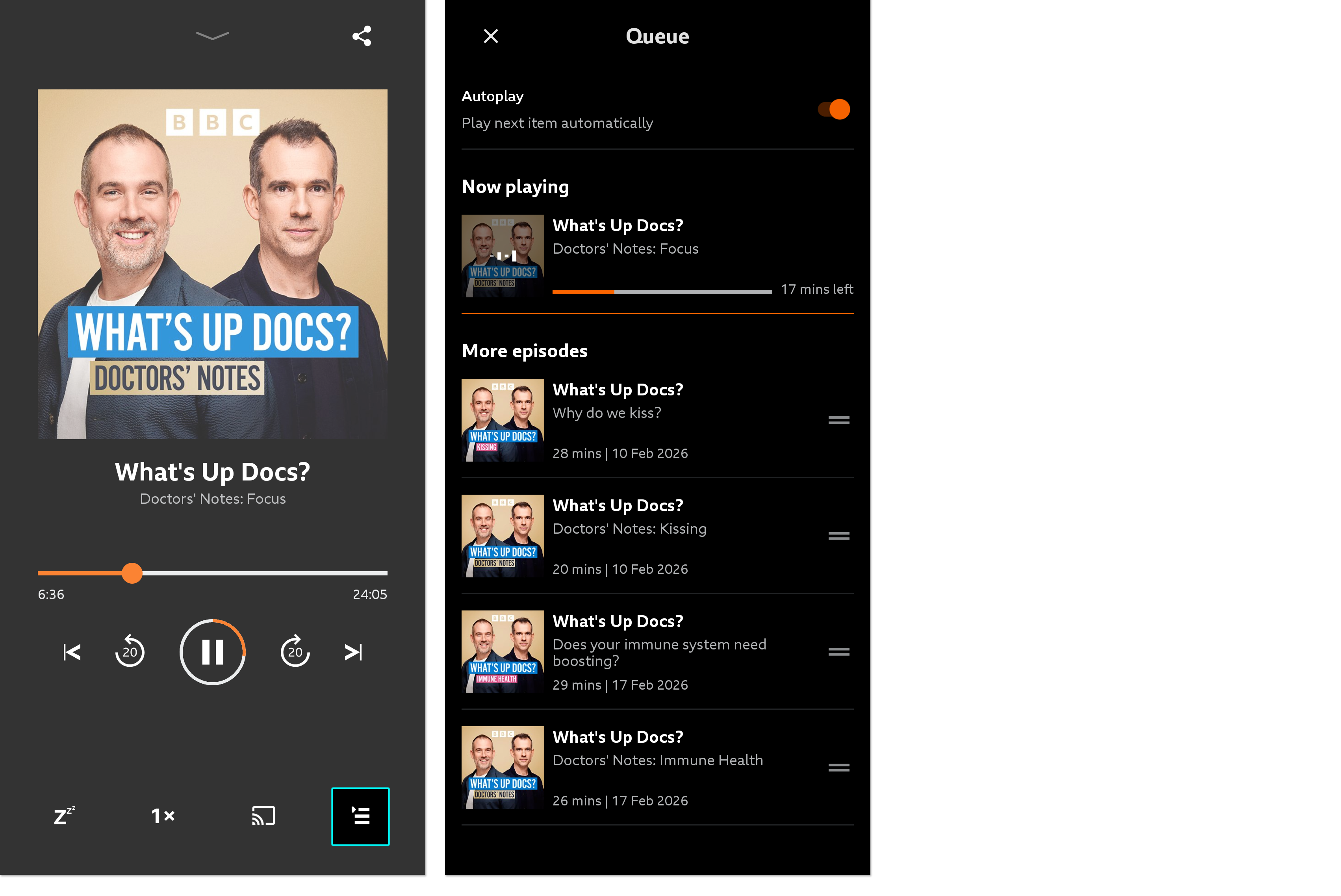
If you're listening to a series, the next episodes in the series will line up automatically, or you can add programmes and episodes to play next instead.
How do I add programmes to the queue?
Simply choose the show you'd like to add to the queue and tap the '...More' button. The first option in this menu will be 'Add to queue.' Once you've selected this, you'll see a confirmation message pop down from the top of the screen.
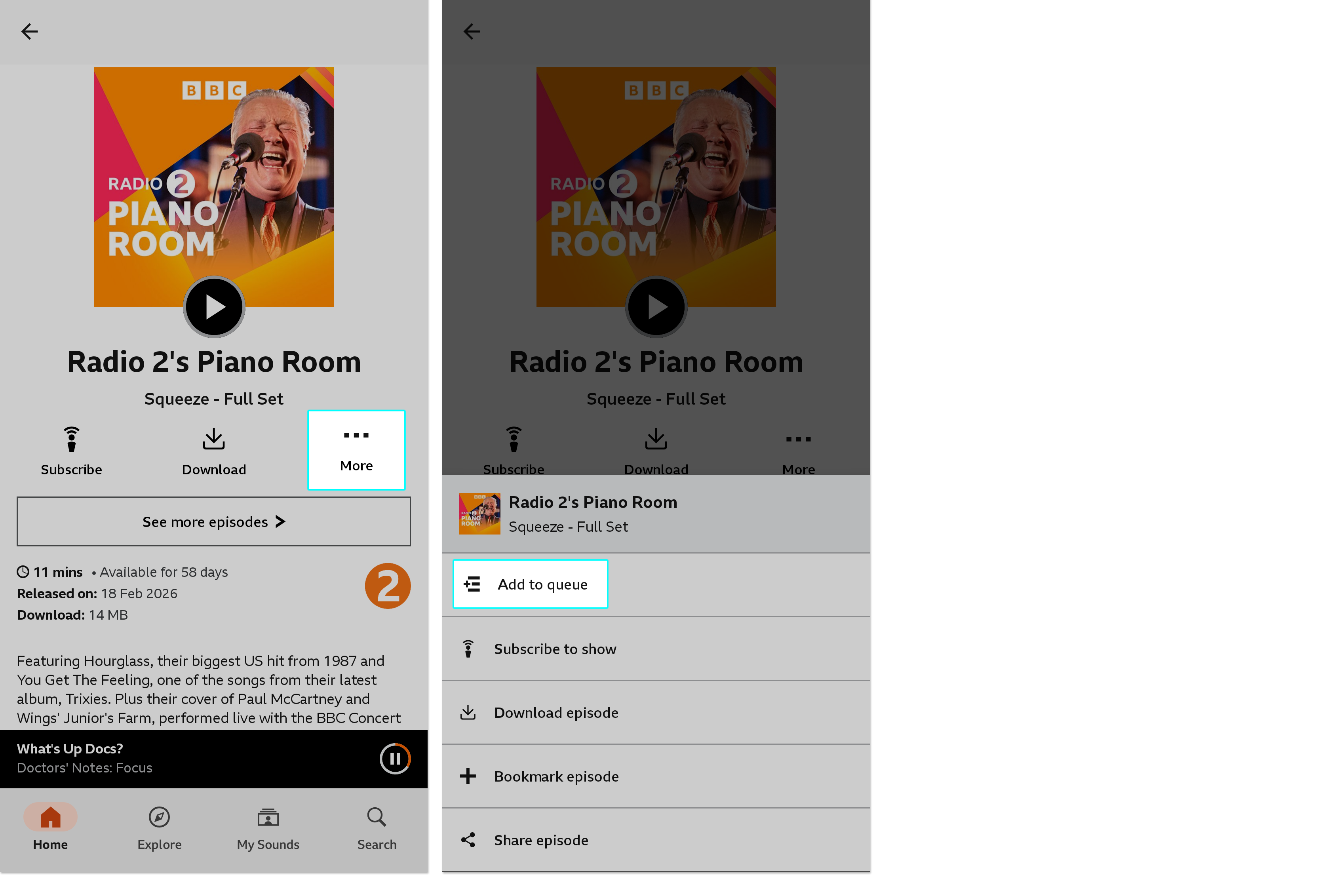
To get back to the queue, tap the black playback bar at the bottom of the screen to open the full-screen player, then tap on the queue icon.
Can I change the order of queue items?
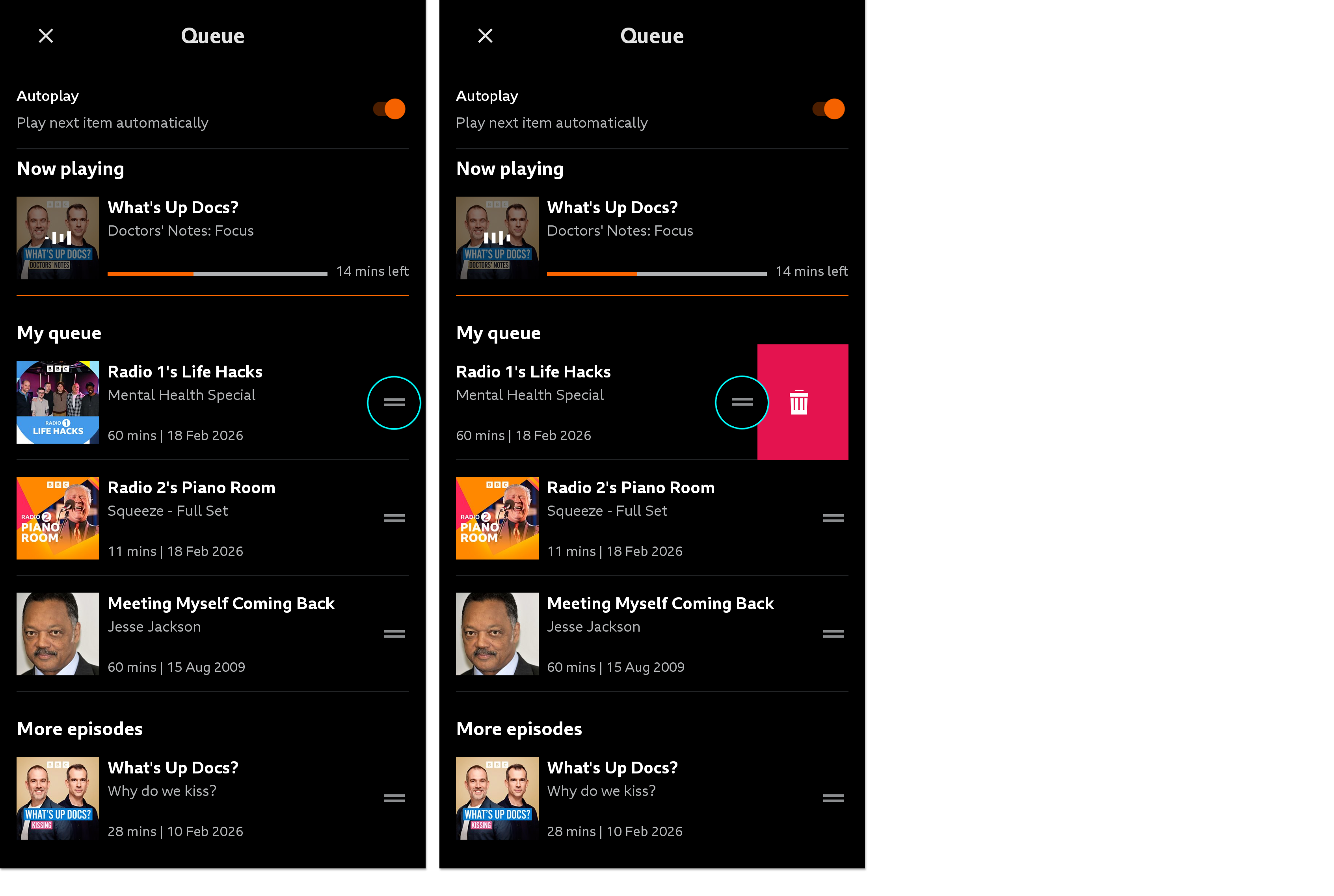
Of course! You can move programmes up and down the play queue by pressing on the grey lines next to the episode. Keeping your finger on these, you can drag the episode up or down to where you would like it to be in the queue. To remove an item from the queue, simply 'swipe left.'
Will my queue always be available?
Your queue will be available while you're using the app and listening to on-demand programmes. Queues are recommended for daily or 'session' listening - they can't be saved for another day. If you choose to listen to a live stream, this will clear your current queue. Likewise, if the app is fully closed or is updated, your queue may be lost.
