If you want to delete a programme from your downloads you can do so by following these instructions:
- Head to My Sounds then select Downloads
- Find the downloaded episode you want to delete and swipe it to the left
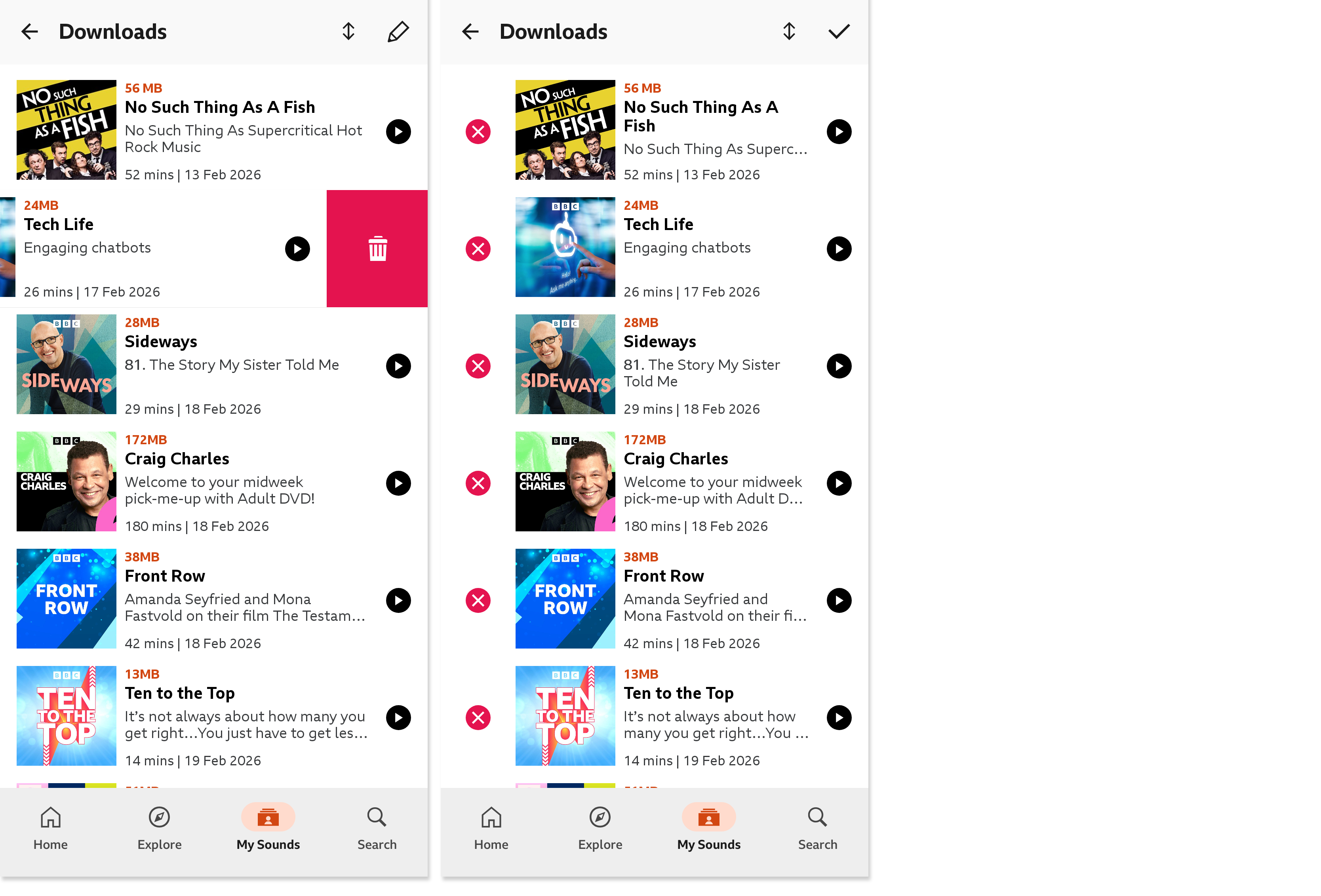
When swiping to delete, some devices may offer the chance to 'undo' the deletion. This will appear as a pop up and remain on screen for a very short time.
You can also:
- Tap the pencil icon in the top right corner
- Then tap X to delete individual downloads
Can I remove programmes from the Latest list in My Sounds?
No, it's not possible to remove individual episodes from the Latest section of My Sounds.
