Don't forget, this is a beta version and there are bugs. Don't press the windows key while you are playing the game or the game disappears. Have a look at our known bugs and compatibility issues page for details.
3. How to play the game
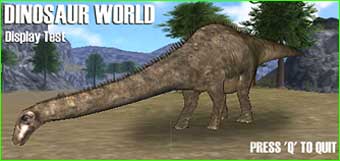
Explore the 3D world to find out about the animals, plants and geography.
Leave cameras at interesting locations so you can keep an eye on what goes on there.
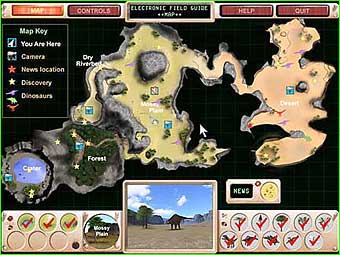
Use the SPACE bar to move between the 3D world and the Electronic Field Guide.
4. Using the Electronic Field Guide
A dynamically updating map screen in the Electronic Field Guide shows you where you can go (below).
The controls screen shows you which keyboard buttons to use in the game.
What to do is explained in the help screen.
5. Technical problems
If you are having problems running this beta:
Check that you have the minimum specification.
Check that DirectX 8.1 (or later) is loaded, and you have the latest drivers for your graphics card.
If there are still problems displaying the tester, it means your graphics card may be unsuitable for displaying Dinosaur World.