Missing Ibiza already? Why not prolong that Balearic feeling by decorating your desktop with some of the magic moments we captured on camera during the Radio 1 Weekend.
This remarkable sunset picture was taken from the balcony at Cafe Mambo during Pete Gooding's sunset mix during the Essential Selection on Friday 6th August
Choose the right wallpaper for your resolution: 1024x768 | 800x600 | 640x480
The view from the DJ box in the main room of Amnesia is a sight to behold especially when the air cannon goes off. This picture was taken during Paul Oakenfold's Essential Mix set on Sunday 8th August.
Choose the right wallpaper for your resolution: 1024x768 | 800x600 | 640x480
Shapeshifters came down to Radio 1's Secret Ibiza Party to perform one of the biggest records of the year, 'Lola's Theme'. Here we caught their singer Cookie extending the mic to the crowd whilst they sang the chorus back to her.
Choose the right wallpaper for your resolution: 1024x768 | 800x600 | 640x480 Installing Wallpaper
Windows
1. Find out how big your screen is. Shrink your browser window and click with the right mouse button on an empty piece of desktop. A pop-up menu should appear. Select 'Properties'. A box will appear with tabs across the top. Select the 'Settings' tab and on the right-hand side of the box, it should say 'Desktop Area' and tell you how big your screen resolution is.
2. Come back to this webpage. Click on the PC link above that is the same size as your screen. For screens bigger than 1024x768 use the 1024x768 option. The picture should now load in your browser.
3. Click on the picture with your right mouse button and a menu will appear. Select the 'Set As Wallpaper' option.
Mac OS
1. Find out how big your screen is. Click on the Apple menu, then select 'Control Panels > Monitors & Sound'. A window will appear telling you how big the resolution of your screen is.
2. Come back to this webpage. Click on the link above that's the same size as your screen, hold the mouse button down so that a menu appears. Netscape users select 'Save this link As...' and Internet Explorer Users select 'Download Link to Disk'. Save the file to your desktop.
3. Move the downloaded wallpaper file (?????.jpg) into your wallpapers directory. First time users make a directory at the top level of your hard disk called 'Wallpapers' and move it there.
4. Click on the Apple menu, then select 'Control Panels > Desktop Pictures'. A window will appear. On the left-hand side hit the 'Picture' button. On the right-hand side hit the 'Select Picture' button. If you have a 'Remove Picture' button instead of a 'Select Picture' button hit this and your current desktop wallpaper will be removed, the 'Select Picture' button will now appear. A file selector box will appear, choose your wallpapers directory and then the wallpaper file (??????.jpg). Hit open followed by 'Set Desktop'.











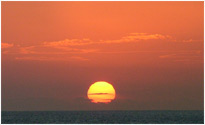 This remarkable sunset picture was taken from the balcony at Cafe Mambo during Pete Gooding's sunset mix during the Essential Selection on Friday 6th August

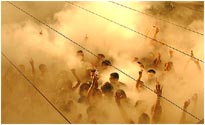 The view from the DJ box in the main room of Amnesia is a sight to behold especially when the air cannon goes off. This picture was taken during Paul Oakenfold's Essential Mix set on Sunday 8th August.
 Shapeshifters came down to Radio 1's Secret Ibiza Party to perform one of the biggest records of the year, 'Lola's Theme'. Here we caught their singer Cookie extending the mic to the crowd whilst they sang the chorus back to her.




 10 Years