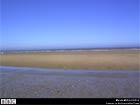
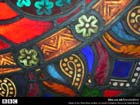
Try a little instant decorating with our selection of screen wallpaper. Follow the instructions below to change the mood of your machine and keep returning to this page as the pictures will change regularly. Are you a budding digital artist, would you like to offer your work to be included here as wallpaper? See more details. Instructions for installing our wallpaper: Installing Wallpaper Win 95/98/NT 1. Decide which picture you would like as your desktop wallpaper. Click on the correct size for your desktop. The image will load in your browser.
2. Click on the picture with your right mouse button and a menu will appear. Select the 'Set As Wallpaper' option. Mac OS 1.Decide which picture you would like as your desktop wallpaper. Click on the correct size for your desktop and wait for it to load. Then hold the mouse button down so that a menu appears. Netscape users select 'Save this link As...' and Internet Explorer Users select 'Download Link to Disk'. Save the file to your desktop. 2. Move the downloaded wallpaper file (xxxxxx.jpg) into your wallpapers directory. First time users make a directory at the top level of your hard disk called 'Wallpapers' and move it there. 3. Click on the Apple menu, then select 'Control Panels > Desktop Pictures'. A window will appear. On the left-hand side hit the 'Picture' button. On the right-hand side hit the 'Select Picture' button. 4. If you have a 'Remove Picture' button instead of a 'Select Picture' button hit this and your current desktop wallpaper will be removed, the 'Select Picture' button will now appear. A file selector box will appear, choose your wallpaper's directory and then the wallpaper file (xxxxxx.jpg). 5. Hit open followed by 'Set Desktop'. |