
Today is a really big day for all of us who enjoy being able to choose a radio programme to listen to according to our mood and listen to it wherever we are. I know I am not alone in doing this because over 17 million podcast episodes from BBC Radio are already being downloaded every month in the UK. The only problem with our marvellous podcasts is that they only exist for a relatively small proportion of Radio 4's output and even less on other networks.
With the release this week of the new version of the iPlayer Radio app on Apple and Android smartphones and tablets, it will be possible to download almost all of our programmes and keep them on your device to listen to whenever you want, for 30 days from their first transmission.
For Radio 4 listeners - like me - this means you can choose to take a much greater range of drama and comedy with you than ever before. This applies to all networks, so it is particularly exciting to have the new app in time for the BBC Proms - for the first time in its 121-year history this outstanding season of concerts can be yours to take with you and listen to anywhere... the Proms in your pocket.
The app has been designed to make this whole business as easy as possible.
Here is a step-by-step guide to show you exactly how to download whatever programme you like.
1. Download the app from your app store (iTunes, Google Play etc) and open it. Choose Radio 4 on the dial.
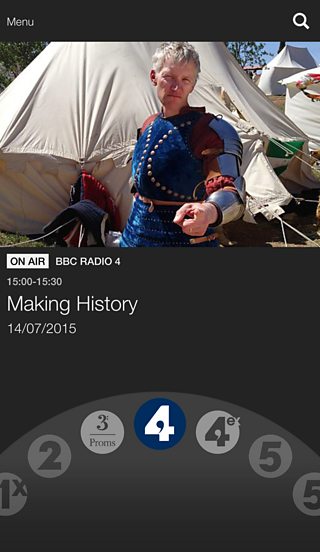
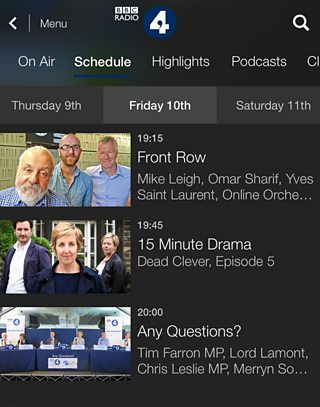
2. Find a programme you would like to download via the Schedule, Highlights or Search buttons, then tap the title of the programme you want.
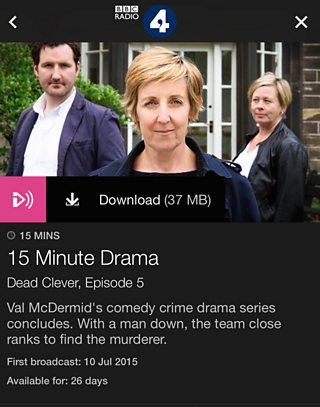
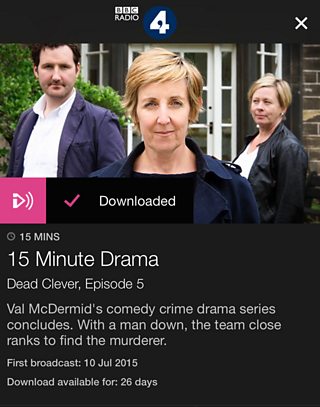
4. Tap Download to save the programme to your device.
5. When the download is complete you can listen by going to the Menu, tapping Downloads and choosing this or any other programme you have downloaded.
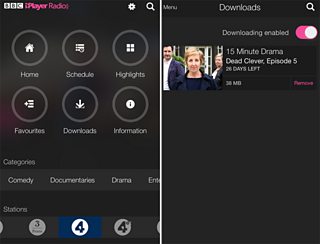
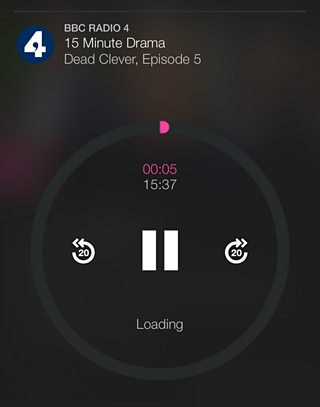
6. Finally, tap on the programme and then the play button to listen wherever you are and whatever you're doing... on a bus, a train, even an aeroplane.
7. You can navigate through the programme including pause and rewind using the play wheel.
You can follow exactly the same process for all BBC radio networks and local radio stations.
For those interested in techy stuff the files are of the highest audio quality (320kbs) which we often refer to as HD sound.
I hope you enjoy the new app and please do give us your feedback as we will be making improvements and introducing new features as we go through the summer and autumn.
