See the Doctor in a New Dimension: Our 3D Viewing Guide

The Doctor Who Team
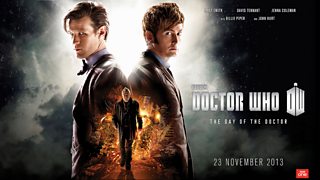
The Day of the Doctor will air on BBC One on 23 November and will be repeated on BBC Three on 24 November. As we’ve already announced, it will also be available in 3D to those with a 3D TV. So if you’d like to see the Doctor in a new dimension in the comfort of your own home, there are two ways you can watch the adventure in 3D.
You can either watch the episode in 3D via broadcast on your 3D TV or catch up on BBC iPlayer (more about that below). To avoid any disappointment, you might want to have a practice - you can use the 3D test card which will be on BBC Red Button HD before the first showing of Doctor Who in 3D. Please try out your viewing options in advance!
How to watch in 3D (Live broadcast)
To watch The Day of the Doctor in 3D on your TV with surround sound, you will need: a 3D capable TV, 3D glasses and your telly must be able to receive the BBC’s Red Button HD stream. If you’re not sure whether your TV is capable of displaying 3D, then please check your TV’s manual. When the episode is about to start, just switch to BBC Red Button HD, put your 3D TV into ‘Side-by-Side’ mode and enjoy!
For viewers with Freeview HD, YouView, Virgin Media, Sky and Freesat, the channel number for BBC Red Button HD is listed below:
Freeview HD/YouView 303
Virgin Media 994
Sky 977
Freesat 980
If you want to record the episode, it’s easy to do because BBC Red Button HD is listed in the electronic programme guide for these platforms. In most cases the channel has been available for some time so you should be able to find it, but if not then you can try to retuneyour Freeview HD digital TV or box or you can find help at www.virginmedia.com, help.sky.com or www.freesat.co.uk.
Information about how to watch The Day of the Doctor in 3D can also be found on the BBC’s Red Button text page 998.
How to watch in 3D on the BBC iPlayer
It will be possible to watch The Day of the Doctor in 3D on BBC iPlayer for 7 days from the 23 November (after the broadcast has ended).
To enjoy in 3D, you’ll need compatible 3D equipment. Your options are:
- Connected 3DTV with iPlayer and 3D glasses.
- Connected Set-top-Box/Blu-Ray with iPlayer, a 3DTV and 3D glasses (3D is not available via Sky On Demand)
- PlayStation 3, with iPlayer, a 3DTV and 3D glasses
- Xbox 360, with iPlayer, a 3DTV and 3D glasses
- Virgin TiVo, with iPlayer, a 3DTV and 3D glasses
- YouView with iPlayer, a 3DTV and 3D glasses
- PC/Mac with a 3D Display, with iPlayer and 3D glasses
Are there any specific settings I need to set?
TVs or displays need to be set to “Side by Side” mode for iPlayer to work in 3D, so please refer to your manual if necessary. If your TV does not allow you to switch to 3D mode when using the internal iPlayer, you’ll need to connect the 3DTV (via HDMI) to use iPlayer from either a connected set-top-box, Blu-ray player, Xbox 360 or PlayStation 3. 3D is only available in the higher quality version of streaming, so you’ll need a sufficient internet connection.
We cannot provide specific guidance to individual set-ups, but we hope you’ll find this information useful.
Please be aware that the 3D episode will only be available on BBC iPlayer after the episode has been broadcast.
Whichever way you choose to watch, the Doctor has never looked so good!
The Day of the Doctor will be broadcast on BBC One at 7.50pm on Saturday, 23 November and will be available to watch on BBC iPlayer shortly afterwards. The episode will be repeated on BBC Three at 7.10pm on Sunday, 24 November. The 3D version will be available for both broadcasts.
