Input and output

A device that processes information by following a set of rules called a program. and digital devices work by storing and processing information.
Processing means to work with or organise and computers use a The part of a computer that processes information and data to complete a task. or (Central Processing Unit) Another way of describing the computer processor. to do this.
The computer can only process information that is has been given, or that it has collected.This information is called Data that is sent to a program to be processed.. It has been put into the A series of connected devices controlled by a computer..
When the computer has processed the information and carried out the task it sends it back out.
We call this information Information sent out from a computer device after processing..
Digital data
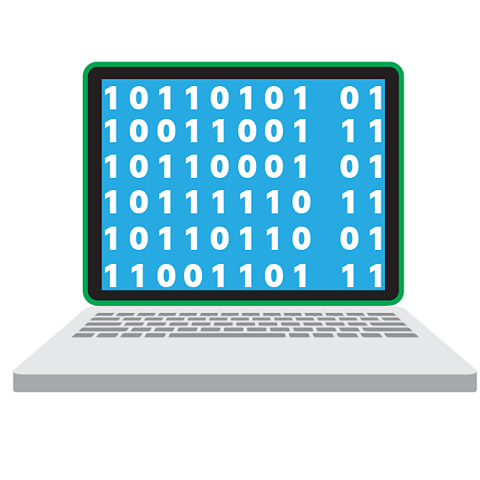
Computers can only work with information that has been converted into a code made up of numbers.
This conversion is called Converts information and data into a digital code that computers can read..
Information that has been converted or digitised into numbers is called digital information or digital Information collected in the form of numbers..
If information has been created by a digital device like a digital camera it is already digitised.
If information is not digital, like a printed photo, it needs to be digitised using a scanner or a digital camera.
Input devices
There are many different ways we can input data into a computer system.
The devices we use are called input devices and include keyboards, touch screens, microphones, movement sensors and webcams.
Some examples of input include:
- Words written using a An input device with keys or buttons for letters, numbers and symbols.
- Screen clicks using a A screen that can turn touch into digital information that a computer can process.
- Live video from a A camera that can send live digital images to a computer or a digital device.
- Sound from someone using a A device that can pick up and send sound as digital information into a connected computer. for voice control
- Movement in front of a motion A device that can collect information about the world around it and sent it to a computer processor. in an automatic door
Output devices
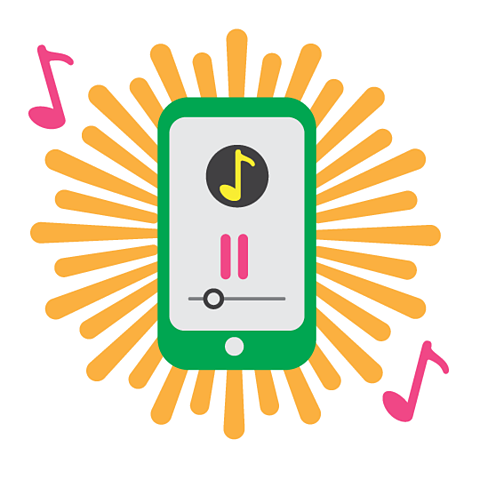
When a computer has finished processing input, it is sent back out of the computer ready to be used.
Output can be sent to lots of different types of devices, including screens, printers, speakers and headphones. It can also be sent to lights or motors to make things light up or move.
Some examples of output include:
- Sound coming from a mobile phone speaker
- Text appearing on a laptop screen or computer monitor
- Pictures printed from a printer
- Video shown on a tablet screen
- Movement from a motor when an automatic door opens
Connecting input and output devices
Some input devices like screens are built into a computing device.
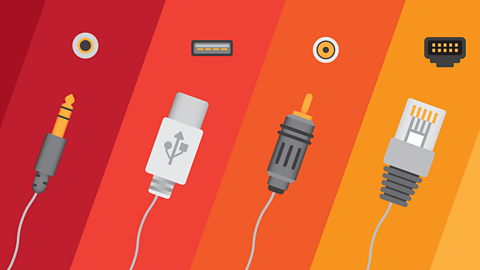
Other devices like printers are connected with cables using a special connection socket called a A hole or opening in a device designed for a plug or connector to fit into..
Some input devices can connect to a computer system using wireless connection called Technology that allows devices to wirelessly access a network and transfer data. Invisible to the human eye..
Input and output in one device

Some devices are bothinput and output devices.
A tablet touch screen can act as an input device by sending information into the tablet’s computer processor as you press different areas of the screen.
It can then display an output like an image or a video on the screen, or play an output sound through speakers or headphones.
Find out more about input and output devices by clicking on this interactive graphic.
Watch: Input and output devices
Input devices are things that put information into a computer.
So, things like a keyboard, a mouse, a microphone, or a webcam.
Then there are output devices that feed information out of a computer, like speakers, a monitor, or a printer.
But how do input devices communicate with output devices?
Well, all information on computers has to be digitised—that means numerical data.
So all forms of information—images, texts, sounds—are converted into a single binary code.
This data, for example, represents the question:
"Do you want sprouts with that?"
Which turned out to be a terrible idea for selling doughnuts.
It was input by typing on a keyboard, sent as numerical data in an email, output on screen, printed via a printer… and then shredded.
Or, he could have input it using a wireless keyboard.
Wireless devices communicate using radio waves.
When they get close enough, they have a conversation to work out how they're going to interact with each other.
The screen of a smartphone or tablet computer is an input and output device.
You input on the screen through touch, and it outputs through graphics.
Sound’s an output too—Fetch!—but that’s through the speakers.
Once you know about input and output devices, you start to recognise them everywhere. Good dog!
There are other input devices that can track and respond to your voice, gestures, or movements, and give you helpful feedback and encouragement.
Activities
Dance Mat Typing game! game
Build and test your computing skills with different levels of touch type challenges.

More on Computer science
Find out more by working through a topic
- count7 of 12
- count8 of 12
- count9 of 12