Character encoding
Computers work in A number system that contains two symbols, 0 and 1. Also known as base 2.. As a result, all characters, whether they are letters, punctuation or A single whole number value from 0 to 9, especially when used in a larger number. For example, the number 752 has 3 digits. are stored as binary numbers. All of the characters that a computer can use are called a A table of data that links a character to a number. This allows the computer system to convert text into binary. Examples are ASCII and Unicode. .
Two standard character sets in common use are:
- American Standard Code for Information Interchange. A 7-bit character set used for representing English keyboard characters.
- A system of encoding text in computing widely used on the internet.
ASCII code
ASCII uses seven The smallest unit of data in computing represented by a 1 in binary., giving a character set of 128 characters. The characters are represented in a table, called the ASCII table. The 128 characters include:
- 32 control codes - mainly to do with printing
- 32 punctuation codes, symbols, and space
- 26 upper case letters
- 26 lower case letters
- numeric digits 0-9
We tend to say that the letter ‘A’ is the first letter of the alphabet, ‘B’ is the second and so on, all the way up to ‘Z’, which is the 26th letter. In ASCII, each character has its own assigned number. For example:
| Character | Decimal | Binary | Hexadecimal |
| A | 65 | 1000001 | 41 |
| Z | 90 | 1011010 | 5A |
| a | 97 | 1100001 | 61 |
| z | 122 | 1111010 | 7A |
| 0 | 48 | 0110000 | 30 |
| 9 | 57 | 0111001 | 39 |
| Space | 32 | 0100000 | 20 |
| ! | 33 | 0100001 | 21 |
| Character | A |
|---|---|
| Decimal | 65 |
| Binary | 1000001 |
| Hexadecimal | 41 |
| Character | Z |
|---|---|
| Decimal | 90 |
| Binary | 1011010 |
| Hexadecimal | 5A |
| Character | a |
|---|---|
| Decimal | 97 |
| Binary | 1100001 |
| Hexadecimal | 61 |
| Character | z |
|---|---|
| Decimal | 122 |
| Binary | 1111010 |
| Hexadecimal | 7A |
| Character | 0 |
|---|---|
| Decimal | 48 |
| Binary | 0110000 |
| Hexadecimal | 30 |
| Character | 9 |
|---|---|
| Decimal | 57 |
| Binary | 0111001 |
| Hexadecimal | 39 |
| Character | Space |
|---|---|
| Decimal | 32 |
| Binary | 0100000 |
| Hexadecimal | 20 |
| Character | ! |
|---|---|
| Decimal | 33 |
| Binary | 0100001 |
| Hexadecimal | 21 |
‘A’ is represented by the decimal number 65 (binary 1000001, hex 41), ‘B’ by 66 (binary 1000010, hex 42) and so on up to ‘Z’, which is represented by the decimal number 90 (binary 1011010, hex 5A).
Similarly, lowercase letters start at decimal 97 (binary 1100001, hex 61) and end at decimal 122 (binary 1111010, hex 7A).
When Units of information. In computing there can be different data types, including integers, characters and Boolean. Data is often acted on by instructions. is stored or transmitted, its ASCII or Unicode number is used, not the character itself.
For example, in binary, the word "Computer" would be represented as:
1000011 1101111 1101110 1110000 1110101 1110100 1100101 1110010
Unicode
While suitable for representing English characters, 256 characters is far too small to hold every character in other languages, such as Chinese or Arabic. Unicode uses 16 bits, giving a range of over 65,000 characters. This makes it more suitable for those situations.
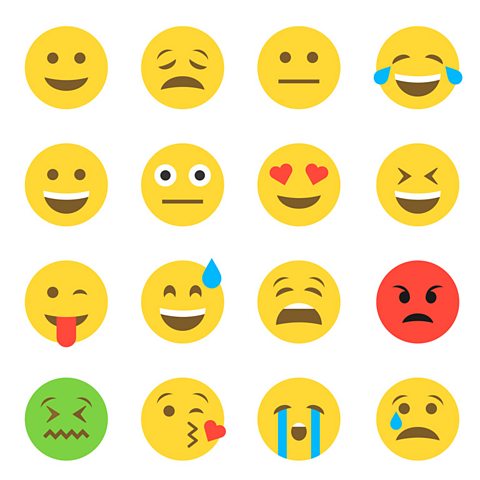
Unicode also allows us to represent additional characters that are more visual such as emojis and emoticons.