Addressing and protocols
Any form of communication requires rules. These determine how the communication is actually made and manage key factors like transmission speed, error checking and methods of addressing, for example, how to locate another node on the network. Rules that govern communication are known as A set of rules for how messages are turned into data packets and sent across networks.. Many types of protocol exist, but the ones that govern addressing are:
- Internet Protocol - A set of rules for communicating over the internet. IP can also stand for intellectual property.adressing
- Media access control - each unique piece of hardware on a network has a MAC address. addressing
IP Addressing
When connected to a network each device is given a unique A unique address for each computer device on a network.. This address consists of four sets of up to three digits, each with a maximum value of 255, which are separated by dots. An example is:
192.168.0.254
When a Any device connected to a network. wants to send a message to another node, it uses the recipient node's address as the destination. A A device for connecting computers and other network capable devices together to form a network. on the network knows where the node with this address is and routes the message to it accordingly.
IP addresses can be static or dynamic.
A node given a static address always keeps the same address. A node given a dynamic address has a different address assigned to it each time it connects to the network. This method is known as dynamic host configuration protocol (DHCP). Static addressing makes it easy for network managers to know which device is which on a network. However, dynamic addressing allows more devices to connect than there are available addresses. When a device disconnects from the network, its address is freed up for another device to use. When the first device reconnects it is assigned any free address.
This method of addressing using four sets of digits is called The fourth version of the Internet Protocol. . When IPv4 was devised, the range of addresses allowed was deemed to be enough. However, the huge increase in internet enabled devices has seen IPv4 run out of addresses. A new version, The newest version of the Internet Protocol. , which includes six sets of three digits, has been introduced, greatly increasing the number of possible addresses to trillions.
MAC addressing
A MAC address is a unique serial number assigned to each A circuit board that is installed in a computer so it can be connected to a network.. This allows a network to uniquely identify any device, even when a dynamic IP address is assigned using DHCP, each time the device connects to a network. The device’s IP address changes depending on the network and the MAC address is unique to the device.
A MAC address consists of a string of A number system using 16 symbols from 0-9 and A-F, also known as base 16 and hex. numbers. An example is:
1A:5B:6H:98:78:35
The MAC address is assigned by the NIC’s manufacturer and cannot be changed. If a device has more than one NIC, for example a wired NIC and a wireless NIC, each NIC will have its own MAC address.
Ethernet
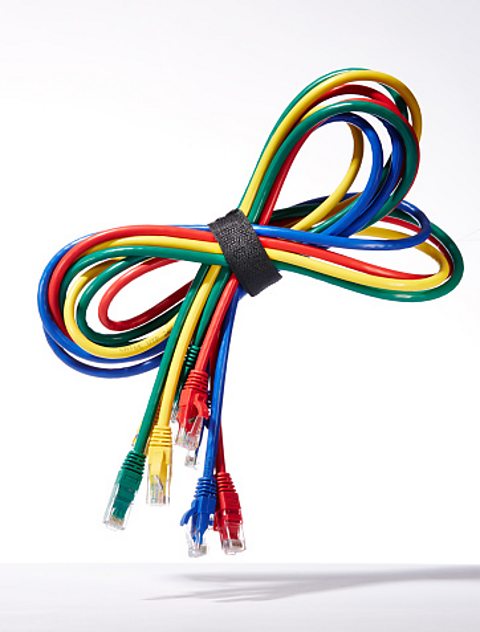
Ethernet is a type of A set of rules for how messages are turned into data packets and sent across networks. used to connect devices on a local area network (LAN) via a physical cable.
It allows computers, printers and other A group of interconnected computers/devices. devices to communicate through a wired connection.
Advantages of ethernet
- It provides a stable and reliable connection that is not affected by walls or interference.
- It offers higher speeds than wi-fi.
- It is more secure than a wireless connection because physical access is usually required to cables and also because data that is travelling through the cables is harder to intercept than a wireless connection.
Disadvantages of ethernet
- Devices must be near a connection point.
- It can be difficult to install, due to issues with infrastructure, such as older buildings not designed for cabling or having to drill and lift floorboards in buildings.
- Cables can appear to be messy.
Wi-fi

Wi-fi is a type of A set of rules for how messages are turned into data packets and sent across networks. used to connect devices to a network, wirelessly.
It allows the user to move around and to be mobile. The disadvantages of wi-fi are that it can be slower and less stable (due to issues such as To increase and decrease. signal strength) than other protocols, such as ethernet.
Other protocols

Many other protocols exist. Some of the more common protocols are:
- TCP/IP - Transmission Control Protocol/Internet Protocol - enables communication over the internet.
- HTTP and HTTPS - Hypertext Transfer Protocol - governs communication between a webserver and a client. HTTPS (secure) includes secure encryption to allow transactions to be made over the internet.
- FTP - File Transfer Protocol - governs the transmission of files across a network and the internet.
- SMTP - Simple Mail Transfer Protocol - governs the sending of email over a network to a mail server.
- POP and IMAP - Post Office Protocol and Internet Message Access Protocol - govern retrieving emails from email servers. POP is an older implementation, largely replaced by IMAP.
More guides on this topic
- The CPU - Eduqas
- Primary storage - Eduqas
- Secondary storage and embedded systems - Eduqas
- Internet and cybersecurity - Eduqas
- Data representation - Eduqas
- Storage and data organisation - Eduqas
- Operating systems - Eduqas
- Principles of programming - Eduqas
- Algorithms - Eduqas
- Sorting, searching and validation - Eduqas
- Software development - Eduqas
- Impacts of digital technology on wider society - Eduqas
