Integrated Development Environment (IDE)
Writing large Sequences of instructions for a computer. can be a complex task. To help the programmer write clear, Programming code that is easy to understand and amend., various tools exist:
- A program that allows the writing and amending of code.
- The period when a computer program is executing or running.
- automatic line numbering
- error trapping
- colour coding
- breakpoints
- A memory location within a computer program where values are stored. tracing
- auto-correct
- auto-suggestion
- auto-indent
- A program that translates high-level programming languages into machine code. Programs can either be interpreted or compiled.
Some (or all) of these tools are often gathered together in software known as an A suite of tools that helps a programmer to write error-free, maintainable code..
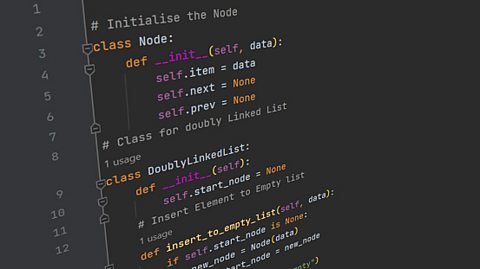
Many brands of IDE exist:
- Python comes with a simple IDE called IDLE.
- Eclipse and Netbeans are two fully featured IDEs often used for programming in Java, JavaScript and HTML.
- Visual Studio is an IDE largely designed to help programmers in Visual Basic and C#.
The choice of IDE is down to the personal preference of the programmer. Some programmers enjoy the variety of tools offered by some IDEs, while others prefer a simpler, bare-bones approach.
To read more about maintainability, see the producing robust programs study guide.
Editors
Editors are software which allow programmers to write and edit code. Editors are often fairly simple, but usually offer facilities such as:
- automatic line numbering
- colour coding
- auto-correct
- auto-suggestion
- auto-indent
These tools help to improve the readability of code. However, they do not usually help to identify errors.
Error diagnostics and translators
Error diagnostics
When writing code, tools for error diagnostics and translators help to identify and fix errors made by a programmer. Error diagnostic tools help programmers to find and rectify mistakes in their code. These tools can help to:
- highlight any Error in a program resulting from code not following syntax rules governing how to write statements in a programming language. such as incorrect spelling or a missing bracket
- explain which parts of the code aren’t working by providing error messages
- identify line numbers where an error is found
- suggest possible fixes for errors.
Translators
Computers do not initially understand Also known as high-level language. This is a computer programming language used to write programs. High-level languages need to be translated into machine code through a compiler, interpreter or assembler. like Python or Java. To overcome this, a translator changes the code into Also called object-code, this is low-level code that represents how computer hardware and CPUs understand instructions. It is represented by either binary or hexadecimal numbers. that the computer can run and understand. These tools are built into the IDE and help programmers to identify problems and ensure the code written is error-free.
There are three main types of translator:
- Assemblers – these are used for low-level languages and converts them into machine code. Two types of low-level language are machine code and assembly language
- Compilers – translate all code at once and then run the code
- Interpreters – translate and run code line by line.
Runtime environments
A runtime environment (RTE) is special software that allows a program to run on a computer, even if it is not designed to run on it. It works on different platforms, meaning a program can be developed on different systems and still work.
An RTE creates a A software implantation of another computer system or program for another machine. in order to run a program. A virtual machine is an A software simulation of a computer system that can be made to run on another computer. of a computer system that can be made to run on a different computer. This means a programmer can concentrate on program development rather than understanding how different computer systems actually work.
A common RTE is the Java Runtime Environment. This RTE allows Java programmers to design programs on one platform, but to be able to run them on many.
Debugging tools
Debugging tools help programmers to locate and fix errors.
- Breakpoints enable a program to be paused or stopped at predetermined points. The programmer can then examine different parts of the running program, such as the values held in variables or the status of conditions. This information tells the programmer whether or not the program is working as expected.
- Variable tracing lets the programmer see the changing values of variables as the program runs. Again, this enables the programmer to check if the program is functioning as expected.
- Some IDEs pinpoint exactly where a Error in a program resulting from code not following syntax rules governing how to write statements in a programming language. occurs, or at which line in a program an error is generated. This is known as error trapping.
