GPS maps are a great tool that help us find our way around.
They provide lots of useful information, like where you are, the distance to your destination and the quickest or quietest routes.
Key points
In this article you can find out:
- what GPS is and how it works
- what information GPS maps show
- what devices use GPS
- what symbols GPS maps show
This resource is suitable for People, Place and Environment topics for P5, P6 and P7 (Second Level Curriculum for Excellence).
Watch - Map skills video
Watch Isla and Connor using GPS maps to explore Edinburgh.
Find out how GPS maps work in this video.
ISLA: Exploring Edinburgh today has been great! But I'm not sure where we are now and, ooh, I'm getting hungry!
CONNOR: No problem! It's easy to locate yourself in a city. There are maps that can help. Paper maps in tourist guides. Or street maps that show every street, road and building.
ISLA: But what if we don't know where we are to start with? I can't see a street sign.
CONNOR: With a GPS signal, a phone can pick up signals from satellites that tell us where we are.
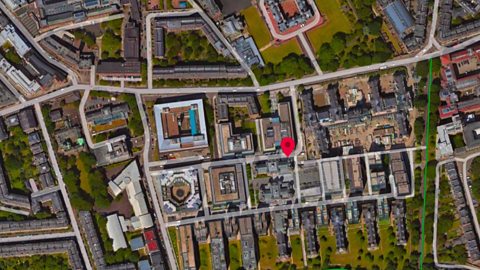
Ah, Nightingale Way. And look, if we change the map to a satellite image, we can see those buildings in front of us The modern ones there and the old ones there.
ISLA: We're really close to the castle.
Those green bits are Princes Street Gardens, Holyrood Park.
CONNOR: And look, that blue line is the Water of Leith.
ISLA: When you want to find your way somewhere, all this information shows different routes depending on how you are travelling. Walkers can use footpaths that cars can't use. We could have gone on a tour of Edinburgh just using this map!
CONNOR: [LAUGHS]
Well, now you know where we are, but do you know where we're going?
ISLA: The closest place where we can sit down and eat. Follow me!
CONNOR: It's easy to follow the dot on the phone but we need to stay aware of our surroundings. We don’t want to walk into the road or bump into things.
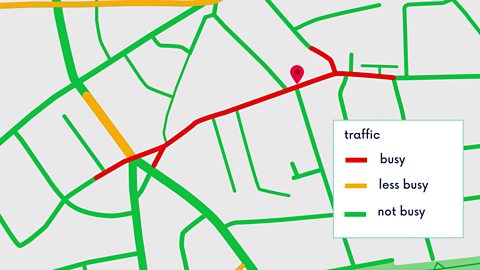
There's a lot of noisy traffic here. If we were in a car, we might want a less busy route and as pedestrians, a quieter one. GPS can show us, look.
Red shows busy roads, green shows less traffic.
ISLA: Wow, that's clever! How does it know?
CONNOR: Whenever we use a map app on our phone and we share our location information, the app collects data, like how long our journey takes.
The data from all users tells it where there's more traffic and where there's less traffic. When you ask GPS to show you a cycle route, it will automatically show you the routes with less traffic so that its safer.
ISLA: And look, that looks like a café!
Symbols on a map, like the coffee cup, tell us what we'll find there.
For example, P means a car park, a H is a hotel, a hospital is a cross, like this.
Outside the city in rural areas, you'll see different kinds of symbols that show physical geographic features too, like viewpoints or forests.
There are loads of symbols, so sometimes you need a key to know what they all mean. That's a list of all the symbols on the map alongside a written description
CONNOR: Well, that coffee cup looks inviting!
ISLA: Ah, that's good. And now I can explore the map more!
Look, we can see all the historic monuments and public transport routes. You can even see the terrain. These are called contour lines and they show the shape of the landscape. A contour is a line drawn on a map that joins points of equal height above sea level.
There's Arthur's Seat in Holyrood Park on top of an extinct volcano!
Look how close together all the contour lines are. That shows how much the land rises up and how steep it is. It's helpful to know that walking up and over Arthur's Seat isn't just a stroll in the park!
CONNOR: I've had fun wandering around Edinburgh today! But a bit of virtual exploring is okay by me too. My feet are killing me!
ISLA: Aww! [LAUGH]
What is GPS?
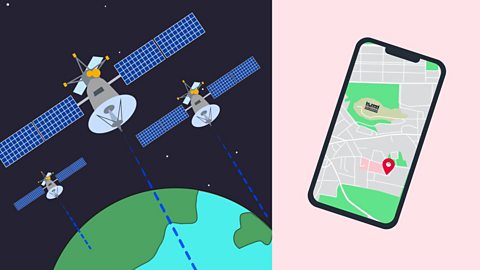
- GPS stands for Global Positioning System.
- GPS satellites send out signals of where they are above the Earth.
- Phones and other devices pick up these signals.
- Devices can work out how long it took each signal to reach them.
- The time the signal took to reach a device shows how far away from each satellite the device is.
- If you device picks up signals from four or more satellites, it can work out your exact position.
Why are GPS maps useful?
GPS maps can show different views with different information.
Click through this slideshow to see some of them.
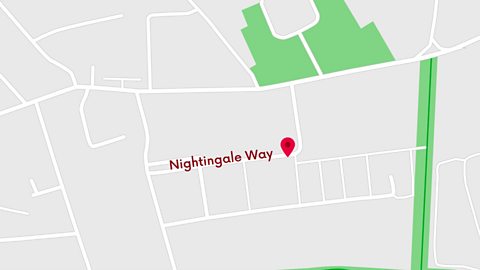
Image caption, Basic street map
GPS maps can show a basic layout of roads and your location - this can make it easier to find a specific street and work out how to get there.
1 of 3
Which devices use GPS information?
You can access GPS maps on lots of different devices.
Click through the slideshow below to see some!
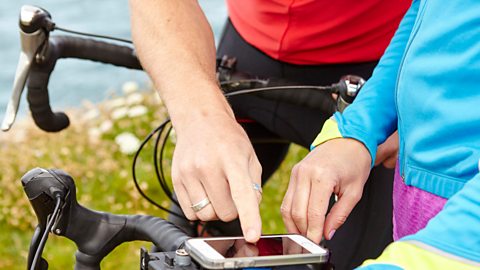
Image caption, Mobile phone
GPS is very accessible on mobile phones. They are easy to use and work as long as your phone is receiving a GPS signal. Some GPS apps work without an internet connection, so they don’t use lots of data, or drain your battery too fast. (Cultura Creative RF / Alamy Stock Photo)
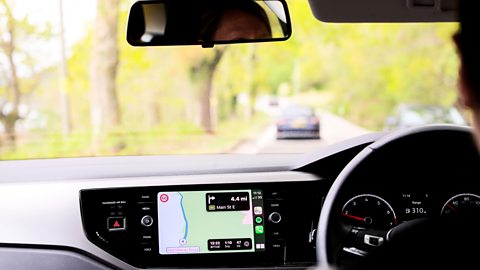
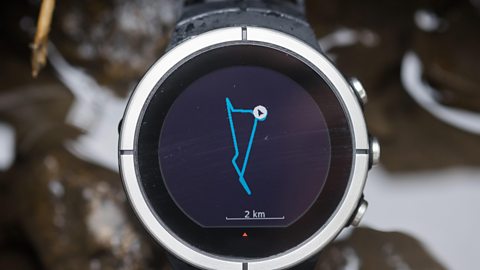
1 of 3
How do GPS maps show keys and symbols?
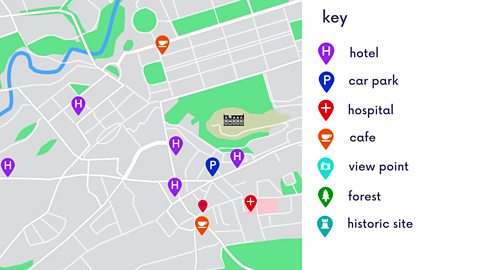
GPS maps have lots of information that can help you find where you want to go. These can usually be found in the key.
The key is a list of all the symbols on the map, alongside a written description.
Different companies make different GPS maps, and each has its own set of symbols.
How do GPS maps show the shape of the landscape?
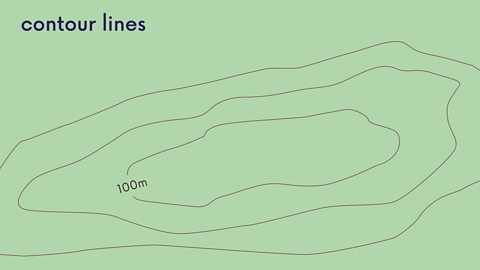
GPS maps don’t just tell you are roads, paths and other routes. They can also show you the shape of the landscape.
Just like on physical maps, GPS maps can show contour lines that join areas that are the same height above sea level.
The spacing of contour lines shows how steep or flat the land is.
When contour lines are wide apart, the ground they show will be flatter.
When contour lines are close together, they show that the ground is sloping.
Test your knowledge
GPS maps quiz
Test your GPS knowledge with this quick quiz!
