
Roblox is changing how it checks the age of its youngest players.
From 8 January 2026, all UK users must complete mandatory age verification checks.
Roblox is one of the most popular online gaming platforms and as a parent it can be hard to work out whether you should give your children access and how to do it safely.
The CEO of the gaming company told the BBC in 2025 that parents who are worried should keep their children off the platform completely. However, that’s easier said than done if your children already play the game or all their friends do.
Roblox came up a number of times in Bitesize Parenting’s recent Parents Panel survey – one Mum told us her daughter added friends or friends to her profile without her knowing, which caused arguments.
Sound familiar? Well, in this article experts on internet safety answer your most searched questions about Roblox - including everything you need to know about the new verification checks. This should help you decide whether Roblox is the right game for your child and how to help them stay safe when playing.
1. What kind of game is Roblox?
When your child says they’re playing Roblox, they’re not only accessing one game.
It’s as though they’re entering an arcade, and once inside, they can choose from multiple games to play.
Roblox has been going since 2006 and at the time of writing had over 40 million games , which are often called experiences.
They fall into a number of categories, the main ones are:• story and character games• hide-and-seek or challenge quests with friends• creating new worlds – gardens, adopting pets, mystical kingdoms• obstacles – enemies, physical barriers or timed games and puzzles
There are so many games on Roblox because they are created by users. Roblox Studio is a separate app that allows users to create games, which they then upload to the Roblox platform for other people to play.
Anyone can create a game, and this can be a great way for kids to get creative. However, this also makes it tricky for parents to know exactly what their children are playing.
Rosie Bromley is an Education Officer at Childnet International - a UK-based charity helping children and young people navigate the internet safely. She says Roblox is particularly popular with primary school children because it’s so varied, but she warned that this also means parents really need to know which specific games their children are playing.
Roblox allows users as young as 5, and Rosie’s advice is that for very young children, parents really need to sit next to them while they play.
2. What is the age check process?
With Roblox’s multiple games it’s more difficult to know what your child is actually playing and seeing than for a standalone game.
All the ‘experiences’ go through an automated vetting process and are reviewed before they’re released. Creators also have to provide a description of the game and a Content Maturity Label which is used to assign it to an appropriate age-range.
Becca Cawthorne, also from Childnet International, says that the descriptions and age-ratings on the games are provided by the creators themselves, not by Roblox. This means they may not be consistent, and the content, because of how Roblox works the content of the games can change over time.
“It’s not enough for parents and carers to check once and think it’s fine. Games are constantly evolving.”
3. Is Roblox content appropriate for my child?
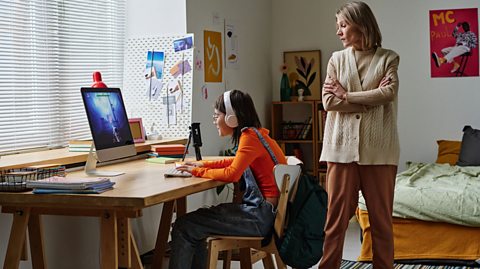
Childnet International recommends parents have regular check-ins and conversations with their children about staying safe online.
You could start by asking your children to show you what happens in Roblox or to give you a quick tutorial. This conversation guide could help you get started.
Becca says it’s important that if your child raises a concern they don’t see you feeling overwhelmed or scared. Her advice is to ask them to show you what happened, “get curious, not furious”.
If children see that you’re upset, Rosie says they will then feel worried about telling you if they do see something scary or inappropriate online again.
Becca and Roise suggest making sure that even before your children start playing computer games they know to speak up if they see something they shouldn’t or something happens online that worries them.
If your child feels they can come to you with any concerns, and you both know how to report anything inappropriate, your child will be safer.
4. Is my child safe playing Roblox?
It's important to sign up with the correct age, as this will automatically filter available content and limit who they can speak to. By default under 13s can only chat with their own friends or ‘connections’ within the game they are playing.
This is key now and as they grow up because “if they set it to 13 when they are 10, actually they'll have an adult account before they are an adult,” Becca says.
From January 2026 in the UK, Roblox will require users to verify their age. Parents do this already with a credit card or ID, but now everyone who wants to use chat will have to use a camera to have their face analysed to estimate their age or have ID verified. The verification process will be undertaken by AI.
In an interview with BBC Radio 5 Live, Matt Kaufman, the Chief Safety Officer at Roblox explained how the new changes will work. “The age check process is simple,” he said. “We simply take a picture of your face. With that picture we can estimate your age with a fairly high degree of accuracy.”
Once this check is complete, Roblox users will be allowed to chat with others in similar age groups, unless they become ‘trusted connections’ with people they know.”
Parental controls can be set to remove all chat functionality, but this may mean your child can’t participate in some of the collaborative games their friends are playing.
There are other useful features in Parental Controls too. Viki Walker, says her 9-year-old twins use Roblox and she has it all set up appropriate to their age. “If they want to download a new game, it needs my permission first. I also get a report of what they’ve been playing and for how long, and I can see who they’re friends with on the platform,” she says.
Within Roblox, you can also set a daily screen time limit, from minutes to hours.
5. Who can contact my child on Roblox?
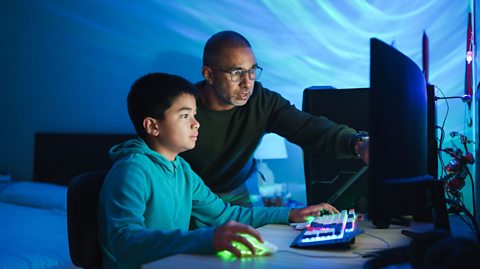
For children under 9 the default setting in Roblox is that all chat in experiences is turned off. Chat outside of experiences is also restricted for users under 13. However, you can change these settings to suit your child.
In Parental Controls you need to look for the Communication, Party settings. Even if you child is over the age of 13, you can change these settings so that your child can only speak to their friends, who are playing the same game as them. This is how most children use the game – playing as a group with people they know in real life.
A common concern is that children may be encouraged to leave the Roblox platform to have conversations on another app. It’s really important that children know never to do this and to report anyone trying to interact with them in this way.
Becca says, “one of the red flags young people need to know is if somebody asks them to go to a different app or a private channel. Roblox do try and filter their chat generally to try and stop that sort of information from coming through. But of course if somebody has bad intentions they might try and find a way around this, so it’s important to have strong parental controls in place and to teach your child to report this kind of behaviour”.
6. Can I limit how much my child spends on Roblox?
Roblox is free to download, but like many gaming apps, there are ways to spend real money to enhance the game. The currency Roblox uses is Robux – you can buy these in the game or on gift cards.
In Parental Controls, you can set Spending Restrictions. You can limit how much can be spent right down to zero, and get alerts when your child does spend a lot of money. By default, this only alerts parents to high spends – over £100 – so do set this up immediately. The spending restrictions don’t apply to gift cards. If you don’t have a credit or gift card linked to the child’s account, they can’t spend any money.
There are also some scams your child needs to be aware of, Rosie told us your child might be tempted to click on something that says, ‘You can get free Robux’. However “if they follow that link it might look like their log-in screen but actually it’s just stealing their log-in information and then they might lose control of their account,” she says.
Another potential issue to tell you children to watch out for is trading Robux. Rosie says this is “where players offer to trade something within the game, but as it’s not regulated, they don’t always follow through on what’s been agreed”.
This article was published in January 2026

Bitesize Parenting
Fun activities, real-life stories, wellbeing support and loads of helpful advice - we're here for you and your child.
Planet Planners on Roblox
KS3 GEOGRAPHY
Social media bans for teens – everything parents need to know
Under-16s will be banned from some social media sites after government intervention. Here's a guide to help understand why and what sites are off limits.
Three common online scams and how you can protect yourself from them
We take a look at some common online scams and look at the things you can do to help keep yourself safe
Five things parents need to know about Fortnite
Fortnite is hugely popular amongst children, but as a parent - how can you keep up with what they're doing when gaming online and who they're playing with. Some advice to help you understand their world
Five ways you can help your child to play online games safely
Author and parent Giovanna Fletcher gives five top tips for helping your child to game safely and happily.