What do I need to do and when?
Register for MFA from 27 June 2023.
To register for Multi Factor Authentication (MFA), you will need to have an authenticator app downloaded and registered to your preferred mobile device.
The BBC are not specifying a particular Authenticator app to use, as some colleagues will want to continue to use the app they already have.
However for colleagues that don’t already use an Authenticator app; the ForgeRock Authenticator App is already widely used within BBC and should be accessible for all colleagues.
When searching for an Authenticator App to download, make sure you download the app you intended to – not the one that appears in an advert at the top of your search results.
Downloading and using the ForgeRock Authenticator App
We've included some screenshots from downloading the ForgeRock Authenticator app to a colleague’s iOS device and using it for the first time.
This is the icon for the ForgeRock Authenticator App.

Search for the ForgeRock Authenticator app from the store where you can download apps to your device.
The first app that appeared in our search results was an advert for another Authenticator app – make sure to look for the ForgeRock Authenticator logo.
Select to download.
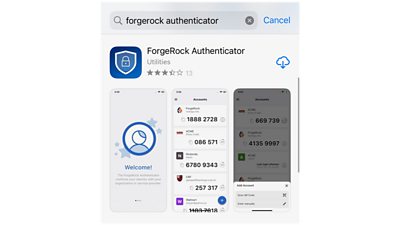
Once the app is downloaded, open the app. There are several welcome/information messages that you can swipe through.
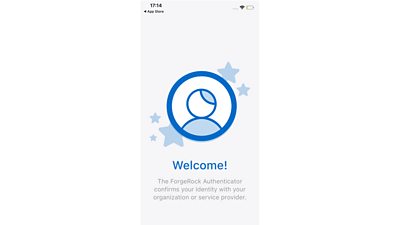
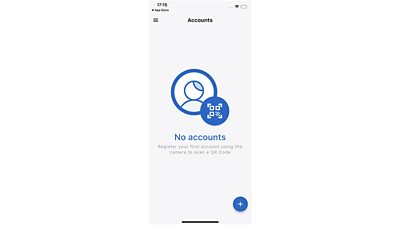
To register with an online account like MyPay, select the plus icon in the bottom right-hand corner.
To add an account, You’ll be given the option to Scan a QR code or enter a code manually. You’ll need to select the corresponding option on MyPay but it’s easiest to select scan the QR code.
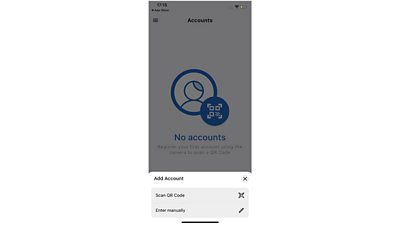
We selected to allow the app to access the camera on the device.
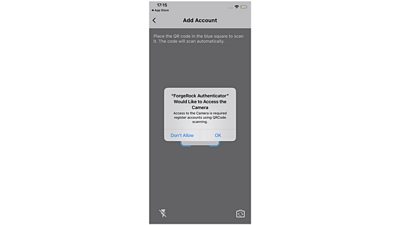
Align the guidelines on your phone screen with the QR code displayed on MyPay.

Your six digit code for inputting on MyPay will be displayed. For future MyPay logins, this code will display and refresh at regular intervals
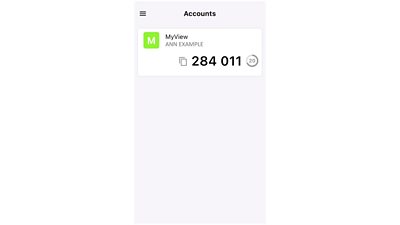
Completing Registration on MyPay
Once your Authenticator app is downloaded onto your mobile device, on MyPay, begin to log on as usual, using your username and password.
Your username is your BBC personal number (this is six digits long and can be found on PeopleView on Gateway, or in your contract).
If you see an error message when you access MyPay, you may need to clear your browser cache. Guidance on how to clear your browser cache is available on Gateway.
If you have forgotten your password then please send an email to EY Customer Support – eyct@service-now.com who will ask for a reset, and will disable MFA for you to enable it. This can take 24-48 hours.
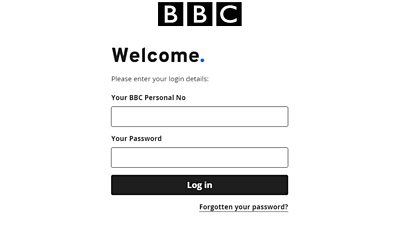
Register for MFA in 3 simple steps
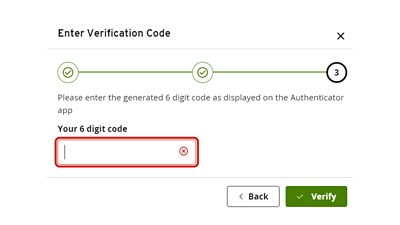
Once your username and password are input you’ll be routed through these registration screens.

In the Authenticator app, select to add an account by scanning a QR code and align the guidelines on your phone screen with the QR code displayed on MyPay or you can choose to use the manual entry code.
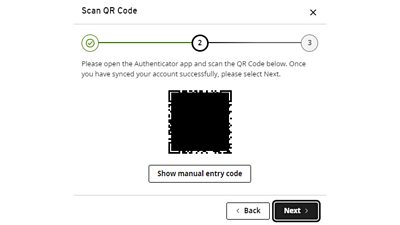
A six digit code will appear on your app for this account, please input this on MyPay and select Verify.
(The six digit code will expire after 30 seconds and a new code will be generated on your app.)
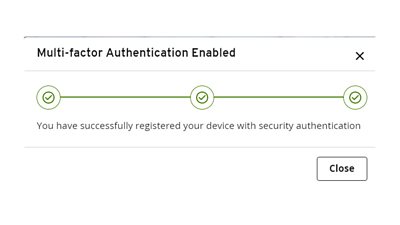
You’ve successfully registered for MFA and can close the information box.
Secure for the future
After completing registration for MFA, you will need to login and you may be asked to reset your password.
This is a great opportunity to create a strong password - it’s a good idea to incorporate uppercase and lowercase letters, numbers and/or symbols (e.g. !, #, or @).
You will then need to open your Authenticator app and input the six digit code which refresh every 30 seconds into MyPay; you can now access your pay documents.
In the future when you log in you will need to input your BBC personal number, your password and open your authenticator app to retrieve a six digit code against your MyPay account for inputting on MyPay.
Lost or new device
If you lose or replace the device that your Authenticator app is on, please contact EY Customer Support – eyct@service-now.com who request an update to your record which will trigger you to re-register for MFA with a new device when you next login on MyPay. This can take 24-28 hours.
