
Create your own diary by either editing the text of an existing diary or by creating a new one from scratch. Use images from the existing diaries to illustrate your new one.
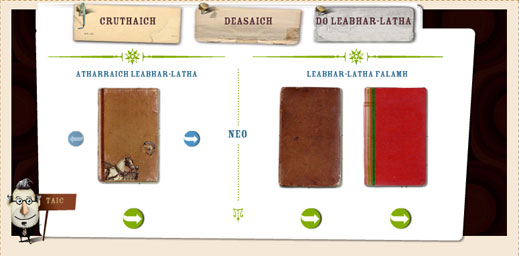
To edit an existing diary, click on the diary on the left of the screen. Use the blue arrow buttons to scroll through the different diaries and click on the green arrow button to edit one.
You can change the name on the diary cover and the text inside. To change the picture on the right hand page, click on the green "Tagh Ìomhaigh" button. The available photographs are grouped according to the diary where they appear.
To create a new diary, click on one of the two diaries on the right. Type a name on the cover and create your own text to fill the pages inside. Use the "Tagh Ìomhaigh" button to select a photograph or a drawing to place on the right hand page.
When you have finished, click on the Seall button to view your diary. Click on the Clò-bhuail icon to print your diary. The diary text and images print to full page size.

