| You are in: Stoke & Staffordshire News » |
Need to get sorted? You've come to the Right Place | |
How do I find something on this site?
(......use The Search!) | | 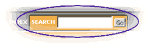 |
If you scroll to the top of this page, in the toolbar, you'll see an orange-coloured box - the Search facility. Type in the word/s there that you think are most likely to be found in the story you're looking for.
That will guide you to every page on this site where those words occur... and hey presto.
However - if you still are having difficulty finding exactly what you want (it could be a very long page, for example).... when the Search takes you through to a page, type the same keyword/s into your "Find Facility", and that should help you find the exact location of the story you're looking for.
(The "FindFacility" is up the top of your screen as part of the Edit button's choices...
- OR you get it up more quickly by a shortcut - just press your Ctrl and F keys together at the same time (Action and F for Macs).
Note: There may be more than one copy of the keyword/s on the page, so you may have to hit Ctrl & F more than once.
Is there a simple List of Contents of what I can find on this site?
Of course there is!
It lists every section on the site, and all the major pages - which makes it easy to see, at a glance, what subjects we cover and what services we offer. Click here to take a look.
We have quite extensive archives of past stories there too.
Okay. I love the site. But can't be faffed to type out the address of the pages I like every time. Is there a simpler way?
Yup.
The simplest thing is to make our site come up as the page that opens up automatically every time you access the Internet (ie it becomes your "home page"). You can do this by clicking on the "Make This My Homepage" message (it's just underneath Robbie's head) on our main page
If you already have a homepage, and don't want to change it, you can make any (or, as many as you like!) of our pages one of your top-line links instead, ie you can bookmark it.
On many of our pages, there will be a button called "Add To Favourites" - just click it, and follow instructions.
If there's not an ATF button, do it the long way.
Here's how. Go to your chosen page.... click on Favourites (the button almost right at the top of your screen)
.... in the column that appears, click on Add
... the title of the page now appears at the bottom of that column
.... now place your mouse over the title in the column, left-click, hold, and drag the title up to the links bar (the one under where the Favourites button is) and when you see a strong black vertical line appear, release.
Ok, now you see the title in your links-bar.
When you want that page again (say... next week), don't type out the address, just click on that title in the links-bar.
Easy!
Yeah, yeah. But it's all to complicated for me. Do you know an painless and free way to learn all these tricks for myself?
You're making this too easy for me.
The BBC provides a helpful guide to the Internet called "Webwise" - click here for more information.
The Beeb also provides free Learning Centres to help anyone who wants to learn about computers - from beginners up. Your nearest one is in Stoke on Trent - click here to find out more | | For access to past stories, click on News Archives below | |
|