
What is a podcast?
A piece of audio (usually an MP3 file) that can be automatically delivered to your computer, for you to listen to at your convenience. It might be a professional radio programme, an amateur film review, a language lesson, a guide to descaling a kettle, a daily recipe or limerick. Whatever your interests, you’re likely to find a podcast to fit the bill.
Do I need an iPod to listen to a podcast?
Absolutely not! You can listen on your computer, or copy the audio file to a blank CD or a whole range of portable devices. iPods are just one such device – many mobile phones can also play podcasts, as can Sony’s popular PSP games console and a host of other media players from manufacturers that include Creative, iRiver, Samsung and many more.
What software do I need?
You will already have software on your PC or Mac which can play a podcast (Windows Media Player and Real Player can both play downloaded MP3 files), but if you want to receive podcasts automatically, you may need to download additional software to handle the automated downloads (also known as your ‘podcast subscriptions’). Apple’s iTunes software is particularly popular because it combines a music and video player, automated downloads and transfers to iPods (and is itself a free download).
There are several alternatives to iTunes for automating your downloads. The most popular of these are called Juice and Doppler.
How do I sign up to receive a BBC podcast?
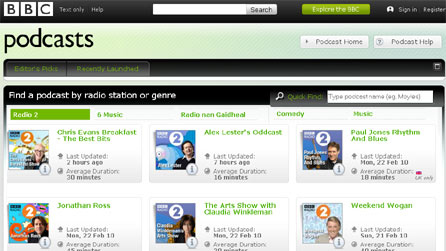
You’ll find a full list of available programmes (listed by network) on the main BBC Podcasts pages, which has a detailed Help section including a useful introductory video.
LINKS
BBC Podcasts
Full list of Radio 2 podcasts
BBC Podcasts help