

First Click
Listening & Watching Online
Click on the play button to watch the video below. Ken Bruce explains how you can listen to your favourite radio programmes and watch your favourite television programmes whenever you like.
In order to see this content you need to have both Javascript enabled and Flash installed. Visit BBC Webwise for full instructions
Use the links on the right to watch more videos featuring Radio 2 presenters which cover some key areas for the budding internet user.
If you'd like to try listening to and watching some of your favourite BBC shows just head to the iPlayer site where there's a full introduction to the service.
Beginners guide to Podcasts
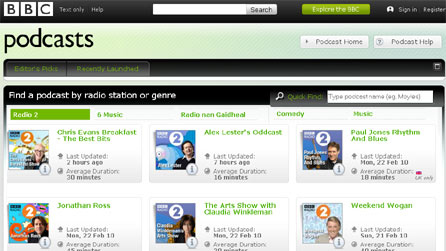
So what exactly is a 'podcast'?
It sounds like a strange term, but a 'podcast' is simply a piece of audio that you can download and then keep, so you can listen to it whenever you like at your own convenience. There's a huge range of styles made by all sorts of people and organisations - podcasts can be anything from professional radio programmes to amateur film reviews, language lessons, or a daily recipe. Whatever your interests, you're likely to find a podcast to fit the bill.
Many BBC podcasts contain highlights and the best bits from your favourite radio programmes, so you can download and keep them, and then listen to them whenever you like!
Do I need a portable music player to listen to a podcast?
Not at all! Although the name 'podcast' comes from them originally being designed for people to listen to on portable devices, podcasts are simply audio files and so can be listened to on your computer, any portable digital music player, many mobile phones, and so on. Almost anything that can play audio files will let you listen to a podcast.
What software do I need?
Your PC or Mac computer will already have software installed that will let you play podcasts. If you want to move them to your digital music player so you can listen to them on the move, your device will have its own instructions on how you can do this.
It's also possible to 'subscribe' to a podcast, which simply means that when new episodes of that podcast become available they're downloaded and delivered to you automatically. Depending on your computer, you may need to download additional software to handle the automatic downloads. Apple's iTunes software is particularly popular because it combines a built-in music and video player, automates your podcast downloads and transfers to iPods (and is itself a free download). There are several alternatives to iTunes for automating your downloads. The most popular of these are called Juice and Doppler.
How do I sign up to receive a BBC podcast?
You'll find a full list of available programmes (listed by network) on the main BBC Podcasts pages, which has a detailed Help section including a useful introductory video.
An Introduction To First Click

- An Introduction To First Click
Sir Terry and other Radio 2 presenters remember when they first went online.
Safety & Security Online

- Jeremy Vine's Advice For Staying Safe Online
Watch the video and be reassured by Jeremy's handy tips.
Joining Conversations
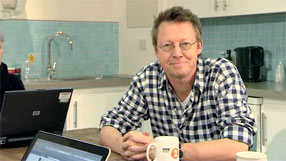
- Joining Conversations Online
Simon Mayo looks at the different types of conversations you can have online such as blogs, online phone calls and on social networking sites.
BBC iD
BBC iDBBC navigation
BBC links

BBC © 2014The BBC is not responsible for the content of external sites. Read more.
This page is best viewed in an up-to-date web browser with style sheets (CSS) enabled. While you will be able to view the content of this page in your current browser, you will not be able to get the full visual experience. Please consider upgrading your browser software or enabling style sheets (CSS) if you are able to do so.
