| 
Radio 1 DJ and Staff Photos 2001
Updated 7 Dec 2001
Check the station photo from:
2003 | 2002 | 2001 | 2000
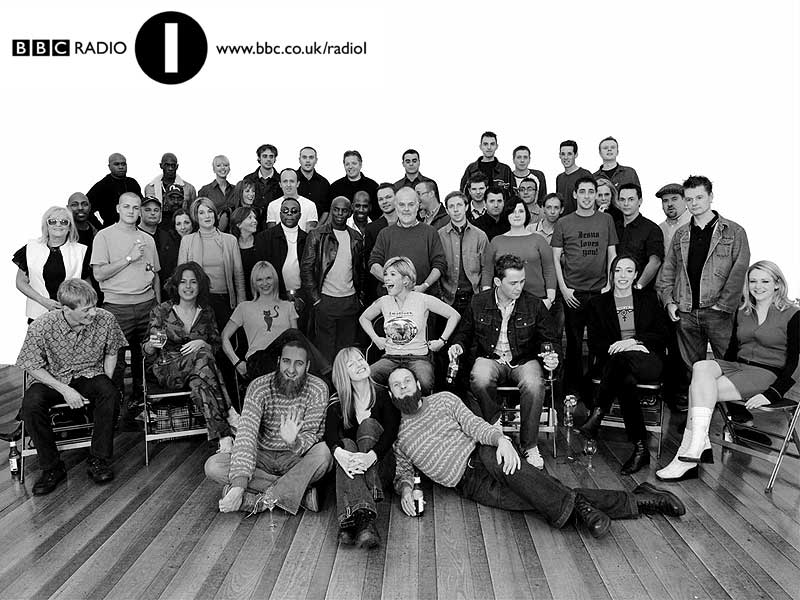
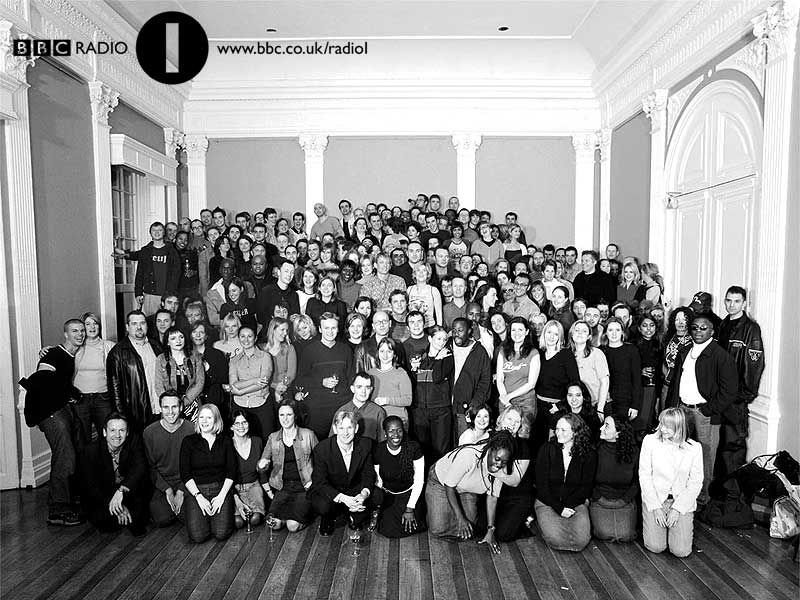
Every year, Radio 1's staff and DJs gather together for the annual station photographs. For this photo, the bold and the beautiful arrived at London's ICA one evening in early November 2001 to get their mugs on film.
Select a link (depending on your browser settings) to see a full version of the images. You can also download them for your desktop wallpaper if you really want! (Installation details below).
The DJs
Click on a link to see the full photo
 The glamorous Radio 1 DJ line-up - but who are those two tramps flanking Mary-Anne?
640x480 (66k)
800x600 (76k)
1024x768 (91k)
The Staff
Click on a link to see the full photo
 Would you employ any of these people??
640x480 (72k)
800x600 (85k)
1024x768 (104k)
Installing Wallpaper
Windows
1. Find out how big your screen is. Shrink your browser window and click with the right mouse button on an empty piece of desktop. A pop-up menu should appear. Select 'Properties'. A box will appear with tabs across the top. Select the 'Settings' tab and on the right-hand side of the box, it should say 'Desktop Area' and tell you how big your screen resolution is.
2. Come back to this webpage. Click on the PC link above that is the same size as your screen. For screens bigger than 1024x768 use the 1024x768 option. The picture should now load in your browser.
3. Click on the picture with your right mouse button and a menu will appear. Select the 'Set As Wallpaper' option.
Mac OS
1. Find out how big your screen is. Click on the Apple menu, then select 'Control Panels > Monitors & Sound'. A window will appear telling you how big the resolution of your screen is.
2. Come back to this webpage. Click on the link above that's the same size as your screen, hold the mouse button down so that a menu appears. Netscape users select 'Save this link As...' and Internet Explorer Users select 'Download Link to Disk'. Save the file to your desktop.
3. Move the downloaded wallpaper file (?????.jpg) into your wallpapers directory. First time users make a directory at the top level of your hard disk called 'Wallpapers' and move it there.
4. Click on the Apple menu, then select 'Control Panels > Desktop Pictures'. A window will appear. On the left-hand side hit the 'Picture' button. On the right-hand side hit the 'Select Picture' button. If you have a 'Remove Picture' button instead of a 'Select Picture' button hit this and your current desktop wallpaper will be removed, the 'Select Picture' button will now appear. A file selector box will appear, choose your wallpapers directory and then the wallpaper file (??????.jpg). Hit open followed by 'Set Desktop'.
| | |
|