| 13 November 2014 |

| |
| BBC Homepage | | |
| |||
| Contact Us | | |
Programme InformationYou are in: Essex > Local Radio > Programme Information > BBC Essex on your RDS radio 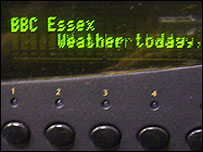 Don't forget to reset your car radio BBC Essex on your RDS radioBBC Essex is making behind-the-scenes changes to its transmitters to stop some radios retuning automatically to other BBC local radio stations. Find out more about the change and what you might need to do as a result. What's happening to BBC Essex?From the morning of 31 March 2009, if you have a Radio Data System (RDS) radio, or you have an RDS car radio, and BBC Essex is stored as a preset, you'll need to manually re-tune. To do this you just need to find the right frequency and re-save it as a preset. When some RDS radios are switched on, they might display an error message or tune to a different station. To listen to BBC Essex as normal, you'll just need to tune your radio to the right frequency - 103.5 FM or 95.3 FM.
Are you changing the frequencies, then?No - the frequencies and transmitters stay as they are at the moment. The only change is to the bit of RDS information which tells your radio what service it is tuned to. So if you tune by finding the frequency, you're not affected at all. Why are you doing this?We're trying a change to the way that RDS information is sent. At the moment, BBC local radio stations are grouped into large families and most RDS radios tune seamlessly between them. This is great if you're travelling a long way and want to listen to BBC local radio all the way. But we also know that many people can't always stay with the station they want to listen to, without the radio re-tuning to something else. What we're doing is taking BBC Essex out of the group, so your radio should now stick with it and shouldn't re-tune to another BBC local station as you travel around. So if you're annoyed when you're listening to BBC Essex on the move that sometimes you get transferred over to BBC Kent, BBC Suffolk or to BBC Three Counties, we hope that this will be the fix for you. What is RDS? Is it the same as digital?RDS is the radio data system, a technology which was invented in the late 1980s and which allows some data to be broadcast alongside an FM radio station. This data is used to display the station name, to re-tune between transmitters for the station, and flag up travel bulletins. RDS is not the same as DAB digital radio, which is an entirely different type of transmission. But because all RDS radios have a display of some sort, some of the very oldest have the word 'digital' printed on the case, which can be a bit confusing - but this is just referring to the display, not to the way it receives radio services. I don't know if I've got an RDS radio. How do I check?The simplest way is to think how you tune your FM radio. If you have to remember to go to 103.5 or 95.3 FM, then you almost certainly haven't got an RDS radio. If you tune by selecting 'BBC Essex' or the radio shows 'BBC Essex' when tuned to BBC Essex, then you have an RDS radio. Almost every car radio is an RDS radio and increasingly new radios for the home have RDS in them as well. If you have a dual-band FM and DAB digital radio receiver, then it is likely to use RDS on FM as well. Most RDS radios show the RDS logo somewhere: either on the case or display, or in the packaging or manual. Look for a pair of intersecting circles, shaped like an eight on its side. Do I need to re-tune before 31 March?No - the new information will only be broadcast from the morning of 31, March, so if you re-tune before then, you'll have to re-tune again. It should be as simple as going to the frequency and pressing a button to re-store it. I don't know how to re-store the presets on my radioFor many - but not all - radios, storing a preset is as simple as pressing and holding the memory button you want it to be on. Other radios need you to press a 'preset' button first. As there are so many different types of radio, we're afraid it's just not possible to offer individual assistance. If you get stuck, your best option is to consult your radio's manual. I haven't got an RDS radioThis change will have no effect on non-RDS radios. I listen on DAB digital radio or on cableThis will have no effect on DAB digital radios, or those who listen online, or via cable/other digital TV services. Are you changing the station? Are the presenters going to change?No - all we're doing is making a slight modification to the RDS information. Everything else is staying just as it is at the moment. Does this mean that the travel bulletins from BBC Essex won't interrupt the national radio stations any more?No - there's no change being made to the way that travel bulletins are signalled. If you wish to turn this feature off on your radio, this can usually be done by pressing the TA or TP button. Check your radio's manual for more detailed instructions. I can't get BBC Essex where I live / my coverage isn't very good - will this sort things out?No, we're afraid not - we're not making any changes to where the transmitters are located or the coverage that they provide at this time. This change is just to the RDS information that's transmitted alongside the signal; it doesn't change the signal itself. You can always find BBC Essex on the internet at bbc.co.uk/essex. last updated: 23/03/2009 at 15:29 SEE ALSOYou are in: Essex > Local Radio > Programme Information > BBC Essex on your RDS radio |
| | About the BBC | Help | Terms of Use | Privacy & Cookies Policy |