FAQs
Maps and Photos
Photos can be displayed on a map so that you can see where people have been and what they have seen
- How do I get my photo onto a map?
- Can I change a photo's location?
- How do I view my photos on a map?
- How can I view all the pictures of the same location?
- I can't see my photos amongst the others on the same part of the map
1.How do I get my photo onto a map?
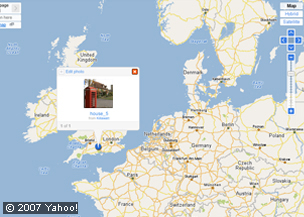
Place the photo on the map at its location. You can use the tool on the right of the page or your mouse to move around the world and to zoom in and out.
2. Can I change a photo's location?
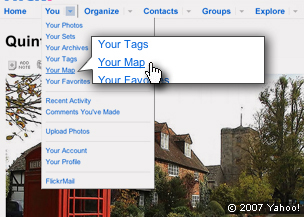
- If you have the map open and you can see your photo just drag to the correct location.
- If the map page is not open select ‘Your Map’ from the drop down menu next to ‘You’ at the top of page and then just drag to the correct location.
3: How do I view my photos on a map?
Select ‘Your Map’ from the drop down menu next to ‘You’ at the top of page. This shows just the photos you have placed on the map
4. How can I view all the photos of the same location?
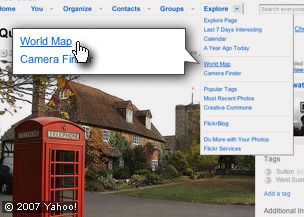
- Select ‘World Map’ from the drop down menu next to ‘Explore’ at the top of the page.
- Use the tool on the right of the page, or your mouse, to move around the world and to zoom in and out to find the place you are looking for.
- Don’t forget you can only see the photos that have had geography tags added.
5. I can't see my photos on the map
This could be because your account is still pending. Or, your photo may be on a different page so you will have to look at the other pages to find it (see the top left corner of the map).


