How do you create music with technology?
You can make music in lots of different ways:
- with musical instruments
- with found sounds
- using body percussion
- using technology
Technology includes things you might find in your home or school. It could be devices such as smartphones, tablets or computers or even other machines made just for making music.
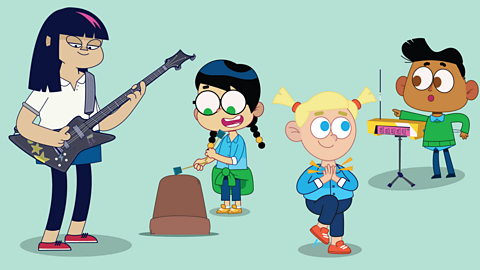
Watch - Music technology with David Bowie
Let’s see what Ben, Mia, Lottie, Ajay and Akshay find when they journey from their classroom into space, to visit famous singer and songwriter David Bowie.
TEACHER: I love new gadgets and technology as well as music. But did you know technology can help us make music? With this app I can sample sounds and make music.
GIRL 1: Wow!
GIRL 2: How?
TWINS: Tell us!
BOY 1: Frog!
(How? How? Tell-tell-tell us. W-w-wow. CROAK. Frog.)
ALL: Wow!
TEACHER: That’s just the start of what we can do!
BOY 1: Space frog.
GIRL 2: Hey! What’s that?
TWINS: I’m going to get there first!
DAVID: Hi guys, its me # David Bowie #
GIRL 1: David Bowie! My big brother loves you!
DAVID: Your brother has groovy taste man!
GIRL 2: Wow! What is all this technology?
DAVID: This is my space station for finding new sounds and testing music in space! Come on. I think I’ll blow your minds!
VOICE: Ground Control to Major Tom. Use technology to make this even more awesome.
DAVID: Let’s see what these space gadgets can do!
GIRL 2: Cool!
BOY 1: Wobbly music!
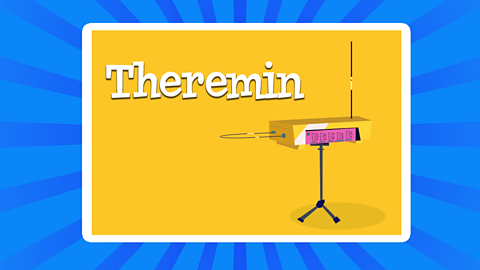
GIRL 2: A Theramin!
DAVID: With technology, we can make new musical instruments.
GIRL 1: Great Granny Gracie has one of these!
DAVID: Ooh, that’s a freaky funky. # I’m floating in a most peculiar way #
(I’m floating in a most peculiar way)#
GIRL 2: Oh, Ms Molly showed us an app that could do that!
(Wow. Wow)
(Tell-tell us. How?)
(CROAK. Frog. Frog.)
DAVID: # This is far out! #
(CROAH. How? T-t-tell us. Wow. Wow.)
There were lots of examples of music technology in David Bowie’s spaceship.
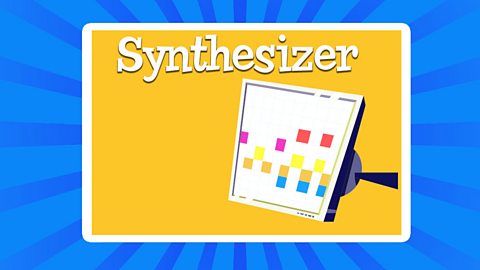
Image caption, Synthesizer
This is a special type of musical keyboard that creates electronic sounds that can sound like real instruments.
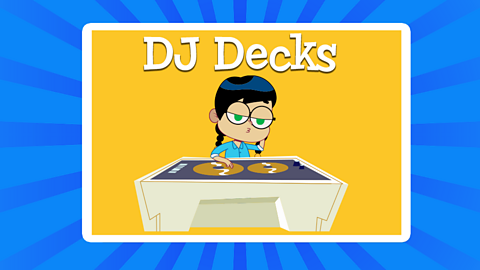
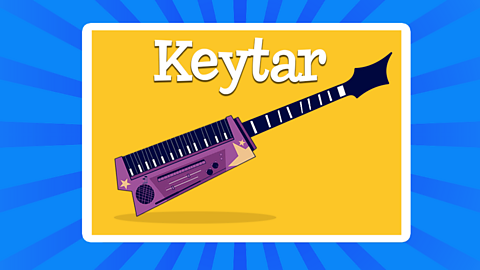
1 of 5
Some of these instruments can be quite expensive.
However, there are some great apps and webpages, that offer free samplers and synthesizers you can play with.
Ask a trusted adult to help you find some.
Watch: Playing a theremin
The theremin uses electricity to sense the position of your hands. As you move your hand away from the antenna (the metal pole on the right hand side of the theremin), the pitch of the note gets lower.
The height of your hand above the hoop on the left hand side allows you to play louder or quieter notes.
Watch Naomi have a go at playing a theremin.
Naomi: Ooh!
Mrs Thomas: Now this is called a theremin. It’s one of the very first electronic musical instruments, and it was invented 100 years ago.
Naomi: Wow, how do i play it?
Mrs Thomas: Well, it’s very special because it can be played without being touched. You can hover your hands near the two metal antennae and they use electricity to sense the position of your hands.
Naomi: This is so odd.
Mrs Thomas: You can move your right hand to control the pitch. And your left hand will control the volume.
Naomi: Oh, yeah. Let me try and put the two together. Oh. That is brilliant.
Mrs Thomas: Well, technology has moved on a lot since the invention of the theremin. People can now make hit songs in their bedroom with just a smartphone.
Naomi: Oh, I wish I could do that.
Mrs Thomas: In the next lesson, you’ll find out how.
Watch: What are samplers?
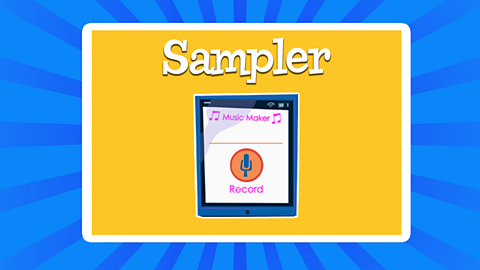
Samplers are a fun way to create sounds and loops.
You can use free apps on a smartphone, tablet or computer to get started. There are lots of free apps available. Ask a trusted adult to help you find one.
Watch Naomi record her own samples and put them together into musical loops.
Naomi: I am ready to play with loops and samples. What do i need?
Mrs Thomas: OK, let’s start by recording some samples.
Naomi: Right. How do I do that then?
Mrs Thomas: Well, press and hold a red pad to record a sound using your voice.
Naomi: OK. Oh. Like that?
Mrs Thomas: You can play the sample back by holding the pad, which has now turned blue.
Naomi: Yeah. Oh, there it is.
Mrs Thomas: OK, now record a few more samples. Try and find sounds that might work well for a rhythm.
Naomi: All right, I’ll try a kick drum then. Do!
Mrs Thomas: Yeah, good.
Naomi: Maybe a high hat. Ts. Ts.
Mrs Thomas: Oh, yeah.
Naomi: Do, ts, do, ts.
Mrs Thomas: Now that we have some samples, we can loop and layer them. Change to sequence at the top.
Naomi: OK.
Mrs Thomas: OK. Each of the boxes at the top is a loop. And when you press record, the app will start playing through the loop.
Naomi: All right. Oh, what are those beeps?
Mrs Thomas: Well, the beeps are the pulse of your piece of music. You can make it go faster or slower, but let’s leave it as it is.
Naomi: OK.
Mrs Thomas: Now you can tap one of the samples you made to play a simple rhythm to that pulse. The app will record exactly what you play.
Naomi: All right, I’m going to try it. Here we go. Ts, ts, ts, ts, ts, ts, ts, ts. That is what i just played.
Mrs Thomas: Yes, you just made a loop. It will keep playing over and over again. The app is still recording so you can layer another sample on top of that loop.
Naomi: OK. Do do-do, do do-do.
Mrs Thomas: You like that?
Naomi: Yes. So it added the weird noise I made.
Mrs Thomas: Yes.
Naomi: Oh. That’s nuts. I like this rhythm.
Mrs Thomas: Oh, excellent. Stop recording for a second. And let’s add some melody.
Naomi: OK. How do I do that?
Mrs Thomas: Well, first record a new sample of a long note. Maybe a hum.
NAOMI HUMS
Naomi: There it is.
Mrs Thomas: OK, go back into sequence, click on the keyboard icon and then the sample you’d like to play your melody with.
Naomi: That one, my hum. Oh, right.
Mrs Thomas: OK. Your original sample is on the key in the middle.
Naomi: There it is.
Mrs Thomas: See what happens as you slide your finger left and right.
Naomi: Oh, the pace changes so right seems to make it higher and left makes it lower.
Mrs Thomas: Yeah.
Naomi: So has this turned my him into a musical instrument that has different pitches?
Mrs Thomas: Well, yes, exactly. You can now use it to play your melody over your rhythm.
Naomi: All right. Let’s give it a go.
MELODY AND BEAT PLAYS
Naomi: Oh, that’s amazing. I can’t believe I just made a piece of music using just my voice and an app.
Mrs Thomas: I know, that’s the power of music technology. It’s never been easier to make your own music.
Naomi: Oh, I think maybe that could be a future number one. I should probably work on my vocals, though.
And remember…
Music technology is a really powerful tool for your music making.
Pieces of music technology are just another way of creating and organising sounds for your musical compositions.
Make sure you use and explore them alongside your voice, body, found sounds and musical instruments.
Activities
Quiz
Glossary
Here's the meanings of some important words.
Pitch - How high or low a sound is.
Theremin - An electronic musical instrument.
Samplers - An electronic musical instrument that records and plays sounds.
Compositions - Music that you have created.
Found sounds - Sounds made with objects found in the environment around us.
Play BBC Bitesize games! game
Fun, interactive games for children aged 4-11, with maths, English, science, history and many more subjects.

More on Musical Journeys
Find out more by working through a topic
- count8 of 9